A safer alternative to pmset disablesleep
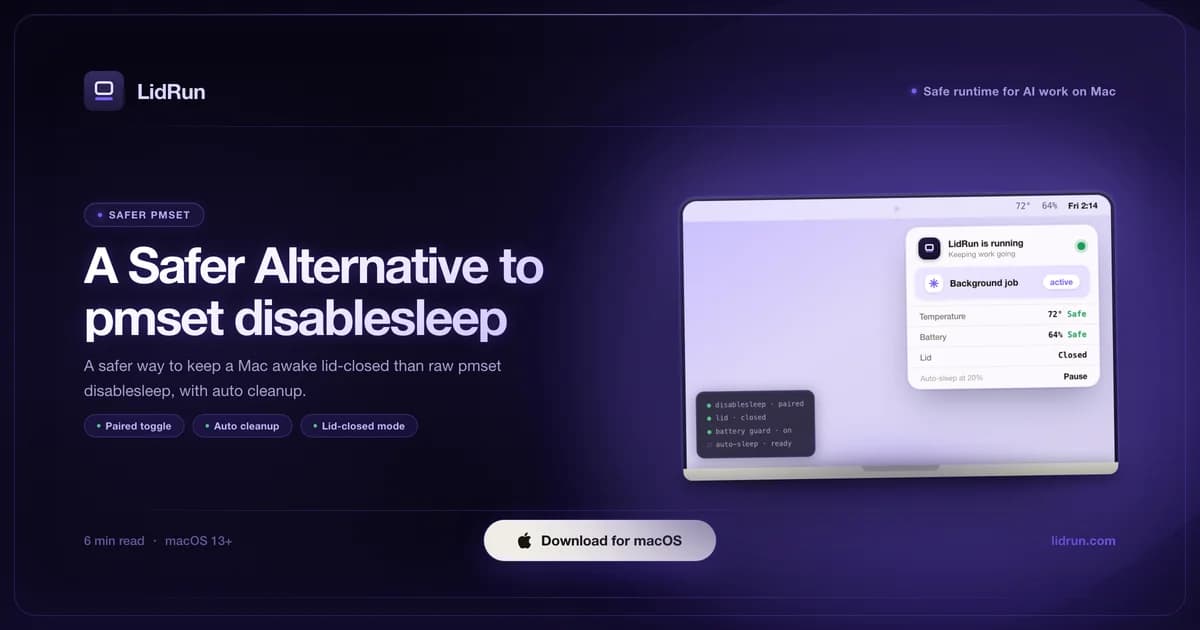
The safer alternative to pmset disablesleep is a tool that flips the exact same switch but pairs it, watches battery and heat while it's on, and turns it back off for you - that's what LidRun does. pmset -a disablesleep 1 is the documented way to keep a MacBook awake with the lid closed, but it's a global, sticky setting with no on-screen reminder, so a run you meant to keep alive for an hour can still be awake in your bag the next afternoon. Here's what the raw command does, the free options worth trying first, and how LidRun's guardrails work under the hood.
What pmset disablesleep does
pmset is the built-in macOS power management command line tool. pmset -a disablesleep 1 tells the system to ignore a lid close, so a Mac keeps running with the lid shut; pmset -a disablesleep 0 puts normal clamshell sleep back.
It's the documented, no-kernel-extension way to do closed-lid work, which is why it shows up in most guides on the subject. It needs administrator rights, because it changes a system-wide power setting, not just the current session.
Used carefully - turned on for a specific run and turned back off right after - it does exactly what it says. The risk isn't the command; it's what happens once you stop thinking about it.
Why leaving it on is risky
disablesleep 1 is global and sticky. It stays on until something sets it back to 0, there's no menu-bar indicator that it's active, and a reboot doesn't reliably clear it either.
Forget to undo it and the Mac stops honoring a lid close for every app, indefinitely - not just the one job you cared about. A run you meant to keep alive for an hour can keep the machine awake in a bag the next afternoon.
On a laptop that means battery drained for no reason and heat trapped under a closed lid with nothing watching for it. The command did its job; the problem is that nothing turned it off.
Related guideLidRun vs caffeinate: which keep-awake tool fits your workflow?The free options, before you reach for pmset
pmset disablesleep isn't the only lever. caffeinate ships with every Mac and needs no install - run caffeinate -i in front of a command and it holds the assertion for exactly as long as that command runs, then lets go on its own. For a single script or an SSH session, that self-cleanup is arguably safer than disablesleep, because there's nothing to remember to turn off.
The catch: caffeinate, and every menu-bar keep-awake app built the same way - Amphetamine, KeepingYouAwake, Lungo, the original Caffeine - holds a power assertion, and a power assertion only blocks idle and display sleep. It doesn't stop clamshell sleep, the lower-level sleep macOS triggers the moment the lid closes on battery. On macOS there are exactly two public ways around that: attach an external display while on AC power (Apple's own supported clamshell mode), or flip disablesleep. There's no third lever.
That's not a knock on those apps - caffeinate is genuinely the right tool for a lid-open terminal session, and Amphetamine in particular is a mature, well-built app with more scheduling options than most people need. But if the job is a lid-closed run on battery, whichever tool solves it is, under the hood, doing some version of what pmset disablesleep does - and the forgot-to-turn-it-off risk from the last section doesn't disappear just because it's wrapped in a nicer menu-bar icon.
A safer wrapper around the same toggle
LidRun uses the same documented pmset disablesleep toggle - no kernel extension, no private API - but always pairs it. Turn Closed-Lid Mode on and it sets disablesleep 1; turn it off, or quit the app, and it sets disablesleep 0 right back.
If the app is closed unexpectedly while the setting is on, LidRun detects the leftover state the next time it launches and resets disablesleep 0 then. That reset happens on next launch, not the instant something goes wrong, so it's a recovery step, not a live guarantee - worth being precise about.
Around that, what LidRun calls its Safety Governor runs the whole time Closed-Lid Mode is on: a low-battery auto-stop set to 20% by default (configurable from 15% to 50%), plus a hard 4% floor that force-sleeps the Mac no matter what you picked, because macOS needs that headroom to shut down cleanly. A thermal step-back watches the same window - it warns as the chip gets hot and automatically drops Closed-Lid Mode if things get genuinely unsafe, so the hardware can throttle and sleep instead of running hot inside a shut lid.
There's also a Smart mode, which is the closest thing to an actual "agent running → stay awake, agent done → let go" behavior: instead of holding the lid-closed state open indefinitely, it lets the Mac sleep after a set idle window (10 minutes by default) once whatever you were tracking finishes. Keep-awake mode, the other option, holds until you turn it off or a guardrail above steps in - closer to raw disablesleep, but still inside the same auto-stop net.
None of this claims a Mac can't overheat, or that a closed-lid run is risk-free - it still traps heat, and the goal is reducing that risk, not erasing it. Keep the Mac plugged in and ventilated regardless of which tool you use.
Turning it on
From the LidRun menu-bar icon, turn on Closed-Lid Mode. The dialog asks two things: Smart (sleep once the tracked work goes idle) or Keep-awake (hold until you turn it off), and how long to allow it - Until I turn it off, or a fixed cap from 30 minutes to 8 hours.
The first time, macOS needs administrator rights to change disablesleep. You can approve a one-time privileged helper in System Settings → Login Items, after which Closed-Lid Mode stops asking for a password on every toggle; skip that step and LidRun falls back to the normal admin prompt each time instead, which still works, just with more clicks.
Unlicensed users get a limited number of free Closed-Lid runs, shown directly in the dialog, before it asks for a license; a license removes the cap. Either way, the Safety Governor and the on/off pairing are on by default - there's no separate "safe mode" to remember to enable.
LidRun ships as a direct notarized DMG, not through the Mac App Store, for the same reason it isn't a kernel extension: Apple's sandboxed App Store review model doesn't allow apps that call pmset with administrator rights or run a privileged helper.
When raw pmset is fine
If you're comfortable on the command line, run it for a short, specific window, and reliably set it back to 0 yourself, pmset disablesleep by hand is perfectly reasonable. It's the standard tool for a reason, and it costs nothing to try.
The wrapper earns its place when a run is long, unattended, or overnight - exactly when you're most likely to walk away and forget the switch is still on, or when you'd rather have a battery and thermal floor watching in the background than rely on remembering.
Either way, the safety basics don't change: keep the Mac plugged in and ventilated, leave a low-battery floor on, and never seal a running Mac in a closed bag. Software can pair a toggle for you; it can't move air.
LidRun keeps your work running with the lid closed, with battery and thermal safety built in.
Already have LidRun? Read the setup guide →
Frequently asked
Not inherently - it's a documented Apple command. The risk is leaving it on by accident: it's global, it stays active until something sets it back to 0, and there's no on-screen reminder that it's running.
That's the exact failure LidRun is built to catch. Turning Closed-Lid Mode off, or quitting the app, sets disablesleep back to 0, and if the app closes unexpectedly while it's on, LidRun resets the leftover setting the next time it launches.
The first time, yes - changing disablesleep is a system-wide setting, so macOS asks for administrator rights through its native prompt. You can approve a one-time privileged helper afterward (System Settings → Login Items) so later toggles don't ask again; without it, LidRun falls back to asking each time, the same as the raw command would.
No. LidRun uses the documented pmset toggle, not a kext or a private API. That's also why it ships as a direct notarized DMG rather than through the Mac App Store, which doesn't allow apps that need administrator rights for system power settings.
Those hold a power assertion, which blocks idle and display sleep but not clamshell sleep - the lid-closed sleep on battery that only an external display or disablesleep can override. LidRun isn't a general keep-awake replacement for them; it's built specifically for the lid-closed, unattended case, with the auto-pairing and the battery/thermal auto-stop built around it. caffeinate is still the right call for a lid-open terminal session.
Yes - the disablesleep toggle and the pairing logic are the same on Intel and Apple Silicon (M1 through the current M-series), running macOS 13 Ventura or later. That's separate from LidRun's fan control, which has its own, narrower hardware gate.