What is a Closed-Lid AI Workflow?
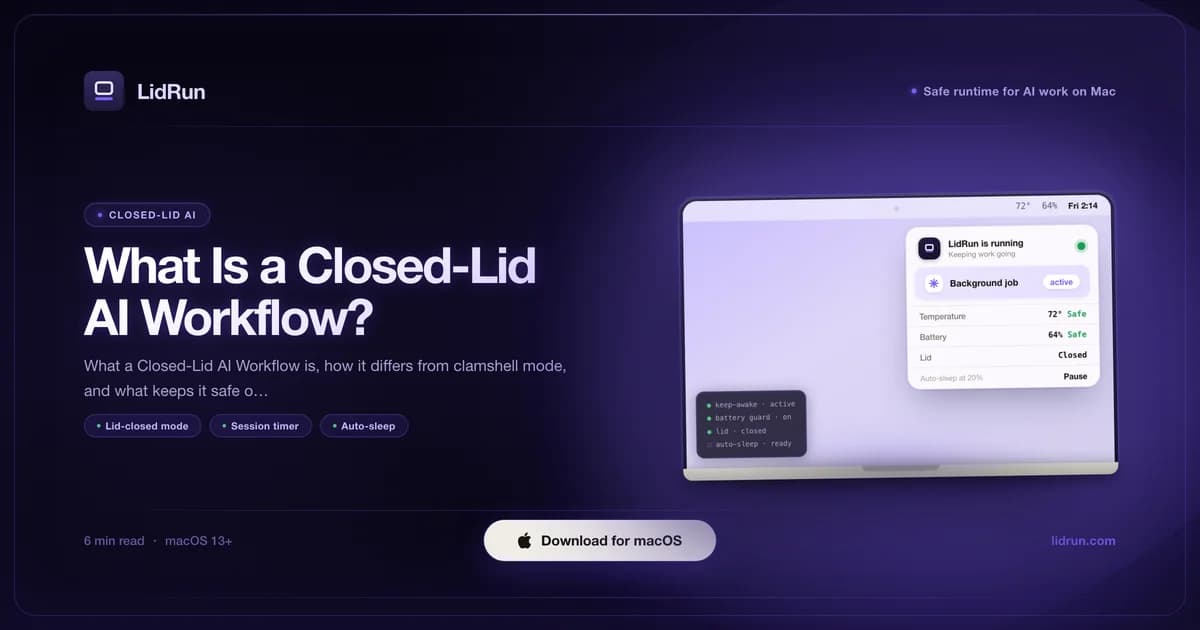
A Closed-Lid AI Workflow is closing a MacBook's lid while an AI agent, model download, or build keeps running unattended, then coming back to a finished result instead of a Mac that slept through the whole thing. Closing the lid triggers a different, lower-level sleep than the one caffeinate or a menu-bar keep-awake app normally blocks - which is why just "keeping the Mac awake" isn't enough, and why making this pattern safe takes battery and thermal limits that know when to stop.
What a Closed-Lid AI Workflow actually means
The pattern itself is simple: start a job - an AI agent run, a model download, a release build, an overnight sync - close the lid, and walk away. The job finishes while you're gone; you come back to a result instead of a machine that slept through your absence.
Three things have to hold for that to actually work. Something has to stop macOS from sleeping the instant the lid shuts. The job itself has to keep executing once the system stays up. And the session needs a real end condition - a process that exits, a timer that fires, or a battery or thermal limit stepping in - so the Mac doesn't stay running with nothing left to do.
That third condition is what separates a Closed-Lid AI Workflow from just disabling sleep and forgetting about it. A wake lock on its own only removes a safeguard - it is not a blind wake lock left running forever. The workflow part means the session has a scope: it starts for a reason, runs inside limits, and stops when the work is done or the limits say so.
Why closing the lid kills the job by default
macOS actually runs two separate sleep mechanisms here, and the difference is the whole reason a plain keep-awake tool doesn't survive a closed lid. Idle sleep fires after a period of inactivity - no keyboard, no mouse, no measurable load - and it's what caffeinate -i, and every general-purpose keep-awake app, is built to block. Clamshell sleep is different: it fires the moment you physically close the lid, on purpose, regardless of whether anything is running.
An IOKit idle-sleep assertion - the same category caffeinate -i uses, and the same one general-purpose keep-awake apps like Amphetamine, KeepingYouAwake, Lungo, or Caffeine are built on - has no effect on clamshell sleep. Close the lid on battery with caffeinate -i pytest running in the background, and macOS sleeps the whole machine anyway. That's not a bug in caffeinate; idle-sleep prevention was never designed to touch the lid-close path, and it's worth testing that limit yourself before trusting a long unattended run to any tool built only on that assertion.
There are exactly two public levers that do stop clamshell sleep: Apple's native clamshell mode, which requires an external display, and the systemwide pmset disablesleep setting, which requires administrator rights. A Closed-Lid AI Workflow - no external display, nothing but the laptop - has to go through the second one.
Related guideClamshell mode on MacBook: what it means for AI workThe free, built-in ways people try this
Before reaching for any app, it's worth knowing what macOS already gives you for free, because for some jobs it's genuinely enough.
caffeinate -i your-command is the simplest option: no install, no admin prompt, and it holds the Mac awake for exactly as long as that command runs. It's a solid, free choice for a job you're keeping an eye on with the lid open, or on a Mac that isn't going anywhere.
Native macOS clamshell mode is the second option: connect an external display, a keyboard, and mains power, then close the lid. macOS hands the display off and keeps the machine running as a tethered desktop. It's well documented by Apple and needs nothing beyond what's already built in - the tradeoff is that it needs a monitor, so it fits a desk setup, not a laptop you're closing and putting in a bag.
The third option is the one people usually land on once they've hit the caffeinate wall: running sudo pmset -a disablesleep 1 by hand in Terminal. It's free, it needs no extra software, and it's the actual lever that stops clamshell sleep with no external display attached.
Where the free options run out
Each of those three has a real limit, and it's worth being honest about where.
caffeinate doesn't survive the lid closing at all - not with any combination of flags - unless an external display is attached. That's the exact scenario most people reaching for it are trying to avoid, so it quietly fails the one job they expected it to do.
Native clamshell mode solves the sleep problem completely, but it solves a different problem than "close the laptop and walk away." You still need a monitor within reach, which rules out a nightstand, a hotel room, or a desk without a spare display.
Manual pmset -a disablesleep 1 is the one with real teeth, because it's a global, systemwide, persistent setting - not scoped to one command or one app. If you forget to run pmset -a disablesleep 0 afterward, or the terminal session that set it closes in a way you didn't expect, the Mac will not sleep again on its own until you remember or reboot it. And it does nothing else: no battery floor, no thermal watch, no timer. It just turns sleep off and leaves every safety decision - including when to stop before the battery dies, or before it overheats in a bag - entirely on you.
What makes a closed-lid session safer
This is the gap a Closed-Lid AI Workflow is meant to close: survive the lid closing the way manual pmset disablesleep does, but with guardrails watching the things a raw system setting can't.
Thermal: a SoC running at 100°C or above, or CPU throttle down to 30% or less, counts as critical; 98°C or throttle at 50% counts as serious. Hitting critical releases the sleep-prevention immediately. If it stays critical for a sustained two minutes while you're away from the keyboard (five-plus minutes idle) or the lid is physically closed, LidRun pushes the Mac to actual sleep rather than just releasing the hold and hoping macOS follows through in time. A present user with the lid open is never force-slept on heat alone - the hold releases so macOS can decide, but an active session at the keyboard isn't yanked out from under someone.
Battery: a low floor - 4% by default, adjustable between 4% and 8% - is the hard stop even when a session is set to run until stopped. Separate warn (15%) and critical (5%) thresholds escalate before that point is reached.
Idle and offline guards: on battery, offline, with nothing actually running for 15 minutes straight, or sitting idle for 20 minutes with no confirmed workload, the hold releases on its own by default. Those are convenience checks, and they're the ones you can deliberately turn off by picking a "stay until stopped" session - safety wins over convenience by default, and switching that off is a deliberate choice, not an accident.
None of that replaces placement. A closed lid blocks the keyboard deck's usual airflow path, so the same job runs warmer shut than open. A hard, flat, ventilated surface can help reduce that risk; a bed, a couch cushion, or a closed bag works against it no matter what the software is watching. These are guardrails, not a substitute for keeping the Mac somewhere it can actually breathe - use the pattern with care.
How LidRun runs a closed-lid session
Mechanically, LidRun's Closed-Lid mode is the combination described above, automated: it holds the same IOKit idle-sleep assertion caffeinate uses, and pairs it with the pmset disablesleep toggle through a privileged helper you approve once - after that, turning Closed-Lid mode on or off doesn't prompt for a password. Either lever alone doesn't survive a closed lid with no external display; the combination is what does.
Setting one up: turn on Closed-Lid mode, choose how the session should end - a timer you set, Auto-Watch (which recognizes dozens of common AI and dev process names out of the box, including claude, cursor, aider, codex, ollama, docker, and cargo, and ends the session when the one you're running exits), or "stay until stopped" if you're deliberately overriding the convenience guards - then set, or leave at default, your battery floor and thermal auto-stop, and close the lid.
For a short job you're supervising with the lid open, caffeinate -i is still a perfectly reasonable free choice. LidRun isn't trying to replace that use case - only the unattended, lid-closed one it doesn't cover.
What happens when a safety limit is hit
A safety stop shouldn't be a mystery when you get back. Every intervention - a thermal release, a forced sleep, a battery-floor stop, an offline or idle release - is written to LidRun's Activity Log with the reason it fired, and can push a notification to your phone through ntfy.sh or Pushover if you've set that up, so you're not reverse-engineering what happened from a cold Mac and a stalled terminal.
It's worth being clear about what that stop does and doesn't do. LidRun releases, or forces, sleep - it does not, and cannot, make the job underneath it save its progress gracefully. Whether a forced sleep mid-run costs you anything depends entirely on that job: a build that isn't resumable won't resume itself, and an agent mid-tool-call may or may not recover cleanly on wake. The safety floor exists to protect the hardware and the battery, not to guarantee the workload's outcome - which is exactly why getting the timer and thresholds right matters. A well-set timer that matches how long the job actually needs is worth more than relying on the safety floor to catch it.
Common closed-lid AI workflows today
AI agent runs are the clearest fit right now. Claude Code, Cursor, and similar tools can work through a multi-step task for thirty minutes or several hours with no input. Closing the lid while an agent works through a big refactor, a research task, or a test suite is exactly the situation this pattern covers.
Beyond agents: local LLM fine-tuning, model weight downloads, overnight Docker builds, large rsync or rclone jobs, and video renders all fit the same shape. The session starts, the lid closes, the work runs to completion, and you come back to a result.
The one-key closed-lid workflow: Caps Lock or ⌥L
A closed-lid AI workflow gets smoother when arming it is instant. Since LidRun 1.2 you press ⌥L (Option-L) - or tap Caps Lock - then shut the lid, and the run continues. No menu-bar detour before you walk away.
Caps Lock works because a shut-lid Mac isn't being typed on, so the key is free in that context and needs no extra permission. ⌥L is the alternative if you use Caps Lock for typing.
The shortcut arms the same guarded mode - timer, charging-only, low-battery auto-stop, thermal guardrails, and a warning before the Mac sleeps. Press the key again to release when you're back.
LidRun keeps your work running with the lid closed, with battery and thermal safety built in.
Already have LidRun? Read the setup guide →
Frequently asked
A Closed-Lid AI Workflow is closing a MacBook's lid while an AI agent, model job, or build runs unattended, then returning to a finished result instead of a Mac that slept through it. Because closing the lid triggers a separate, lower-level sleep than the idle sleep tools like caffeinate normally block, the workflow needs both a way to override that sleep and battery and thermal limits that end the session safely when it's no longer safe to keep going.
No. Apple's native clamshell mode needs an external display because that's how macOS decides it's safe to keep a lid-closed Mac running. A Closed-Lid AI Workflow gets there a different way: pairing an idle-sleep assertion with the systemwide pmset disablesleep setting, so nothing besides the laptop itself needs to be attached. LidRun applies both through a one-time-approved helper so you're not typing an admin password before every session.
Not on its own. caffeinate -i, and any app built on the same idle-sleep assertion, only blocks sleep caused by inactivity - it has no effect on the separate sleep macOS triggers the instant you close the lid without an external display attached. caffeinate is a solid, free choice for a job you're running with the lid open; it isn't the tool for walking away with the lid shut.
Running any workload lid-closed runs warmer than the same job open, because the closed lid blocks the keyboard deck's usual airflow. It helps reduce that risk to use a hard, flat, ventilated surface, keep a battery floor and thermal auto-stop active, and set a session timer - soft furniture and closed bags work against all of that regardless of software. Treat it as a pattern with guardrails, not a guarantee, and use it with care.
LidRun releases the sleep-prevention - and, if the heat stays critical while you're away or the lid is closed, forces the Mac to sleep - rather than letting the hardware push past its limits. The event is logged with its reason and can push a notification to your phone. That protects the Mac and the battery; it doesn't guarantee the job underneath was in a state to survive being interrupted, so a well-set timer that matches how long the job actually needs is worth more than relying on the safety floor to catch it.
caffeinate, built into macOS, handles a single command with the lid open and needs no extra software. Manually running pmset -a disablesleep 1 is the free way to survive a closed lid with no external display, but it's a global setting with no battery, thermal, or timer safeguards of its own. LidRun combines both mechanisms with those guardrails built in, for unattended AI agent workflows on macOS 13 Ventura and later.
Press ⌥L (Option-L) or tap Caps Lock to arm LidRun's closed-lid mode, then close the lid - the run keeps going. Press the same key again to release it.