Your weekly Mac workstation report: how hard your machine actually ran
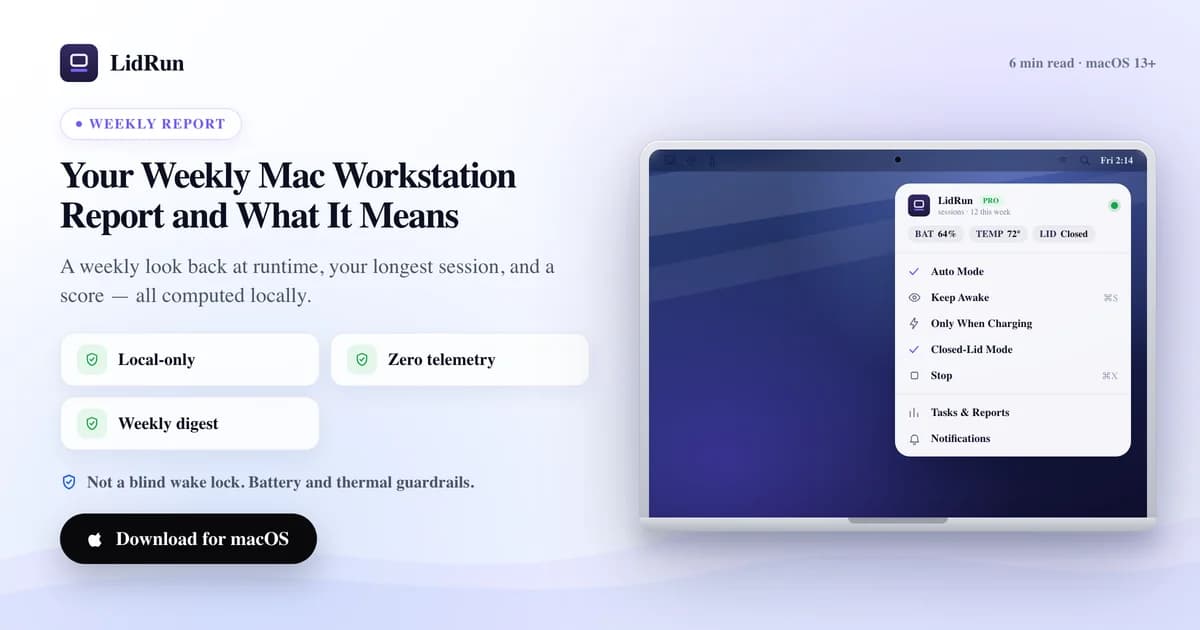
The weekly Mac workstation report is a free, on-demand summary LidRun builds from your Mac's own local Activity Log — total runtime hours over the last seven days, your single longest keep-awake session, and a 0-100 Workstation Score that flags a week that ran hotter or shakier than usual. Open it from the menu bar or Settings and it regenerates on the spot from real events already logged on your Mac, not a guess: nothing is scheduled, nothing is uploaded, nothing to configure. It exists because it's easy to lose track of how hard you actually lean on a machine — a few overnight runs here, a marathon build day there — and by Friday you have no real sense of how much your Mac actually did.
What the report adds up
Open it from the menu bar — click the LidRun icon and choose "Weekly Report…" — or from Settings → Overview → Actions → Weekly Report; both open the same window, and it's free for every user, no Pro unlock required. The report itself isn't scheduled or emailed: it regenerates fresh from the last seven days of your local Activity Log the moment you open the window, so if a week goes by without you checking, you see the most recent seven days, not a running total since install.
Six numbers make up the report. Protected sessions counts how many separate keep-awake runs started. Closed-lid sessions is how many of those ran with Clamshell mode holding the lid shut. Low-battery saves counts every run cut short by the battery — both a graceful auto-stop and a forced emergency sleep. Emergency sleeps is the narrower number: just the forced ones, where the safety governor had to sleep the Mac immediately rather than wind a run down. Thermal warnings counts how many times the Mac crossed a heat threshold the app tracks. And Longest session is the single longest continuous keep-awake run that week, measured wall-clock from when it started to when it stopped — or to right now, if it's still going when you open the report.
Those numbers answer questions you can't eyeball. Did that one overnight job really run for nine hours, or did a safety limit cut it shorter? How many separate sessions did the week actually contain, and how many of them ran hot enough to warn you? The Activity Log already records every one of those events as it happens; the report just rolls a week of them into a summary you can read in ten seconds.
There's also a shareable card built into the same window — Copy card or Save card turns the whole report, hero score plus all six tiles, into a single PNG. It's meant for a quick personal record or a Slack update to a team, not anything the app tracks or stores beyond that one export.
How people track this without a report
Before a feature like this exists, the honest answer to "how hard did my Mac work this week" is usually a guess. A few overnight runs blur into a few more, a marathon build day gets forgotten by Thursday, and nothing forces you to add it up — because until now, nothing was doing the adding for you.
It's not that macOS hides this information; it's spread across places that were never built to answer a week-level question together. Activity Monitor's Energy tab (Applications ▸ Utilities ▸ Activity Monitor ▸ Energy) shows an Energy Impact list and average figures, but the numbers reset on relaunch and don't distinguish a keep-awake session you asked for from background Spotlight indexing. Terminal has a deeper free option: pmset -g log dumps the real sleep/wake/assertion log, including thermal notifications and emergency-sleep events, straight from the kernel — genuinely the most complete free record on the Mac.
The catch is that pmset -g log is raw. A single week can produce thousands of lines, there's no session pairing — you match a "start" assertion to its "stop" yourself — no score, and you need to already know what you're grepping for (something like "EmergencySleep" or "Notification Thermal") to pull out the events that matter. Third-party menu-bar monitors like iStat Menus, TG Pro, or coconutBattery go considerably further on live sensor detail than LidRun's report does — per-core temperatures, fan RPM curves, battery cycle health — and are worth having if that's what you need. But they don't know about lid state, keep-awake sessions, or which sleep event was a deliberate safety stop versus something else; that context only exists inside whichever app was holding the assertion in the first place.
LidRun's report isn't trying to replace a sensor dashboard. It's answering a narrower question with data the app already has: of the time LidRun kept this Mac awake, how much was there, and how rough was it.
Related guideThe mac keep-awake safety governor: why LidRun lets a hot or idle Mac sleepThe Workstation Score, honestly
The Workstation Score is a single 0-100 number, and the math is deliberately simple: it starts at 100, subtracts 8 for each thermal warning and 6 for each emergency sleep that week, then clamps the result to a 0-100 range.
The label attached to that number isn't a plain pass/fail, though — there are four, and two of them override the arithmetic outright. Good is the default. Needs attention appears once the number drops under 70. But three or more thermal warnings always shows as High thermal risk, and two or more emergency sleeps always shows as Battery risk, no matter what the score itself works out to — and thermal risk is checked first, so a week that trips both shows as High thermal risk. That's deliberate: three separate heat spikes in a week is worth flagging even if the arithmetic alone would still call it "Good."
Read the whole thing as a stress signal, not a verdict. A lower score, or an override label, means the week included more moments where the Mac was warned about heat or had to sleep under pressure — it doesn't mean anything is broken, and a high score isn't a clean bill of health either.
It's a heuristic. The score exists to draw your eye to a rough week, not to diagnose hardware. If it keeps dipping, treat that as a prompt to look at where and how you're running long jobs, not as a measurement of damage already done.
It stays on your Mac
Everything in the report — runtime, sessions, score — is computed locally from the Activity Log already on your Mac, and none of it leaves the machine. That's worth stating plainly, because this data is basically a portrait of how you work: when you run long jobs, how hard, how often.
LidRun's separate, opt-out update telemetry is a different and much narrower thing — a random install id and coarse details like app version, sent only to check for updates, with no serial number, no machine name, and no email attached. The weekly report isn't part of that pipeline; it isn't transmitted anywhere, opt-out or not.
Using it as a feedback loop
The most useful habit is to actually glance at it. A week where the score dipped, or picked up an override label, is a nudge to check the obvious things: where the Mac sits, whether it had airflow, whether long runs happened on a hard surface instead of a couch or a closed bag.
A concrete comparison: a week with 2 thermal warnings and 1 emergency sleep scores 100 − 16 − 6 = 78, and stays "Good." A week with 4 thermal warnings and 0 emergency sleeps scores 100 − 32 = 68 — that one gets flagged twice over, "Needs attention" from the number and "High thermal risk" from the override, even though nothing slept early. The second week is the one worth actually checking — vents, placement, surface. The first one isn't.
If you see a lot of emergency sleeps specifically, that's the safety governor doing its job — letting the Mac sleep rather than push the hardware past a threshold. Frequent ones are a sign your runs are bumping into that limit often, worth understanding even though each individual one was the safe outcome. It's the same principle behind the app itself: agent running, stay awake; agent done or unsafe, release and sleep. The weekly report is just the receipt for how often that call got made.
One limit worth knowing: the report doesn't keep a history across weeks. Each time you open it, it's a fresh seven-day snapshot, not a saved log you can page back through — if you want a trend over a month, the shared PNG cards are the way to keep one, since the report itself doesn't.
Use it the way you'd use a step counter: a rough, honest signal that nudges better habits over time. It won't cool your Mac for you, and it doesn't promise your hardware is fine — but it does make a hot or stressed week hard to miss.
LidRun keeps your work running with the lid closed, with battery and thermal safety built in.
Already have LidRun? Read the setup guide →
Frequently asked
It aggregates the last seven days of your local Activity Log into six numbers — protected sessions, closed-lid sessions, low-battery saves, thermal warnings, emergency sleeps, and your single longest session — plus the 0-100 Workstation Score, all shown in one window with a shareable PNG card.
It starts at 100, subtracts 8 for each thermal warning and 6 for each emergency sleep that week, then clamps the result to 0-100. On top of the number, three or more thermal warnings always shows as "High thermal risk" and two or more emergency sleeps always shows as "Battery risk," regardless of the score — otherwise it's "Needs attention" under 70, or "Good."
From the LidRun menu-bar icon, choose "Weekly Report…" — or in Settings, go to Overview and click the Weekly Report button under Actions. Both open the same window.
No. It's free for every user, licensed or not — LidRun doesn't gate the weekly recap behind Pro.
No. The report and score are computed locally from the Activity Log on your Mac, and nothing is uploaded. LidRun's separate, opt-out update telemetry is narrower still — an install id and coarse version info — and never includes this data.
Only the current one. The report isn't a saved history — it recomputes the trailing seven days fresh every time you open it. If you want a record over time, save or copy the shareable card each week; the app itself doesn't keep past reports.
No. The score is a heuristic stress signal, not a diagnosis. A low score or a risk label means the week had more thermal warnings or emergency sleeps than usual — treat it as a prompt to check placement and airflow, not as a measurement of harm already done.