Prevent Mac sleep during a long terminal command
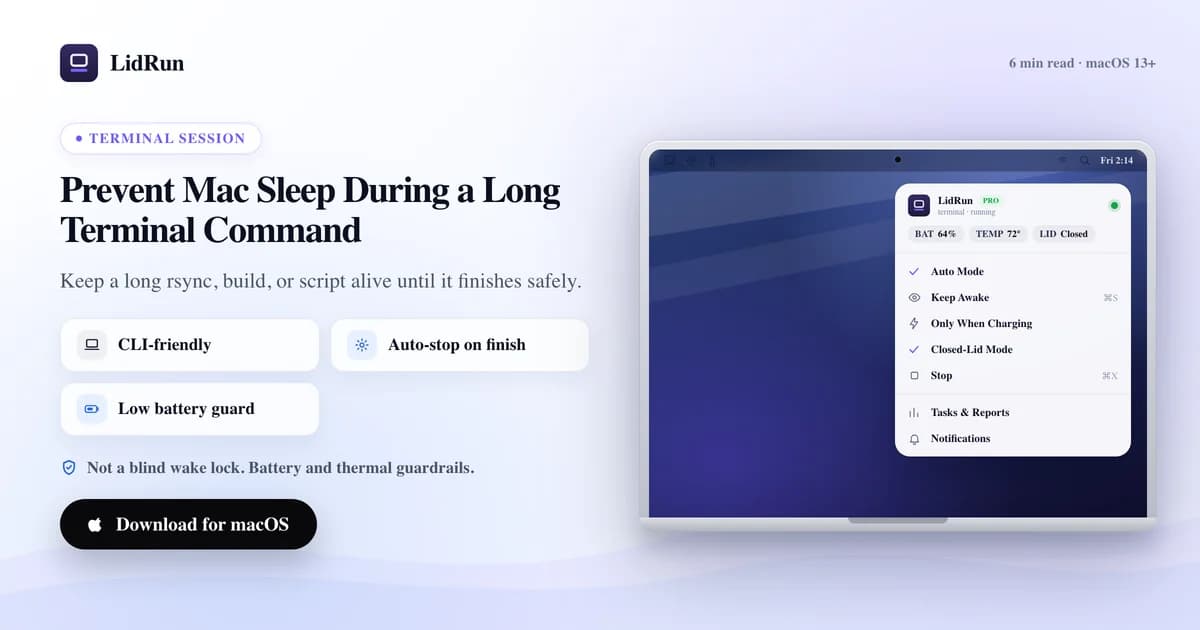
The fast answer: prefix the command with caffeinate -i your-command, or lidrun -- your-command, and the Mac stays awake until it exits, no babysitting required. What most guides leave out is that closing the lid works on a different mechanism entirely — neither caffeinate nor a plain keep-awake assertion can stop it, which is exactly the part that catches people running long jobs unattended.
Why long commands get cut off
A command in Terminal is a normal process tied to the Mac's power state. Step away long enough to hit the idle timer, or close the lid, and the Mac sleeps with the command suspended mid-run.
Long rsync transfers, builds, model downloads, and batch scripts are the ones most likely to outlast the idle timer, since they're also the commands you least want to redo. The job didn't fail — the Mac just stopped underneath it.
There's a second, related failure mode worth naming up front: if you're SSH'd into a Mac to run the job remotely, that machine has its own idle and lid-close sleep timers, completely independent of your SSH connection. A keep-awake tool has to run on the machine doing the work, not on the one you're typing from.
caffeinate and its flags
macOS ships caffeinate for exactly this, and for a single foreground job it's the right tool — no install, no cost. The flag combination decides what it actually holds open:

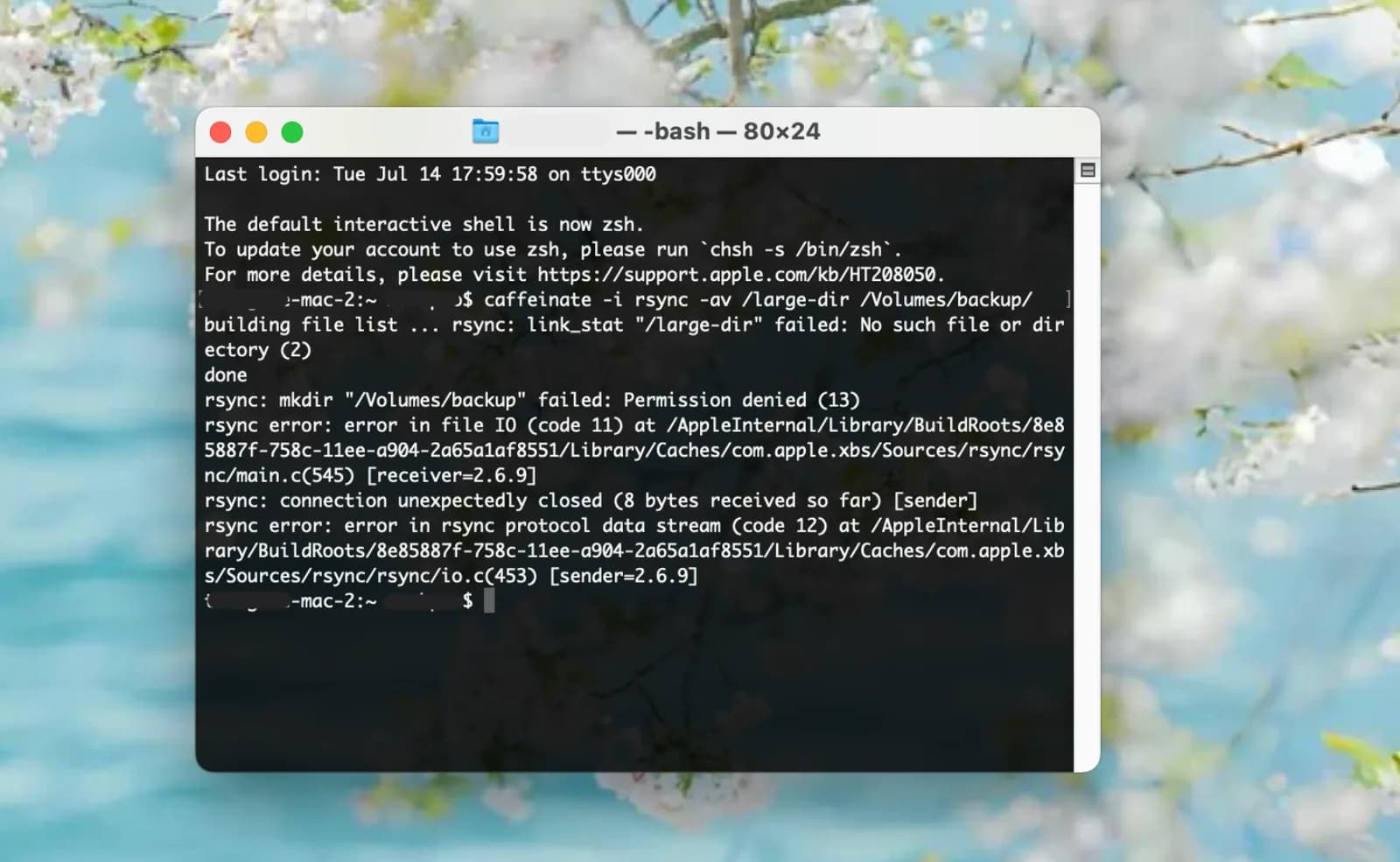
caffeinate -i your-command — blocks idle sleep for as long as your-command runs, then exits and releases automatically. This is the one most people want for a terminal job.
caffeinate -d your-command — keeps the display awake too, useful if you want to glance at scrolling output without the screen dimming.
caffeinate -s your-command — blocks system sleep, but only while the Mac is on AC power. On battery, -s quietly does nothing, which is a common surprise for anyone who assumed it behaves the same unplugged.
caffeinate -w <pid> — doesn't wrap a command at all; it waits on a process that's already running. Handy for a job you started in the background: long_job & caffeinate -w $!.
caffeinate -t 3600 — holds the assertion for a fixed number of seconds instead of tying it to a process, useful for a timed window rather than a specific command.
Related guidePrevent Mac sleep during a Docker buildWhere caffeinate stops, and where the lid is a separate problem
What caffeinate does not do is watch the battery or the heat. Every one of those flags will happily hold a laptop awake until the charge runs out on a job you're not there to see, and none of them read the Mac's thermal state on a long, hot compile.
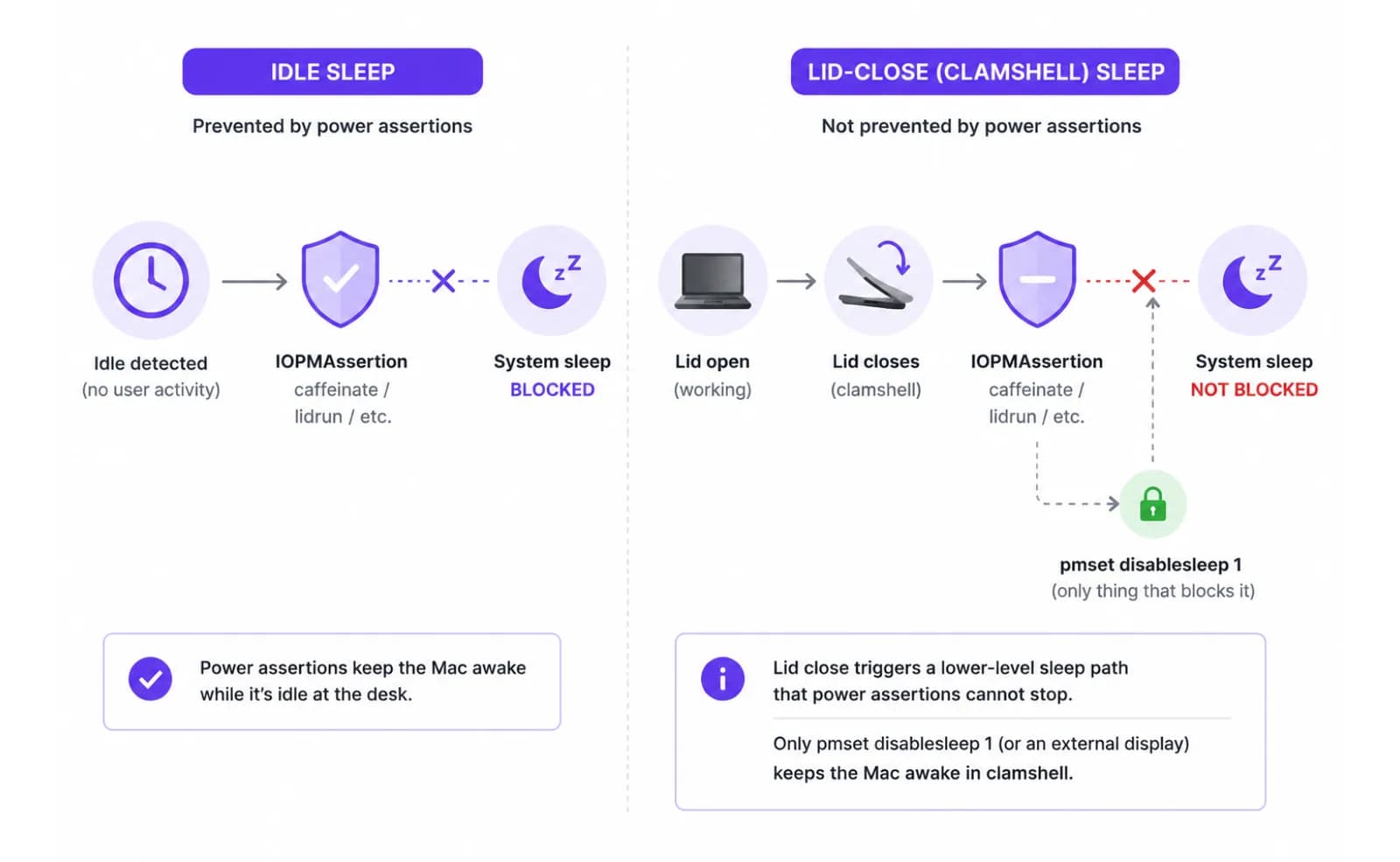
The lid is a different issue again. caffeinate's assertions, and the same IOPMAssertionCreateWithName call LidRun's own CLI uses, only block *idle* sleep. Closing the lid triggers a separate, lower-level clamshell sleep that no idle-sleep assertion can stop — the OS sleeps the machine regardless. The only public lever that keeps a lid-closed Mac awake on battery is pmset -a disablesleep 1, a global, admin-gated system setting; with an external display connected and active, macOS also stays awake through native clamshell mode, no third-party tool needed. If closing the lid is your actual scenario rather than staying at your desk, our lid-closed guide covers that mechanism and its tradeoffs in full — this article stays focused on the terminal-command case.
Running long jobs over SSH
When the command lives on a remote Mac, two clocks matter and they're independent of each other. The Mac's own idle-sleep timer is one; whether your SSH session survives a network hiccup or your local terminal closing is the other.
For the first, run caffeinate -i or lidrun -- on the remote Mac itself, not on your local machine — a keep-awake assertion only protects the box it's running on.
For the second, wrap the remote command in nohup, screen, or tmux before you disconnect. Without one of those, closing your local terminal (or losing the connection) can send SIGHUP to the remote shell and kill the job even though the Mac itself never slept.
A safer way to wrap a command
LidRun's CLI takes the same single-command pattern and adds the guardrails caffeinate skips: lidrun -- your-command holds a short-lived keep-awake assertion for that one run and releases it the moment the command exits, no license or setup required — it's free and unlimited, the same as caffeinate.
While that assertion is active, the app's battery floor and thermal auto-release still apply if LidRun is running: keep-awake auto-stops at a battery threshold you set (20% by default, adjustable 15–50%), and there's a hard emergency floor at 4% that always fires regardless of your setting, because macOS needs that much headroom to finish sleeping cleanly. If the Mac's thermal state hits critical, the hold releases on its own by default too — LidRun's honest promise is agent or job running, stay awake; job done or the Mac is unsafe, release and let it sleep.
There's also a GUI version of this inside the app — a Run & Watch panel that starts a command, keeps the Mac awake for it, and shows live output without you touching Terminal — but that panel is a Pro feature. The plain lidrun -- <command> CLI wrapper is not gated at all; it's part of LidRun's free tier.
A practical setup
One-off command, at your desk: prefix it and walk away — lidrun -- your-long-command or caffeinate -i your-long-command both work, and the assertion releases the instant the command finishes. Neither needs any other setup.
Longer unattended session, still open-lid: plug in if you can, start the command, and if you want LidRun's battery/thermal guardrails watching the whole session rather than just one process, turn on the Keep Awake toggle in the menu bar first, then run your command normally. Set a session timer (the picker offers 30 minutes up to 8 hours) so a script that hangs doesn't hold the Mac awake indefinitely — a hung job is exactly the case an unattended keep-awake should not run forever for.
Lid-closed session: this needs Closed-Lid mode specifically, not a plain keep-awake — see the dedicated guide linked above, since it changes the safety math (heat has nowhere to go with the lid shut).
Whatever the setup, keep the Mac on a hard, ventilated surface for the heavy jobs. A long build, compress, or transfer can run warm, and airflow is the one thing no software setting fixes.
LidRun keeps your work running with the lid closed, with battery and thermal safety built in.
Already have LidRun? Read the setup guide →
Frequently asked
For a job on a plugged-in Mac you're going to check on, yes — caffeinate -i your-command is reliable and free. For a long unattended job, especially on battery, it has no battery or thermal awareness, so it will hold the Mac awake straight through a low-battery shutdown or a hot, throttling job.
-i blocks idle sleep for the wrapped command (the one most terminal jobs need), -d also keeps the display on, -s blocks system sleep but only while on AC power (it's a no-op on battery), and -w <pid> waits on an already-running process instead of wrapping a new one.
Yes. Both caffeinate -i your-command and lidrun -- your-command hold an idle-sleep assertion for the duration of that single process and release it automatically when the command exits. The lidrun CLI wrapper is free and unlimited, no license needed.
caffeinate and a plain keep-awake assertion only block idle sleep. Closing the lid triggers a separate clamshell sleep that idle-sleep assertions can't stop — the Mac needs either an active external display or the admin-gated pmset -a disablesleep 1 setting (what LidRun's Closed-Lid mode uses) to stay awake with the lid shut.
If you're using LidRun's Keep Awake mode with a session timer set, the timer caps the run — from 30 minutes up to 8 hours — so a hung command doesn't hold the Mac awake indefinitely. A bare caffeinate -i wrap has no such cap; it holds until the process exits or you kill it yourself.
The keep-awake tool needs to run on whichever Mac is doing the work, not on your local machine — SSH doesn't change that Mac's own sleep timers. Separately, wrap the remote command in nohup, screen, or tmux so a dropped connection or closed local terminal doesn't send SIGHUP and kill the job even if the remote Mac stayed awake.