Keep a MacBook running with the lid closed
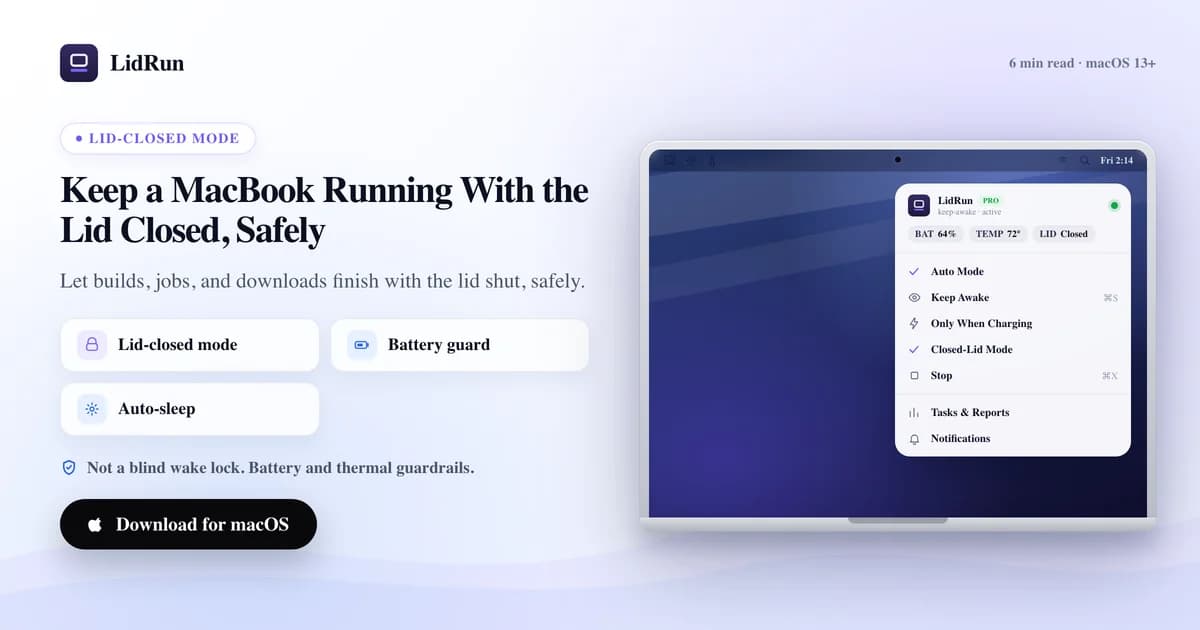
A closed lid does not have to end a job that takes hours. Keeping a MacBook running with the lid closed for an overnight build, a long AI agent run, or a multi-hour download takes more than blocking the first sleep — it takes something watching battery and heat for as long as the job actually runs. Here is what that requires, and where it stops being safe to leave to a single terminal command.
Awake is not the same as running
The moment macOS sleeps on a lid close, every process running on the Mac pauses with it — not just the screen. A build stops mid-compile, a download sits frozen at whatever percent it reached, an agent halts mid-task. Nothing crashes, but nothing moves either, and it stays that way until someone opens the lid again.
For a two-minute job, that barely matters — idle sleep would not have triggered before it finished anyway. It starts to matter once you're talking about something that runs for an hour, several hours, or overnight, because that is exactly the length of time nobody is going to sit there holding the lid open.
So keeping a MacBook running with the lid closed is really two jobs stacked on top of each other: keep the system executing through the close, and keep that safe to do for however long the job actually takes. A tool that only solves the first one is only half a solution once the job stretches past a few minutes.
Why long, unattended runs fail in ways short ones don't
A five-minute keep-awake trick rarely goes wrong — you're still nearby, the battery barely moves, and the Mac has no time to build up heat. Stretch the same session to hours or overnight and the failure modes multiply. A closed lid already traps some of its own heat by design, so hours of load push the thermal picture further than an open-lid session would. A build that was supposed to take 40 minutes can hang on a flaky dependency and quietly run all night. A download on battery can drain the pack to empty long before you're back to notice. And if you're the one who's supposed to remember to end the session, an unattended Mac is also an unremembered one.
None of that makes long lid-closed runs reckless. It means the tooling for a 20-minute job — just keep it awake — is not automatically the right tooling for an 8-hour one. The difference shows up after the first ten minutes, not the first ten seconds.
Related guideDoes a Mac alarm go off with the lid closed?The free way, and where it runs out of road overnight
The underlying mechanism is a single flag: sudo pmset -a disablesleep 1 tells macOS not to sleep when the lid shuts, full stop. It's the same primitive LidRun's Closed-Lid Mode calls under the hood — there's no hidden trick beyond it, and running it by hand costs nothing.
What it doesn't do is anything else. There's no timer, so a job that hangs holds the Mac awake indefinitely until you remember sudo pmset -a disablesleep 0 yourself. There's no battery floor, so on battery it runs the pack to empty rather than stopping itself. There's no thermal awareness, so a Mac working for six hours under a closed lid gets no signal to back off. caffeinate -i or caffeinate -s doesn't even get you that far — those block idle sleep, not clamshell sleep, which is why a caffeinate'd job still dies the moment the lid shuts on battery-only hardware with no external display attached.
For a run you're checking on every twenty minutes, that's a manageable trade. For something you're setting up before bed or before you leave the office, manageable stops being the right word — you won't be there to notice the hang, the drain, or the heat. (The companion guide on every way to keep a Mac awake when the lid is closed covers the fuller method landscape — caffeinate flags, true external-display clamshell, third-party apps; this piece is specifically about running long and unattended.)
What an unattended session actually needs
LidRun's Closed-Lid Mode is built around one promise: agent running, stay awake; agent done or something's unsafe, release and let the Mac sleep. For a run you're walking away from, that promise has to hold for the entire time you're gone, not just for the first few minutes after the lid shuts.

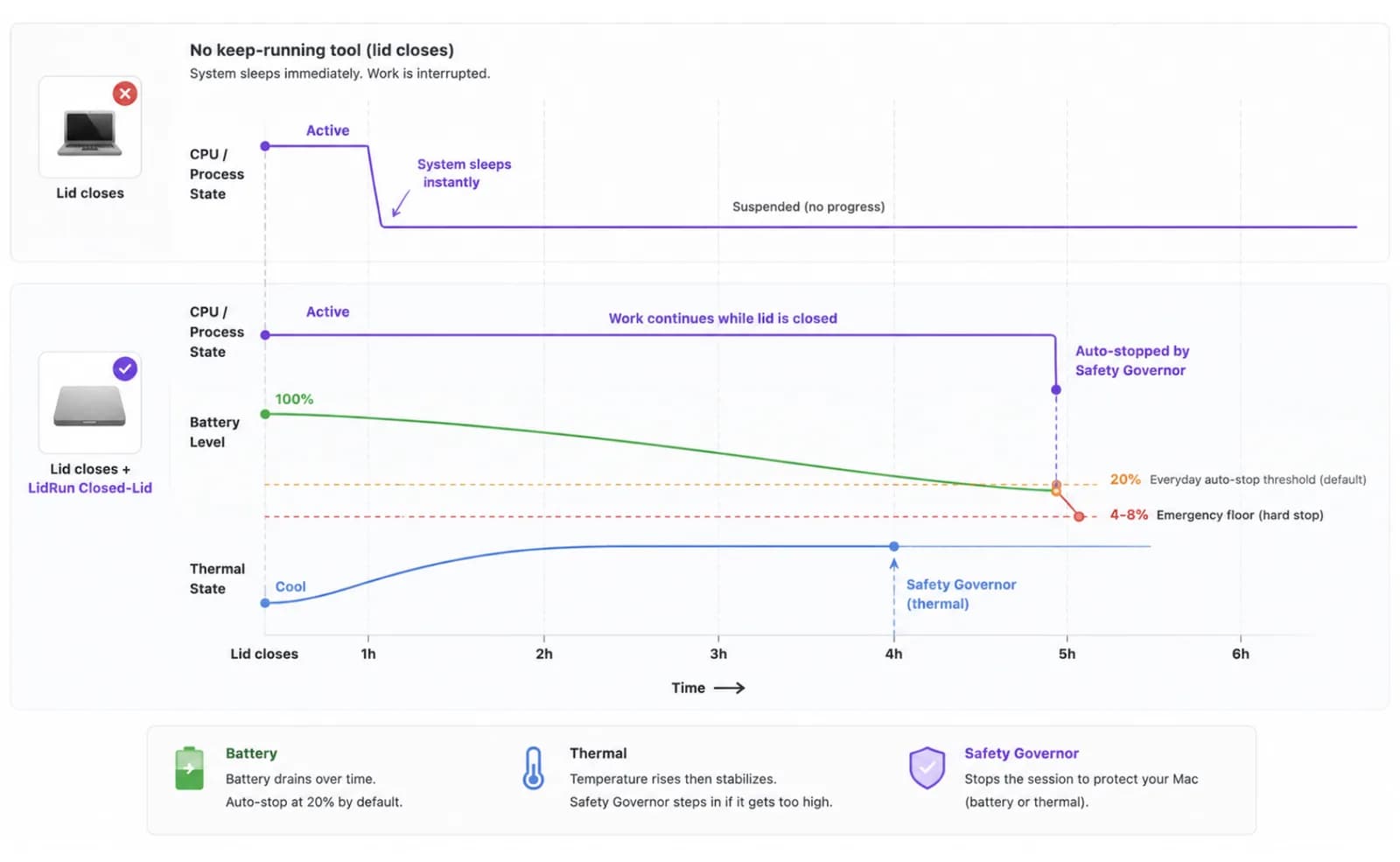
There are two ways to run a session. "Sleep when done" — the default — tracks the process you actually started and asks the Mac to sleep once nothing tracked has been active for 10, 20, or 30 minutes, your choice. "Stay awake until I turn it off" instead holds for a fixed cap you pick up front, from 30 minutes to 8 hours, or indefinitely until you end it yourself. For an overnight job whose exact runtime you don't know — a model pull, an agent working through a queue — "Sleep when done" is the one built for that: it ends itself instead of making you guess a timer in advance.
Day to day, what actually ends a session on battery is the auto-stop threshold you set — 20% by default. Underneath that sits a hard emergency floor clamped between 4% and 8%: you can tighten the everyday threshold, but you can't push the floor low enough to risk the Mac dying mid-sleep-request instead of sleeping cleanly.
A Safety Governor runs independently of whichever mode you picked, and its only job is deciding when to let go — never when to hold. It steps in at sustained critical heat, at the battery floor, or, if you turn on the optional guards in Settings, after the Mac has sat on battery offline with nothing running, or with no keyboard or mouse input and no confirmed workload, for a stretch you set between 5 and 120 minutes. Choose "Stay awake until I turn it off" and those convenience guards step aside — only the hard heat and battery floors remain, because you explicitly asked for the hold. Choose "Sleep when done" and every guard stays active, which is the more defensive setup for a session nobody is watching.
Closed-Lid Mode itself is a Pro feature — unlicensed installs get a small number of free runs to try it before deciding, then it's part of the paid tier alongside the rest of LidRun's automation.
Setting up a run you can walk away from for hours
If this is your first unattended run, handle one thing before you start the clock: approve LidRun's privileged helper in Settings. Without it, LidRun can still let go of its own keep-awake hold, but it may not be able to force an actual sleep on a lid-shut Mac once disablesleep is set — which matters far more on a run nobody is sitting next to than on one you're watching.
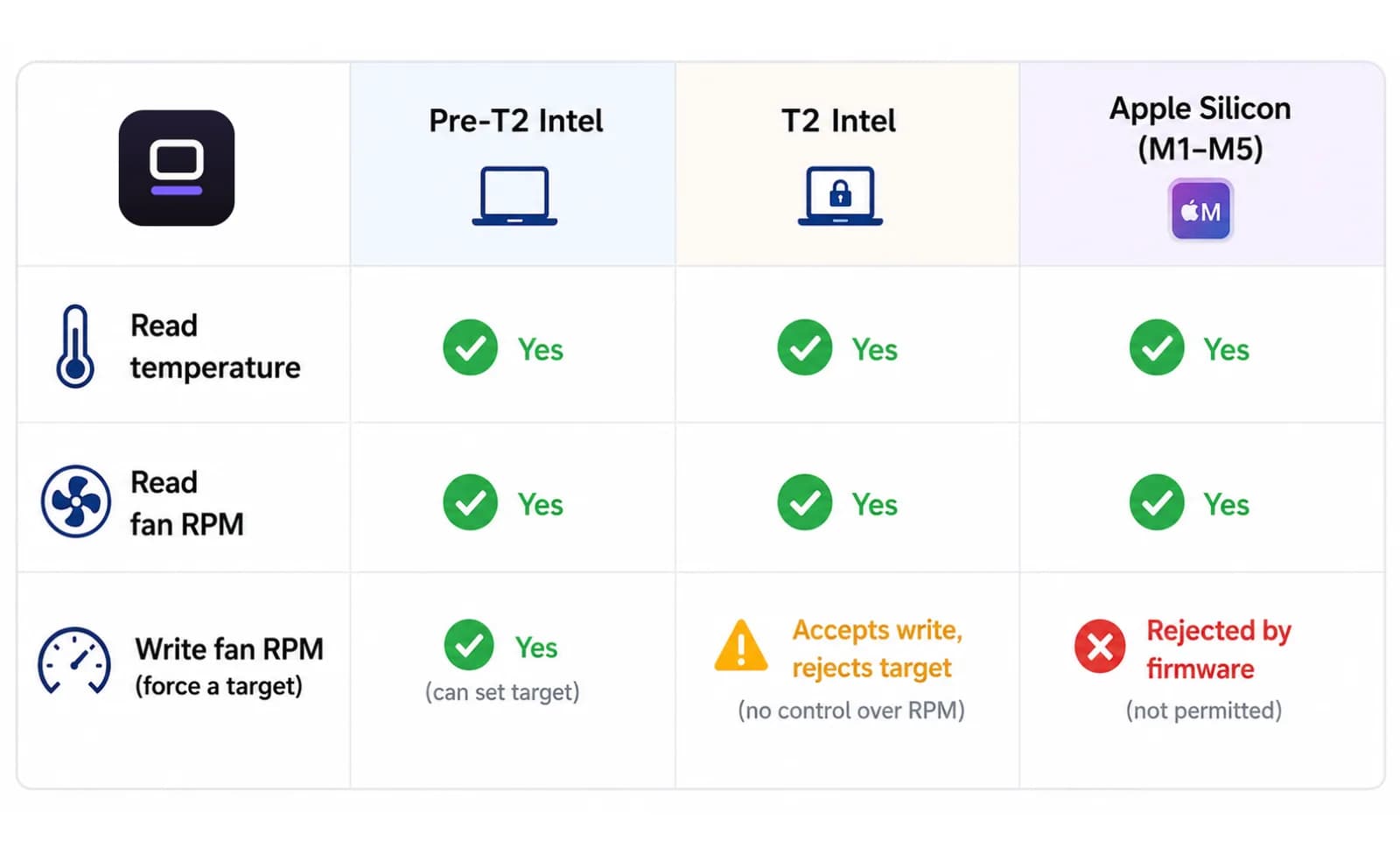
Start the actual task first — the build, the sync, the agent, the download — then turn on Closed-Lid Mode and close the lid. Starting the work first gives LidRun's process detection something real to track from the first tick instead of guessing during an empty window.
For anything without a known runtime — most overnight AI/dev jobs — pick "Sleep when done" and set the idle window based on how bursty the job is: a steady download can use the shorter 10-minute window, while an agent that pauses between steps waiting on a slow API should get 20 or 30 so a normal lull doesn't get read as "finished."
For a job with a known length — a scheduled render, a backup you want capped no matter what — pick "Stay awake until I turn it off" and set the matching duration, from 30 minutes up to 8 hours. This mode suppresses the offline and unattended-idle convenience guards, so only reach for it when you actually mean for the Mac to hold for the full stretch.
If the Mac is already running warm when you open the dialog with a fixed duration selected, LidRun flags it and nudges you toward a shorter one — worth listening to before you close the lid on a job that's already generating heat.
Set your battery auto-stop threshold to whatever headroom you want (20% is the default), plug in if the job runs past an hour or two, and put the Mac on a hard, ventilated surface — a desk, not a bed, couch, or closed bag. A shut lid already cuts airflow; there's no reason to add a blanket on top of it.
What you'll find when you get back
A session working as designed ends itself one of three ways: the tracked task finishes and "Sleep when done" lets go, the duration cap you set runs out, or a battery or thermal threshold triggers first and the Governor takes over. Any of those is a normal, working outcome, not a failure.
When it happens, LidRun also reverts the disablesleep flag it set — the same pairing that keeps a manual pmset command from turning into a Mac that silently never sleeps on lid close again. You don't have to remember the undo step the way you would running the raw command yourself.
If you've turned on away notifications, LidRun can push a note to your phone when a safety event fires or the session wraps, so you find out before you're back at the desk rather than after. And the Activity Log timestamps the whole session afterward — when Closed-Lid turned on, whether a battery or thermal safeguard stepped in, when the tracked task was marked finished — so "what actually happened overnight" isn't a guess.
When this is (and isn't) the right call
Reach for a long or overnight closed-lid session when the job is real and unattended: a release build, an overnight sync, a large model pull, a multi-step agent run, a render queue. These are exactly the runs where closing the lid and walking away is the point.
Skip it for anything interactive — you're at the screen anyway — or anything that finishes in a couple of minutes, before idle sleep would even trigger. And skip the multi-hour version of this specifically when you can't guarantee the Mac will sit somewhere ventilated for that long; a job that has to run in a backpack or on a bed for eight hours is a case where safety wins over convenience, and a shorter, supervised session is the better call.
If you're still comparing this to keep-awake methods in general — not specifically the long, unattended case — the fuller side-by-side lives in the companion guide on keeping a Mac awake when the lid is closed. This piece is about the version of that question that starts with "and I won't be there for the next several hours."
LidRun keeps your work running with the lid closed, with battery and thermal safety built in.
Already have LidRun? Read the setup guide →
Frequently asked
Yes, with guardrails doing the watching in your place. LidRun's Closed-Lid Mode keeps the system executing through the lid close and layers a battery threshold, a thermal safety floor, and an independent Safety Governor on top, so the run ends itself if conditions turn unsafe instead of waiting for you to notice. It is not a blind wake lock left running with nobody checking on it — it's built to check on it for you.
Because caffeinate blocks idle sleep, and lid-close sleep on a battery-only Mac is a separate mechanism. Without an external display driving a true clamshell session, or pmset disablesleep set, macOS sleeps on lid close regardless of any caffeinate assertion — which is why a caffeinate'd job that looked fine at your desk still stops the moment you shut the lid and walk away.
Not on "Sleep when done," the default mode. It tracks the process you started and lets the Mac sleep once nothing tracked has been active for the idle window you set — 10, 20, or 30 minutes — so a build that finishes at 2am doesn't sit awake burning battery until you open the lid at 9am.
The cap you set does, if you set one — even "Stay awake until I turn it off" offers 30-minute-to-8-hour options, not only indefinite. And regardless of mode, your battery auto-stop threshold (20% by default) and the hard 4-8% floor underneath it are non-negotiable: a run doesn't get to ignore a near-empty battery or sustained critical heat just because nobody's there to end it by hand.
A closed lid reduces airflow, so a MacBook working hard for hours under one runs warmer than the same job with the lid open — that's physics, not something specific to LidRun. Put it on a hard, ventilated surface rather than a bed or bag, and if it's already running warm when you start a fixed-duration session, LidRun nudges you toward a shorter one. The thermal safety floor is the backstop, not the plan — keeping the Mac ventilated is still on you.
Not strictly, but it removes the biggest variable. On battery, an hours-long or overnight run is exactly the kind of session where your battery threshold is doing real work — plugging in for anything past an hour or two takes that variable off the table.
You set one, or you don't. Fixed sessions cap out at 8 hours, with 30-minute, 1, 2, 4, 5, and 6-hour options in between. "Sleep when done" ends itself once your tracked work stops. "Until I turn it off" has no built-in cap beyond the battery and thermal safety floors underneath it.
Yes — approve LidRun's privileged helper in Settings before a run you won't be sitting next to. Without it, LidRun can still release its own keep-awake hold, but it may not be able to force an actual sleep on a lid-shut Mac once disablesleep is set. The app flags this directly if the helper isn't on.