When your MacBook gets hot while coding
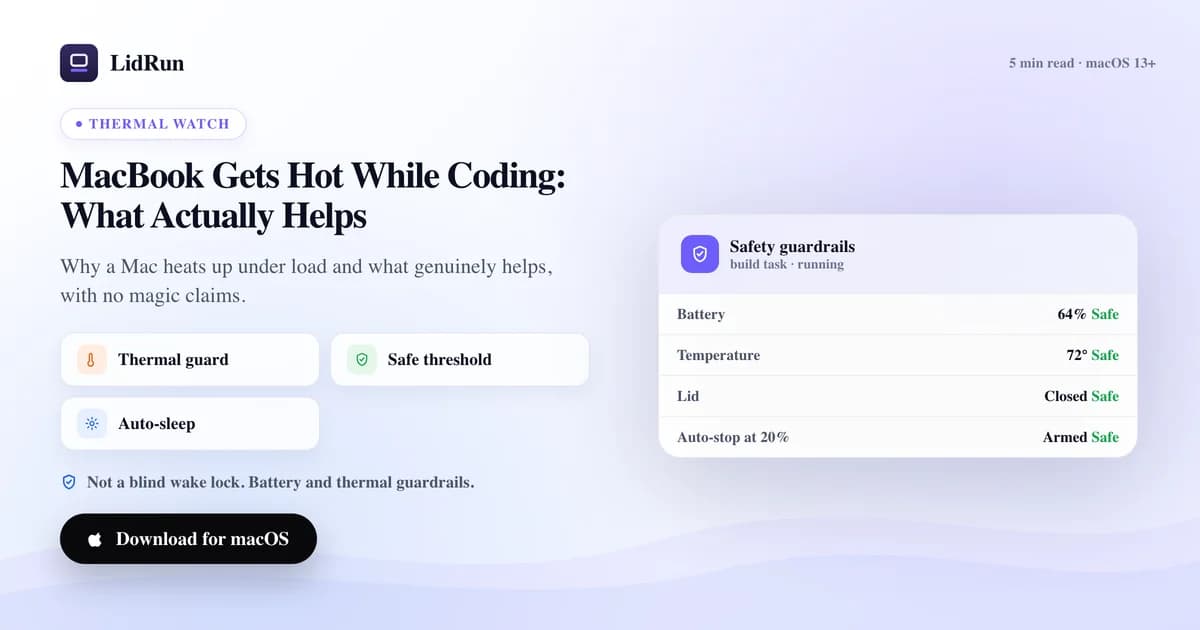
A MacBook getting hot while coding is almost always sustained CPU and GPU load — a long compile, a stack of Docker containers, a local model — not a hardware problem by itself. What turns normal warmth into an actual issue is heat with nowhere to go: a closed lid, a soft surface, or an unattended run nobody is watching. Here is an honest look at what actually helps, including the free tools people already use to keep a job running and where those fall short on heat specifically.
Why it heats up in the first place
Heat is the chip doing work, not a warning sign by itself. A long compile, a stack of Docker containers, or a local model run holds the CPU and GPU near full tilt for minutes or hours, and that sustained draw — not any single spike — is what raises the temperature.
A closed lid makes it worse by trapping that heat against the keyboard deck, right where the vents are designed to pull cool air in. A soft surface like a bed, a couch, or a bag blocks the same vents from underneath, so the heat has nowhere to go either way.
Some warmth under load is expected and fine. The thing worth catching is a run that climbs and stays high, because that's when the chip starts throttling — clocking itself down to protect itself — and your build or job actually slows down while it's still "running."
None of this is a malfunction. It becomes a real problem only when the heat has nowhere to go and nobody is watching — which is usually the case for the exact runs people most want to leave alone: long builds, local models, and closed-lid sessions started specifically so the job keeps going unattended.
How people keep a hot job running anyway
When a job takes hours, the instinct is to stop the Mac from sleeping, not to cool it down — macOS's default sleep timers are what actually get in the way of an unattended run, so that's what people fix first.
caffeinate is macOS's own built-in terminal command (caffeinate -i, or caffeinate -w <pid> tied to a running process, for example). It's genuinely useful for a foreground session — no install, no cost — but it has no GUI, no safety limits of any kind, and it needs the lid open. It does not know or care what the temperature is.
Menu-bar apps like Amphetamine, Caffeine, KeepingYouAwake, and Lungo do the same underlying job with real conveniences caffeinate doesn't have: an on/off icon, timers, and rules that trigger on specific apps. They're solid tools for what they're built for — general keep-awake automation — but none of them read thermal state either.
For an actually closed lid, the mechanism under the hood is pmset disablesleep 1, and macOS requires pairing it with disablesleep 0 to turn back off or it stays on indefinitely. Running it by hand works, and it's the same system call LidRun's own Closed-Lid mode uses — just without a UI, a battery/thermal floor, or anything to pair the 0 automatically. The other free path is external-display clamshell mode: plug in a monitor, keyboard, and mouse while on power, and macOS runs lid-closed on its own because it considers the Mac "in use." No keep-awake trick needed — but it's a desk setup, not a laptop-on-the-go one, and it doesn't watch temperature either.
Related guideMac fan control for developersWhere that workaround bites you
None of these tools were built to know if a Mac is overheating — they were built to prevent sleep, full stop, and they all do that job honestly. The risk isn't that they lie about what they do; it's that "stay awake" and "stay safe" are two different jobs, and only one of them is covered.
The concrete failure looks like this: you run caffeinate or pmset disablesleep 1 on a long job, close the lid, and put the Mac in a bag or under a cushion for "just an hour." The command does exactly what it promised — the Mac stays awake — while the job keeps running against blocked vents with nothing watching the heat climb.
It's the same gap with a keep-awake app on a timer: the timer is about time, not temperature. A run can sit at a high thermal state for its entire duration and the app will never know, because it was never asked to look.
There's also a smaller, easy-to-hit version of this: forgetting to pair pmset disablesleep 1 back to 0 after the job finishes, which leaves the Mac unable to sleep normally. If you've ever set it by hand and aren't sure it got turned back off, pmset -g will show SleepDisabled in its output.
What actually helps, honestly
The boring answers are the real ones: airflow and a hard, flat surface do more than any app. Lifting the back of the laptop a little so air can move underneath is genuinely effective, and it costs nothing.
macOS doesn't put a temperature reading anywhere in the stock UI, but it does track thermal throttling under the hood. Run pmset -g therm in Terminal and look at CPU_Speed_Limit: 100 means the chip is running at full speed, and any number meaningfully below that means it's already slowing itself down to survive the heat. It's the closest thing to a native diagnostic macOS offers, and it's the same signal LidRun watches automatically so you don't have to run it by hand.
When a run heats up, easing the load helps more than people expect: capping parallel jobs (make -j4 or ninja -j4 instead of the default of every core), giving Docker Desktop a lower CPU-core limit in its Resources settings, or for local models, capping concurrency with Ollama's OLLAMA_NUM_PARALLEL and OLLAMA_MAX_LOADED_MODELS environment variables, or just running a smaller quantized model when you don't need the largest one. Each of these trades some wall-clock time for lower sustained temperature.
There is no setting that makes heat disappear while the work stays the same, and any tool that claims a Mac never overheats is overselling. The honest goal is lower peak heat and a faster exit when it does climb, not a promise that it won't happen.
Where a thermal-aware tool fits
If you're coding interactively and the Mac gets warm, you'll feel it and can react — open a window, ease off a build, step away from the desk for a minute. You don't need anything watching for you there.
The case for thermal watch is the long, unattended run, especially lid-closed, where nobody's in front of the screen to notice heat climbing. LidRun shows the same coarse thermal signal macOS itself reports — four levels, Normal, Fair, Hot, and Very hot — live in the menu bar, alongside the SMC-reported temperature and that CPU_Speed_Limit throttle number where the hardware exposes them.
The mechanism is specific, not vague: once things cross into "Hot," LidRun surfaces a warning. The moment it reads "Very hot," it releases the keep-awake hold immediately, and if Closed-Lid mode is on, it turns that off too and tells you to open the lid or fix the airflow — instead of letting a hot job keep grinding lid-closed with nobody watching. That's the difference from caffeinate or a plain keep-awake timer: the release is tied to heat, not to a clock.
One honest limit worth stating plainly: LidRun does not spin your fans or set an RPM. On Apple Silicon the system restricts third-party fan control outright, so no app can truthfully promise that. What LidRun does is watch and back off — it manages risk, it doesn't override the hardware. If you regularly leave heavy builds or model runs going while you step away, that backing-off is the part worth having: a thermal limit decides when an unattended run should stop, instead of leaving it to luck.
A few habits that keep it cool
Run on a desk or a stand, not a bed, a couch, or a closed bag. Clear vents matter more than any software setting, and this is the single highest-leverage habit on this list.
Keep the room reasonable and the laptop out of direct sun. Ambient heat stacks on top of whatever the workload is already generating.
A stand, a pad, or even a couple of rubber feet that lift the back edge give the intake vents room to breathe — genuinely one of the cheapest, most effective upgrades, and more reliable than any app-level fix.
For long lid-closed runs, leave thermal watch on so a session can wind down if heat climbs past your limit while you're away. It's a backstop, not a substitute for airflow — use both.
LidRun keeps your work running with the lid closed, with battery and thermal safety built in.
Already have LidRun? Read the setup guide →
Frequently asked
Some warmth under sustained load is normal. The concern is heat that climbs and stays high, since that leads to throttling and the job actually running slower. Good airflow, a hard flat surface, and easing parallel load are the practical fixes — not any single app.
macOS doesn't show a Celsius number anywhere in the stock UI. The closest native diagnostic is running pmset -g therm in Terminal and reading CPU_Speed_Limit — 100 means no throttling, lower means the chip is already backing off from heat. LidRun surfaces the same underlying signal as a live four-level state (Normal, Fair, Hot, Very hot) in the menu bar so you don't have to run the command yourself.
Not by itself — neither one generates heat. The risk is what they don't do: they keep the Mac awake without watching temperature at all, so if you use one to force a closed-lid job to keep running somewhere with blocked vents, nothing will stop it if things get too hot. The heat risk comes from the setup, not the command.
Yes, for unattended and closed-lid runs: at a critical thermal reading, LidRun releases the keep-awake hold immediately and turns off Closed-Lid mode if it's on, rather than letting a hot job keep going. You also always see the current thermal state in the menu bar. It helps reduce risk; it does not promise a Mac can never overheat.
No. On Apple Silicon, the system restricts third-party fan control, so LidRun does not spin fans or set an RPM — no app can honestly promise that. It watches the thermal state macOS reports and backs off when things get hot, rather than trying to override the hardware.
Yes, more than most software. A stand or pad that lifts the back of the laptop so air can move under it addresses the actual bottleneck — blocked vents — rather than working around it. It's one of the simplest, most reliable ways to keep a long run cooler.