MacBook fan loud when lid closed: what it means
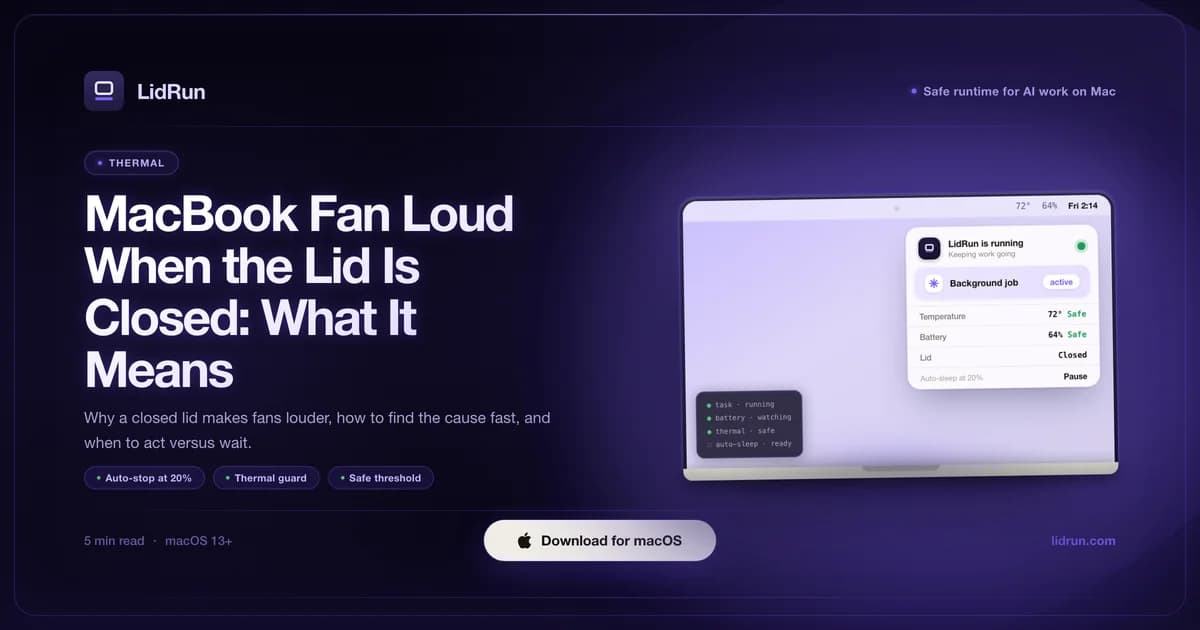
You close the MacBook lid expecting quiet, and the fans get louder instead. Most of the time that's simple physics: the lid blocks the chassis's main airflow path, so a workload that was already running heats up faster and the fans compensate - not a malfunction. But if you're running lid-closed at all, something is already keeping the Mac from just going to sleep, and the popular ways to do that - caffeinate, pmset disablesleep, a keep-awake app plus an external display - don't manage heat or battery on their own. This guide covers the physics, how to check what's actually running, when the noise is a real warning, and where the free options stop watching out for you.
Why the fan runs louder with the lid closed
A MacBook's main cooling vents sit along the back edge, near the hinge, and rely on airflow moving through the chassis. Closing the lid restricts that path - heat that would normally escape through the hinge gap has fewer routes out, so the chassis warms faster than it would lid-open.
The fans respond the way they're supposed to: when the thermal sensors detect rising heat, fan speed climbs to compensate. If a workload - a build, a model run, a render - was already going when you closed the lid, the combination of less airflow and active CPU load means the fans have more work to do than they did a minute earlier. That's the cooling system doing its job, not breaking.
On Apple Silicon, the firmware owns the fan curve end to end. No third-party app - LidRun included - can push the fans faster or slower than the chip itself allows, so loud fans lid-closed mean the SoC asked for more cooling, not that some app is mismanaging it.
How to check what's actually running
Before deciding whether the noise is a problem, find out what's actually running. Open Activity Monitor (Applications → Utilities → Activity Monitor), click the CPU column header to sort descending, and look at the top five processes. A compiler, a model server, a video render, or a backup agent near the top explains the fan noise immediately.
From Terminal, top -o cpu gives the same view live; press Q to quit. Either tool works - the goal is confirming whether something real is holding the processor busy. Sustained load above roughly 50-70 percent across multiple cores lines up with fans running high lid-closed.
If you want an actual number instead of a CPU-percent proxy, macOS's built-in powermetrics tool can print it: sudo powermetrics --samplers smc -i1 -n1 in Terminal reports CPU die temperature on many Macs, though the exact sensor names shift a bit by chip generation. A menu-bar utility like iStat Menus, TG Pro, or Macs Fan Control shows the same SMC-sourced numbers continuously without touching Terminal - and if you're already running LidRun, its status window and Settings show a live CPU temperature in °C and fan speed the same way, so you don't need a second app just to see how hot the machine is running.
Some culprits look alarming but resolve on their own: Spotlight re-indexing after a big file sync, Photos analyzing a library, or a macOS update installing in the background. Give it two or three minutes. If CPU use drops and the fans follow, the cause was temporary.
Related guideWhen your MacBook gets hot while codingWhen fan noise is normal, a warning, or a hardware problem
Fan noise during a known, deliberate job is a normal signal. You started a build or a model run, closed the lid, and the fans are keeping up with the load - the session is doing what it's supposed to, and so are the fans.
Loud noise with nothing obvious running is a different situation. A process stuck in a loop, a runaway agent, or an app that leaked CPU can make the same sound without producing any useful work. If Activity Monitor shows high CPU from something you don't recognize - a helper process, a background framework, an app you're not actively using - that's worth investigating rather than ignoring.
Physical setup matters as much as software. A MacBook running on a bed, a stack of papers, or inside a bag has its vents blocked regardless of what's running. Fans climb because the heat has nowhere to go, and no amount of process management fixes a placement problem - a closed, insulated bag is one of the more reliable ways to stress the chassis.
There's a third bucket worth naming separately: hardware. If the fans stay loud even after CPU use drops to near-idle and stays there for several minutes on a hard, ventilated surface, or the sound itself has changed - grinding, ticking, or an uneven pitch instead of a clean whirr - that's not something Activity Monitor will explain. Dust built up on the fan blades or heatsink, a worn fan bearing, or a sensor stuck reporting the wrong value can all produce that. At that point it's an Apple Store or authorized-service question, not a settings one.
How people keep a MacBook awake with the lid closed - and what the free options don't watch for
To get into the situation of 'fan loud, lid closed' at all, something first had to stop the Mac from just going to sleep the moment you closed it - that's not the default behavior. Three routes get you there: Apple's own supported clamshell setup (plug into power, connect an external display, and on many macOS versions an external keyboard or mouse the first time); the Terminal command sudo pmset -a disablesleep 1, which tells macOS to ignore lid-close sleep entirely and needs no external display; or a third-party keep-awake app layered on top of one of the other two.
It's worth being precise about that last one. caffeinate (built into every Mac) and menu-bar apps like Amphetamine, Caffeine, KeepingYouAwake, and Lungo are genuinely good at their actual job: holding off idle sleep so a download or a long script doesn't get interrupted while you're at the keyboard. But none of them override the lid-close sleep trigger itself - that's a separate, lower-level clamshell sleep that a power assertion can't touch. Without an external display connected, closing the lid still puts the Mac to sleep no matter how many of these are running, which is exactly why people end up reaching for the external-display setup or the pmset command specifically for lid-closed work.
sudo pmset -a disablesleep 1 genuinely works, and it's the same underlying lever LidRun's own Closed-Lid mode uses. Run by hand, though, it's a global, persistent system setting with nothing else attached to it. It doesn't know your battery level, doesn't know the SoC just hit its thermal ceiling, and doesn't know or care whether the job that justified it ever finished. Close the Terminal window that set it, forget it's on, or just walk away, and the Mac won't sleep on its own - not lid-closed, not lid-open - until something explicitly sets it back to 0 or the machine reboots. That's the exact setup behind 'fan loud, lid closed, for hours, in a bag': the safety net macOS normally provides is switched off, and nothing is watching in its place.
A safer way to run lid-closed
Software limits are a backstop for a setup that's already reasonable, not a substitute for one. Start with the physical basics: a hard, flat, ventilated surface - not a bed, a couch cushion, or a bag - ideally plugged in rather than running down the battery on top of everything else.
If you're keeping the Mac awake unattended, set a floor you won't regret. An unattended session that runs the battery all the way to zero can fail to shut down cleanly, so a low-battery cutoff that forces a sleep before that point is worth having regardless of which tool you use.
Check in on it. None of the free options above notice heat or a stuck process on your own behalf - loud fans lid-closed is worth a 30-second look with Activity Monitor or a temperature tool now and then, especially for a session you're planning to leave running for hours.
How LidRun's guardrails handle it differently
LidRun's Closed-Lid mode uses the same pmset disablesleep lever described above, but it pairs every 'on' with an 'off' - on stop, on quit, and reconciled again at launch - so it can't get stuck at 1 the way a forgotten Terminal command can.
It also watches the same public thermal signal macOS itself uses (ProcessInfo's thermal state - nominal, fair, serious, critical) rather than a private API or a lower fan curve. By default, if the SoC reaches critical while Closed-Lid mode is active, LidRun turns the mode off automatically and releases the keep-awake hold immediately. Unless you've turned off 'sleep when overheated' - on by default - it also escalates to an actual sleep rather than just releasing and leaving the Mac idling hot. Both behaviors can be switched off in Settings if you'd rather manage it by hand. A low-battery floor - 4% by default, adjustable up to 8% - does the same job for battery: an unattended run gets force-slept before it drains toward a hard shutdown.
None of that changes fan speed on Apple Silicon - the firmware still owns that curve, and no app can push it faster or slower. What LidRun adds is the layer around it: agent running → stay awake; agent done, or the Mac hits an unsafe battery or thermal threshold → release, then sleep. That's a narrower promise than a generic keep-awake app or a raw pmset toggle, and it's meant to be - it's not a blind wake lock, it's guardrails on top of the same lever, aimed at not leaving a hot, unattended Mac running with nothing watching it.
LidRun keeps your work running with the lid closed, with battery and thermal safety built in.
Already have LidRun? Read the setup guide →
Frequently asked
Closing the lid restricts the chassis's main airflow path near the hinge, so heat builds up faster and the fans spin up to compensate. If a workload was already running when you closed the lid, that combination of less airflow and active load is why the fans sound louder than they did a minute before.
Not by itself. Loud fans during an active job are the cooling system responding correctly. The concern is sustained fan noise with nothing obvious running, fans that stay loud even after CPU use drops to idle, or a Mac sitting on a soft surface or inside a bag - those point to heat with nowhere to go and nothing watching it.
Open Activity Monitor (Applications → Utilities → Activity Monitor), sort by CPU descending, and check the top processes. From Terminal, top -o cpu gives a live view. For an actual temperature reading instead of a CPU-percent proxy, sudo powermetrics --samplers smc -i1 -n1 reports it on many Macs, and menu-bar tools like iStat Menus or TG Pro show it continuously; LidRun's own status window shows the same live °C reading if you already have it installed.
Check the cause first. If a known job is running on a hard, ventilated surface, the fans may ease off once the peak load passes. If the noise is sustained and you can't find what's causing it, or the Mac is on a surface blocking the vents, stopping the job and letting the machine rest is the safer call.
Not on their own. caffeinate and keep-awake apps like Amphetamine, Caffeine, KeepingYouAwake, and Lungo prevent idle sleep, but closing the lid triggers a separate, lower-level clamshell sleep that those tools can't override. Without an external display connected, the Mac still sleeps when you close the lid no matter how many of them are running - that's why people use an external display or pmset disablesleep specifically for lid-closed work.
It works, but it's a global, persistent setting with no guardrails attached - it doesn't track battery level, thermal state, or whether your job finished. If you forget it's on, the Mac won't sleep on its own until you manually set it back to 0 or reboot. It's the same lever LidRun's Closed-Lid mode uses, but paired with an automatic thermal auto-stop and a low-battery floor instead of being left switched on indefinitely.
If the fans stay loud even after CPU use drops to near-idle on a hard, ventilated surface, or the sound itself changes - grinding, ticking, or an uneven pitch - that points to hardware: dust in the fan or heatsink, a worn bearing, or a stuck fan. That's worth an Apple Store or authorized-service visit rather than another round of Activity Monitor.