Turn On Phone Notifications for LidRun
LidRun can ping your phone when a task finishes, when a safety threshold kicks in, or when you close the lid and step away. The free option - ntfy - takes about a minute to set up and needs no account on either side; LidRun Pro adds routing into Telegram, Discord, Slack, or your own webhook if you'd rather alerts land in a channel you already watch.
Set up ntfy (free)
Open LidRun's notification settings, turn on "Notify me when a task finishes," and set Phone push to ntfy.sh. Pick a topic name - this is just a private word or phrase that acts like a channel name, so choose something specific enough that a stranger wouldn't guess it. LidRun points at the public ntfy.sh server by default; if you self-host ntfy, you can swap in your own server address in the same field.
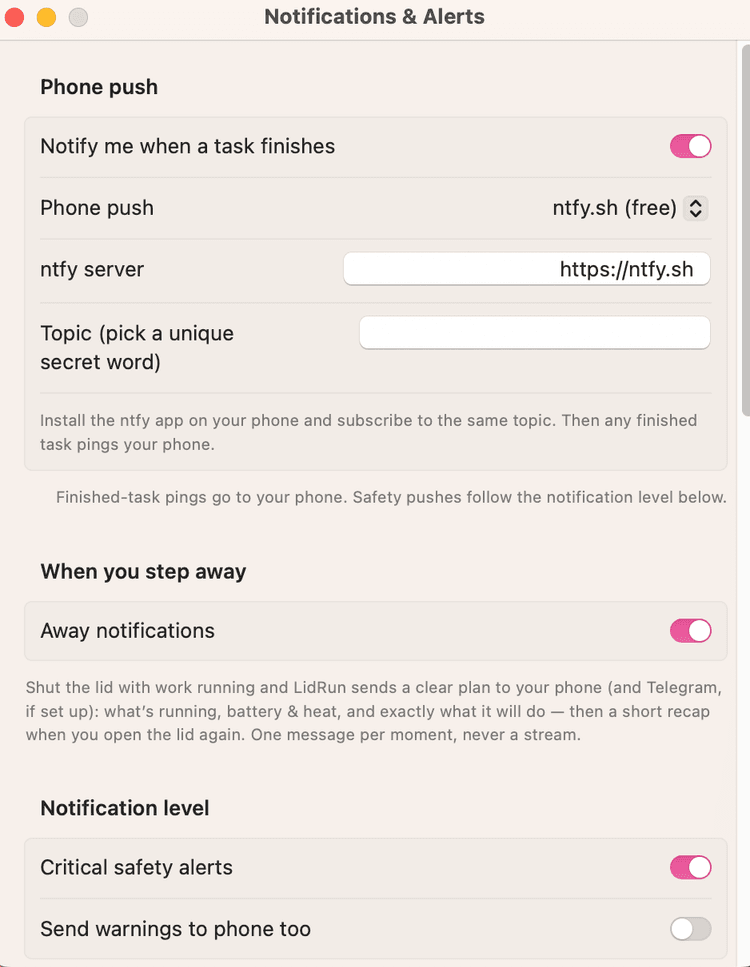
On your phone, install the free ntfy app from the App Store, open it, and subscribe to the exact same topic name you set in LidRun. That's the entire pairing step - no login, no account creation on either side.
Send a test notification from LidRun's settings to confirm it reaches your phone before you rely on it for a real overnight run.
Other notification options
Pushover is a paid alternative to ntfy - a small one-time app purchase buys you an iOS/Android app with its own delivery servers. To use it, create a free account at pushover.net, add an "Application" there to get an Application token, then copy your personal User key from your Pushover dashboard. Paste both into LidRun's Application token and User key fields and send a test - useful if you already use Pushover for other tools, but not required.
Telegram, Discord, Slack, and custom webhook alerts are available on LidRun Pro, for anyone who'd rather alerts land in a channel they already watch instead of a dedicated phone app. All four run independently of the free Phone push above - you can pair ntfy with Telegram, or replace phone push entirely.
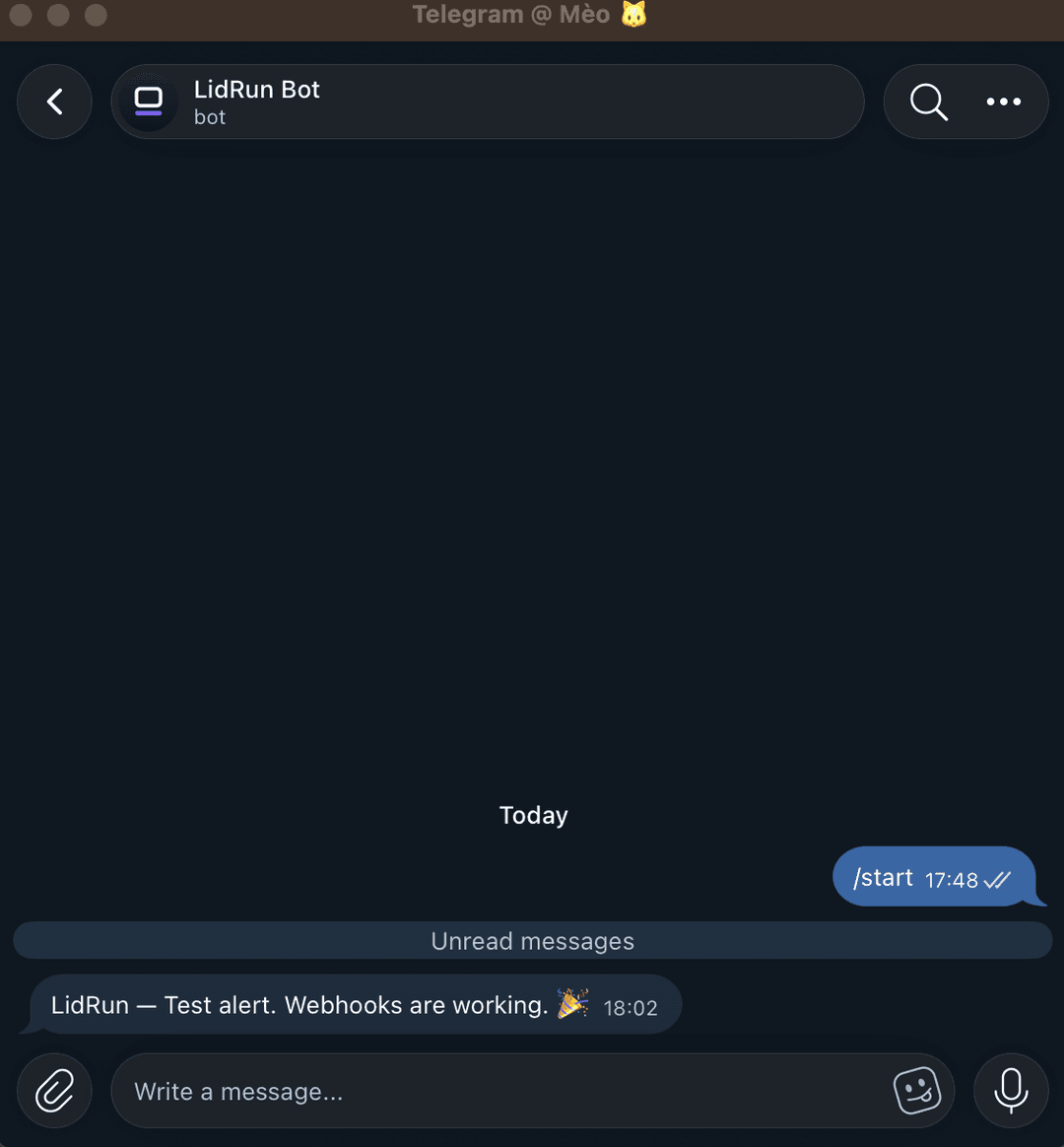
For Telegram, turn on the Telegram toggle, tap "Open the LidRun bot" and Start it so the shared LidRun bot is allowed to message you, then tap "Open @userinfobot" to get your own numeric Chat ID. Prefer not to use the shared bot? "Use my own bot instead (advanced)" lets you paste a token from your own Telegram bot instead.
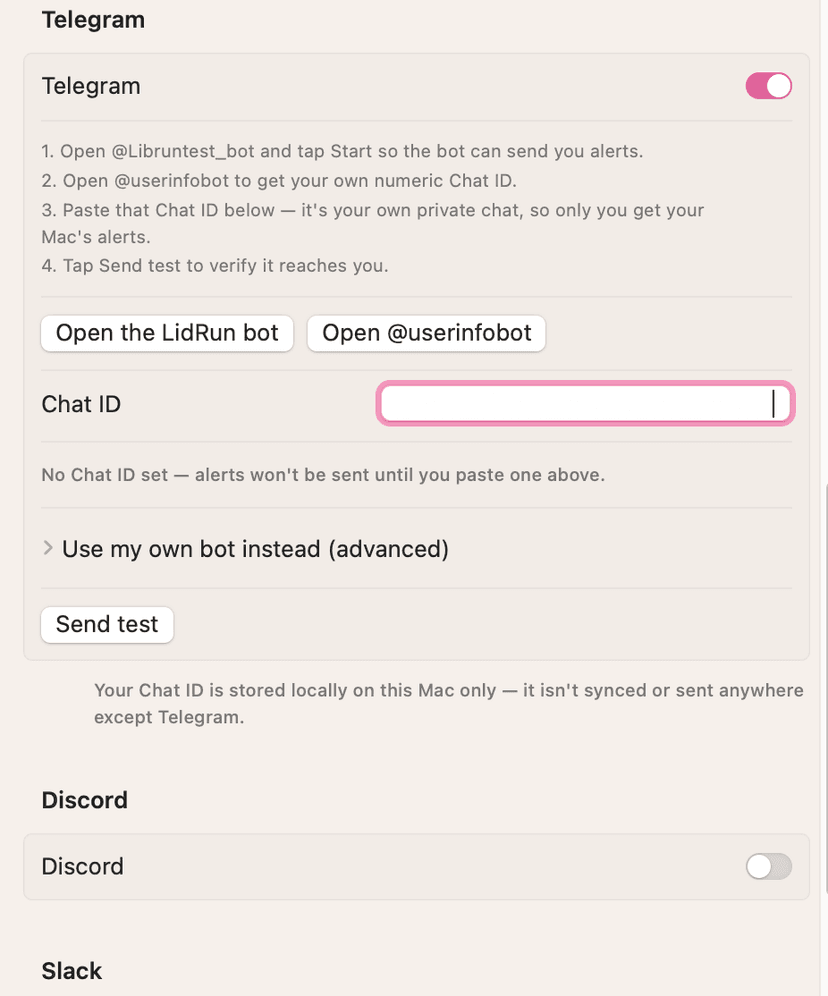
Paste your Chat ID into the field below the toggle - it's your own private chat, so only you receive your Mac's alerts - then tap Send test.
Discord and Slack work the same way as each other: turn on the toggle, paste an incoming Webhook URL from that channel's integration settings, and send a test. Custom webhook is the most flexible option - point it at any URL that accepts JSON and LidRun POSTs a title, body, event key, and app name on every alert (agent stuck, battery or thermal critical, auto-sleep, or session finished), so you can wire it into your own automation.
Whichever channels you enable, the tokens and URLs are stored in this Mac's keychain with a local file fallback - never synced anywhere, never sent anywhere except the destination you configured.
Don't miss the Away notifications toggle
Separate from the per-session pings above, there's an Away notifications toggle that's off by default. Turn it on if your main reason for wanting notifications is knowing what happened while you were away, rather than getting a ping every time one task finishes.
Here's what it does: shut the lid with work running, and LidRun sends a clear plan to your phone (and Telegram, Discord, Slack, or your webhook, if you've set one up) - what's running, current battery and heat, and exactly what it's about to do. Open the lid again later and you get a short recap of what happened while you were gone. It fires off the same safety check LidRun already runs every 30 seconds, edge-triggered on the lid opening or closing, so it's one message per moment rather than a stream.
The welcome-back recap only lands after you've genuinely been away - one hour by default, adjustable from "Always" up to 8 hours in the same section - so flipping the lid open and shut for a minute doesn't re-greet you every time.
Control how much you get pinged
One more section governs volume, separate from which channels you use. Critical safety alerts - overheating, a low-battery cutoff, or LidRun failing to restore normal sleep - are on by default and push to your phone and any Pro channels regardless of the task-finished setting. Turning this off doesn't change what LidRun does to protect the Mac, only whether it tells you, so the toggle asks you to confirm before it goes quiet.
Everything below critical - routine events like an auto-sleep or a released keep-awake - stays in the in-app Activity Log by default and never reaches your phone. Turn on "Send warnings to phone too" if you want those pushed as well; leave it off and you'll only hear from LidRun when a task finishes, when you're away with Away notifications on, or when something genuinely needs your attention.
Need a license for another Mac? See pricing →
Frequently asked
Yes - both the ntfy app and the service itself are free, with no account required on your phone or in LidRun. You just need a topic name shared between the two.
Anyone who knows your exact topic name could in principle subscribe to it too, since ntfy topics aren't authenticated by default. Pick something specific and non-obvious rather than a common word, the same way you'd treat a shared but unlisted link.
Yes, but that requires LidRun Pro - Telegram, Discord, Slack, and custom webhook alerts are Pro features. ntfy and Pushover work without Pro, and nothing stops you running both a free channel and a Pro one at the same time.
Double check the topic name matches exactly, including case, between LidRun's settings and the ntfy app subscription, and confirm the ntfy app has notification permissions enabled on your phone. If it still doesn't arrive, try a different topic name in case the original was already in heavy use by someone else.
No - by default only two things push to your phone: task-finished pings and critical safety alerts (overheating, low battery, LidRun failing to restore normal sleep). Routine events like an auto-sleep or a released keep-awake stay in the in-app Activity Log unless you turn on "Send warnings to phone too." Away notifications also debounce automatically, so an open/close flurry sends one message per moment, not a stream.
Yes. Phone push (ntfy or Pushover) and the Pro integrations (Telegram, Discord, Slack, webhook) are independent, so you can enable one, several, or all of them. Away notifications in particular fan out to every channel you've turned on - a single lid-close event can reach your phone and Telegram and Discord in one go.
Yes - LidRun has to be open, even just sitting in the menu bar, to detect the event and send the alert, the same way it has to be running to hold the Mac awake or watch a task. Quitting the app stops both the protection and the notifications.