A Macs Fan Control alternative for developers
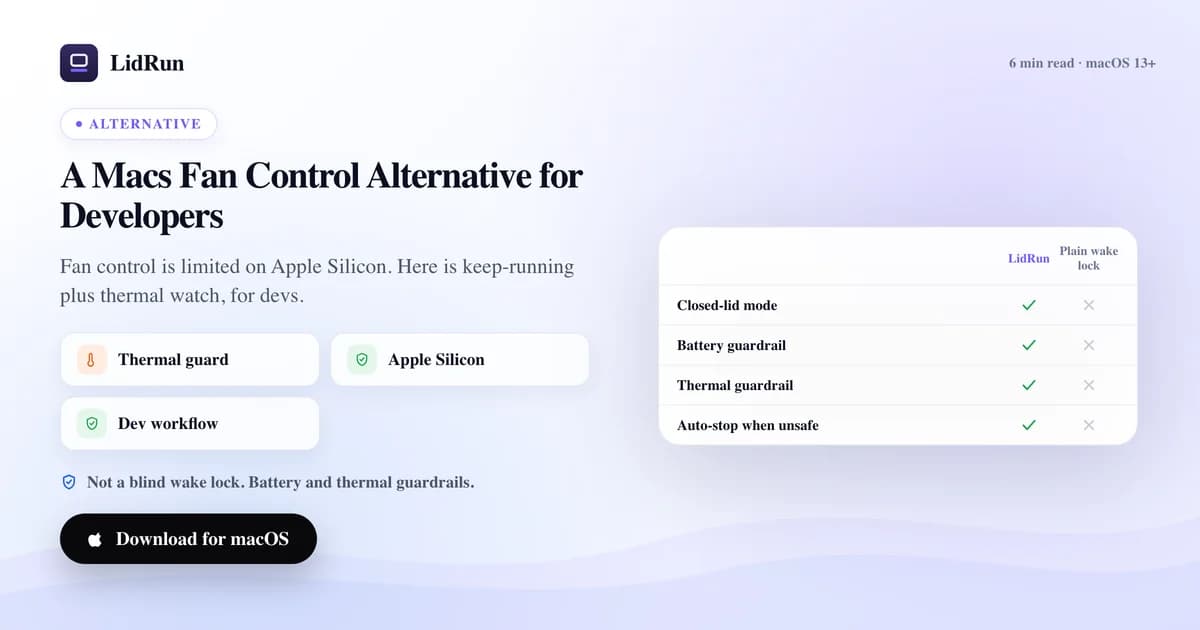
The closest one-for-one alternative to Macs Fan Control is TG Pro — it's actively updated for M1 through M5 and still does real fan control where Apple's firmware allows it, while the free, open-source smcFanControl only ever worked on Intel Macs. But if what actually sent you searching is a build or an AI agent that gets throttled, killed, or lost to sleep during a long unattended run, no fan app — Macs Fan Control included — was built to fix that. That's a different problem, and it's the one LidRun solves instead, by watching thermal state rather than trying to spin the fans.
Why Macs Fan Control users go looking for an alternative
On Intel Macs, Macs Fan Control earned its reputation honestly: full sensor readouts across CPU, GPU, and drives, plus custom fan curves that could genuinely override Apple's conservative stock behavior. If an Intel Mac was running hot under sustained load, telling the fans to spin faster actually worked.
Apple Silicon changed the ground under that. Reports on the app's own GitHub issue tracker describe M3 and M4 Pro/Max MacBook Pros where a manually-set fan value gets overridden in real time by macOS's own thermal daemon, and where the firmware keeps fans off entirely below roughly 77-80°C no matter what the app requests. Crystalidea, the company behind Macs Fan Control, has shipped fixes for specific models more than once — a mid-2025 update reportedly restored fuller control on some M3/M4 configurations — but the practical experience has been inconsistent: a fix for one chip generation doesn't always carry to the next, and a macOS point release can quietly change what's allowed again.
That's the real reason "Macs Fan Control alternative" searches exist. It's rarely that the app got worse — it's that Apple keeps moving the ground it's standing on, and a search for a different tool is often really a search for something that isn't at the mercy of that.
The other real fan-control apps: TG Pro and smcFanControl
TG Pro (from Tunabelly Software) is the most direct swap if what you want is another paid fan-control app. It's built for Intel through the current M5-series Macs, shows temperatures for each individual CPU core on Apple Silicon — something Macs Fan Control doesn't break out — and offers both automatic fan rules and manual override where the hardware still allows it.
smcFanControl is the free option, and it's honest about what it is: open source, effectively unmaintained for Apple Silicon, and Intel-only in practice. If you're still on an older Intel MacBook and don't want to pay for anything, it does the job. Install it on an M-series Mac and you'll get a menu bar icon with no real fan control behind it.
Both run into the same wall Macs Fan Control does on the newest chips: on Apple Silicon, fan RPM is ultimately the firmware's call. An app can request a speed; whether the Mac actually spins the fans there depends on the exact model, the temperature, and the macOS version — not the app.
Related guideMac fan control for developersThe free, built-in option: letting macOS run its own curve
You don't need to install anything to have a working fan curve — macOS runs one on its own. It's free, needs no configuration, and Apple tunes it conservatively enough that a typical dev laptop stays quiet under light load.
What you give up without a monitoring app is visibility. There's no built-in way to see the actual chip temperature or fan RPM, so a build that's quietly throttling looks identical in Activity Monitor to one running at full speed — just slower, with no obvious cause.
That gap matters more the longer and more unattended the job. A quick compile you're watching, you'll notice if it drags. A multi-hour fine-tuning run or an AI agent left going overnight with the lid closed, you won't — which is exactly when you need something watching the number instead of you.
The risk in chasing fan control instead of watching thermal state
Even where a fan app's control genuinely works, forcing RPM higher doesn't address the real risk of a long unattended run. Two different problems get conflated: the Mac is loud or throttling (annoying, usually fixed by more airflow or a stronger fan curve), and the Mac is unsafe to leave running (which forcing the fans doesn't fix — the answer there is to stop, not to spin harder).
On Apple Silicon specifically, since fan writes can be silently overridden by firmware below certain temperatures, a fan app's own readout of "fans set to 100%" isn't a reliable guarantee of what RPM the hardware actually allows. Leaning on that readout as your safety signal carries the same risk as trusting any control the platform can quietly override without telling you.
This bites hardest with the lid closed. A Mac generating heat with no airflow and no one watching is the exact scenario every fan-control app is worst positioned to catch — because catching it depends on someone looking at a sensor graph, and by definition no one is.
Where LidRun fits — it's not a fan tool
To be direct about it: LidRun does not control your fans, on Apple Silicon or on Intel. It never sends a fan command, and it won't take credit for a quieter Mac. What it does is watch the same thermal signal a fan app watches, and use it to decide whether it's still safe to keep your Mac from sleeping.
Specifically, it combines the live SMC temperature and the CPU's thermal-throttle percentage with macOS's own thermal-state API, because the OS-level signal alone can lag reality — LidRun's own testing once caught it reporting a merely "fair" state while the chip had already throttled down to 24% of normal speed inside a closed bag. At 98°C or higher, or a throttle at or below 50%, LidRun treats that as serious and posts a notice. At 100°C or higher, or a throttle at or below 30%, that's critical.
What happens next depends on context. With Closed-Lid mode active and the Mac genuinely stashed away — on battery, lid shut, idle five minutes or more — LidRun gives 60 seconds of sustained serious pressure before acting: it releases its hold so the Mac clamshell-sleeps on its own if things are merely serious, or force-sleeps immediately, overriding whatever's running, if it's already critical. A cooked Mac is worse than a lost build.
On mains power with someone around, it's gentler. LidRun won't force-sleep a Mac with the lid open while you're at the keyboard — it only steps in once the lid is genuinely shut or you've been away five minutes or more, and only after 120 seconds of sustained pressure, or immediately if it's critical. The firmware owns the fans the entire time; LidRun is the layer above the curve, not a replacement for one.
Pairing a fan tool with LidRun for long dev and AI runs
In practice, use TG Pro or Macs Fan Control (or nothing at all, on a modern Mac) for what they're genuinely good at: seeing the real numbers and, where the firmware still permits it, nudging the curve. Use LidRun for the job neither one was built to do — keeping Claude Code, Cursor, a Docker build, or an xcodebuild run alive with the lid closed, and getting out of the way if heat or battery cross a line while nobody's watching.
LidRun's Auto-Watch looks for the processes a fan app has no reason to care about — claude, cursor, codex, aider, ollama, python and torchrun training jobs, jupyter, node/npm/vite builds, cargo, xcodebuild, docker — checking every 10 seconds by default, so it holds the Mac awake only while one of them is actually running, not indefinitely.
On battery there's a hard 4% floor that always applies: below that, macOS may not have enough headroom to finish sleeping cleanly before the battery dies, so LidRun force-sleeps at that point no matter what else is set. A second, adjustable floor (20% by default, 5-50% range) governs keep-running sessions specifically, so a long AI run can stop itself well before the hard floor if you'd rather play it safer.
None of this replaces real cooling. A stand, a fan pushing air across the intake, and staying on mains power still do more for an Apple Silicon Mac's actual temperature than any software — LidRun's job is only to help make sure a bad thermal event doesn't also cost you the work.
LidRun keeps your work running with the lid closed, with battery and thermal safety built in.
Already have LidRun? Read the setup guide →
Frequently asked
Yes for visibility, more conditionally for control. It shows real sensor data on every M-series chip, and recent updates have restored fuller fan control on some M3/M4 models, but Apple's firmware can still override a manual fan value at low temperatures depending on the exact model and macOS version.
TG Pro is the closest one-for-one swap if you specifically want another fan-control app — it's actively updated for M1 through M5 and does the same job (sensors plus fan rules) with current Apple Silicon support.
smcFanControl is free and open source, but it only ever worked on Intel Macs and hasn't been meaningfully updated for Apple Silicon. On an M-series Mac it won't give you real fan control.
No. LidRun never sends a fan command on any Mac, Apple Silicon or Intel. It reads the same thermal signal a fan app reads and uses it to decide whether to keep holding your Mac awake or back off — the firmware still owns the fans.
Yes — they don't conflict. One manages the fan curve where the hardware allows it; LidRun manages whether your build or agent session keeps running when heat or battery cross a threshold.
Not reliably on Apple Silicon. Firmware can override a manual fan write below certain temperatures, and a lid-closed Mac with no airflow can still build up heat regardless of the fan setting — that's the scenario LidRun's closed-lid heat guard is built to catch instead, by releasing its hold or sleeping the Mac rather than fighting the fans.