An Amphetamine alternative for Mac
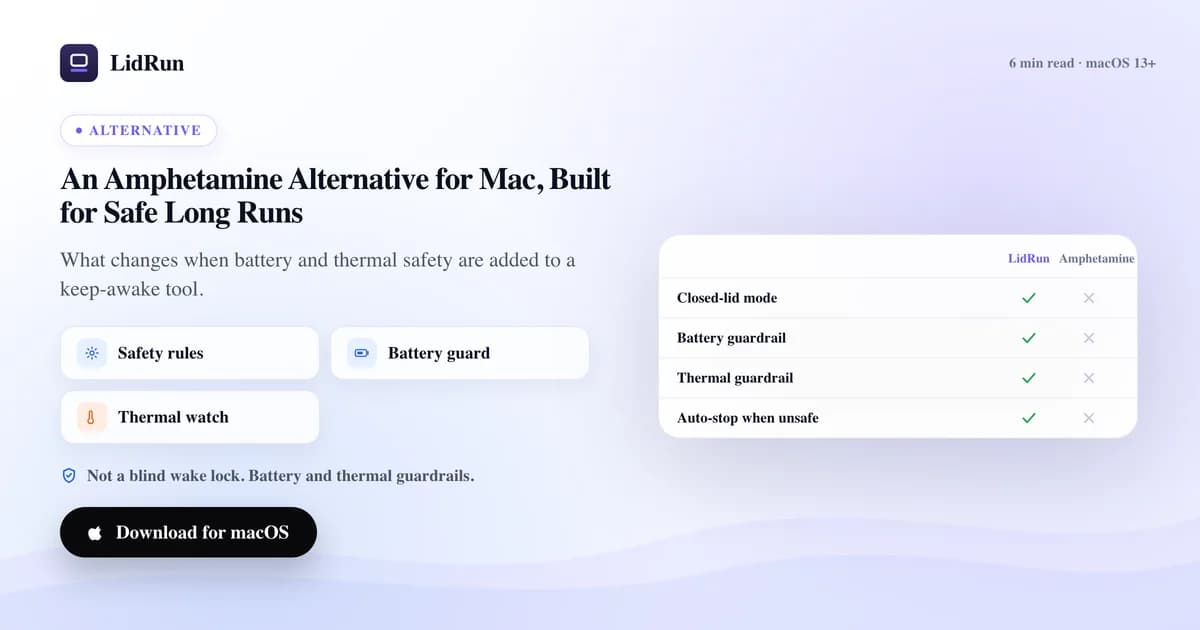
The honest answer is that there isn't just one Amphetamine alternative for Mac — there are three tiers of them. macOS already ships free tools that do the core job (caffeinate, pmset), there are other free menu-bar apps in the same category as Amphetamine (KeepingYouAwake, Lungo), and then there's a narrower tool like LidRun for the one thing none of them do: keeping a multi-hour AI or dev run alive without draining the battery flat or running hot unattended. Here's the real landscape, then where each one actually fits.
What Amphetamine does well
Amphetamine is well-built, free, and popular for good reason. It holds the Mac awake reliably, offers granular triggers — by app, by Wi-Fi network, by time of day, by battery level — and stays out of your way once configured. None of that is in question here.
For everyday keep-awake — keeping the screen on during a presentation, stopping sleep while a download finishes, running a quick export to completion — it's an excellent choice and hard to beat. Its trigger system alone covers more everyday scenarios than most people will ever need.
So this isn't a takedown, and it isn't really an apples-to-apples "which is better" question either. It's a narrower one: what happens during a multi-hour unattended run, when nobody's watching the battery or the heat, and the lid is closed with no monitor plugged in.
The free options already on your Mac
Before any third-party app, macOS ships with its own keep-awake primitive: caffeinate. Run caffeinate -i to block idle sleep, caffeinate -d to also keep the display on, or the more useful form for a real task — caffeinate -i npm run build — which holds the assertion only until that command exits, then lets go automatically. caffeinate -t 3600 holds it for a fixed number of seconds instead. It's free, it's already installed, and for a single foreground job it does exactly what you'd reach for Amphetamine to do — just from the Terminal instead of the menu bar.
For lid-closed work, macOS has a native option too: plug in an external display (or, in some configurations, just an external keyboard and mouse) while on power, close the lid, and the Mac runs on in clamshell mode with no app involved at all. That's documented Apple behavior, not a workaround.
If there's no external display and you still want the lid closed, the other native lever is a single root-level command: sudo pmset disablesleep 1 (and 0 to turn it back off). That's the same underlying primitive LidRun's own Closed-Lid mode calls under the hood — a legitimate, Apple-provided setting, not a hack.
Why closing the lid is the hard part — and where doing it by hand gets risky
It's worth knowing why this needs a special command at all. A normal keep-awake assertion — the kind Amphetamine uses, and the kind LidRun uses for lid-open sessions — tells macOS not to idle-sleep. It does not override the lid's own sleep trigger. Close the lid with no external display attached and the Mac sleeps regardless of what's holding it awake, by design. The only way around that is an external display, or the root-level pmset disablesleep override. That's a genuine macOS restriction shared by every keep-awake app, Amphetamine included — not a gap unique to it.
The risk shows up once you're running that override by hand. pmset disablesleep 1 is a system setting, not a session — it doesn't expire, doesn't know how the job went, and doesn't watch anything. Set it before a long unattended run on battery and walk away, and there's nothing tracking whether the battery is about to hit zero or the machine is running hot in a closed space. Forget to set it back to 0 — close the Terminal, restart, get pulled away — and the Mac can keep ignoring lid-close sleep long after the job that needed it is done.
caffeinate has the gentler version of the same problem: it holds the assertion exactly as told, with no opinion about battery level or thermal state. That's not a flaw in the tool — it's doing one job on purpose. It's just not the job of finishing a long run safely and handing the Mac back in the state you'd want to find it in.
Other keep-awake apps besides Amphetamine
Amphetamine isn't the only third-party option either. KeepingYouAwake is a small, free, open-source menu-bar toggle that does one thing — hold the Mac awake — without the trigger system Amphetamine has; if you want the simplest possible version of "stay awake until I say stop," it's a solid pick. Lungo is another free menu-bar app in the same category, with a cleaner visual timer for setting a fixed duration.
You'll also see the name Caffeine mentioned — it's the app that gave this whole category its icon and its name. Availability of these smaller utilities changes over time, so it's worth checking current App Store listings rather than assuming an old blog post still applies.
All of them, Amphetamine included, solve the same core problem the same way: hold a wake lock based on a trigger you set. None of them watch the battery level or the machine's thermal state while they do it, because that was never the job they were built for.
Where long AI and dev runs ask for more
A keep-awake app, by design, keeps the Mac awake. On its own it doesn't watch the battery so the Mac sleeps before it drains flat, and it doesn't watch thermal state so a hot job doesn't run unsupervised for hours. For a long compile, a local model, or a coding-agent run that goes on for hours, those two gaps are exactly the ones that bite.
LidRun's angle is to keep the work running safely rather than just keeping the Mac awake. Auto Mode watches for real dev and AI activity — CLIs like claude, codex, cursor, aider, gemini; local model runtimes like ollama and llama-server; Python and Jupyter jobs; Node, npm, and build tools like vite and webpack; compilers like cargo, swift, and xcodebuild; container tooling like docker and kubectl — and only holds the Mac awake while one of them is actually busy, not just open in the background.
Underneath that, a free, always-on safety floor sleeps the Mac before the battery hits empty rather than letting it hard-shut-down mid-write — 4% by default, adjustable up to 8% on Pro if you want more buffer. A separate, lighter auto-stop lets keep-awake give way at a higher level too — 20% by default, adjustable free between 15% and 50% — so the Mac can sleep normally well before the emergency floor ever matters.
Thermal protection uses macOS's own thermal-state signal — the same nominal / fair / serious / critical scale the OS itself uses to decide when to throttle performance — and lets the Mac sleep if it stays in a bad state while unattended, instead of pushing a hot job through. It won't fight you while you're actively using the Mac with the lid open; it's aimed at the unattended, walked-away case specifically.
Closed-Lid mode is the same pmset disablesleep primitive from earlier, but wired through a privileged helper that always pairs the 1 with a matching 0 — on stop, on quit, and again on next launch — so it can't get left on by accident the way a manual toggle can.
Which one to choose
If your need is general keep-awake — a quick task, a presentation, a download — caffeinate, Amphetamine, KeepingYouAwake, or Lungo will all do the job, for free, and you may not need anything more than that.
If your runs are long, heavy, and often unattended — especially if you want to close the lid and walk away without an external display — a battery floor, thermal awareness, and workload detection start to matter more than which menu-bar icon you're using.
On cost: Amphetamine, caffeinate, and the other free apps mentioned here cost nothing. LidRun's free tier is also free forever — Keep Awake, Timer, Charging-only, low-battery auto-stop, the baseline safety floor, Activity Log, and the lidrun CLI, with no trial and no session cap. Auto Mode, Closed-Lid mode, adjustable safety thresholds, and the rest of the paid toolkit are a one-time purchase — no subscription — priced by how many Macs you activate rather than by feature, with a 14-day refund window. Current prices live on the pricing page rather than repeated here, since they're the kind of number that goes stale in an article.
They're not mutually exclusive either. Plenty of people keep Amphetamine (or caffeinate) around for quick one-off tasks and reach for LidRun specifically for the long, unattended AI and dev runs where the safety thresholds are the point.
A safety-first workflow
For a quick task: caffeinate -i your-command from the Terminal, or a one-off Amphetamine session, is genuinely the simpler tool. Don't reach for more than you need.
For a long, unattended AI or dev run: leave the default battery floor in place (or raise it a little if you want more buffer), leave thermal protection on, and let Auto Mode detect the tool instead of manually starting a timer. Turn on Closed-Lid mode only if you're actually closing the lid — it's a separate switch from ordinary Keep Awake on purpose.
Stay plugged in for the longest jobs regardless of which tool you use, and keep the Mac somewhere ventilated rather than under a pillow or inside a closed bag — none of these tools, LidRun included, can fix airflow you've physically blocked.
The result, either way, is the close-the-lid-and-walk-away feeling — with a battery floor and a thermal check standing behind it, instead of just hoping the job finishes before something goes wrong.
LidRun keeps your work running with the lid closed, with battery and thermal safety built in.
Already have LidRun? Read the setup guide →
Frequently asked
Not exactly — it covers the same keep-awake need and adds a battery floor, thermal awareness, and workload detection aimed at long, unattended dev and AI runs. For quick everyday tasks, Amphetamine (or caffeinate) is often the simpler tool; which one fits depends on how long and how unattended the work is.
Yes — it's a well-built, free keep-awake app with a flexible trigger system, and a solid choice for everyday use. LidRun isn't really a replacement for it so much as a different tool for a different job: long, unattended AI and dev runs where a battery floor and thermal awareness matter more than a simple wake lock.
It's built on the same underlying primitives — Closed-Lid mode uses the same pmset disablesleep call you could run by hand — but wraps them with the parts a raw command doesn't have: automatic re-enabling so it can't get left on by accident, plus battery and thermal gates that decide when a session should end instead of running until you remember to check.
A free, always-on battery floor (4% by default, so a forgotten run sleeps the Mac before a hard shutdown), an optional higher auto-stop level, thermal-state awareness that lets the Mac sleep if it stays hot while unattended, and Auto Mode, which detects real dev and AI activity — coding CLIs, local model runtimes, compilers, build tools — instead of needing a manual timer.
Yes, with Closed-Lid mode (a paid feature). Without an external display, closing the lid always sleeps a Mac unless something explicitly disables that at the system level — LidRun does it through a privileged helper that's paired to turn itself back off, and battery or thermal thresholds can end a lid-closed session automatically.
The unattended-and-hot case is exactly what thermal protection targets — it lets the Mac sleep instead of continuing to push a hot job while nobody's watching, using macOS's own thermal-state signal. It's deliberately built not to fight you while you're actively using the Mac with the lid open; it's for the walked-away case specifically.
The core keep-awake modes are — Keep Awake, Timer, Charging-only, low-battery auto-stop, and the baseline safety floor are free forever, with no trial and no session cap. Auto Mode, Closed-Lid mode, and adjustable safety thresholds are part of the paid tier, a one-time purchase priced by how many Macs you activate rather than by feature.