LidRun vs Amphetamine: which tool fits AI and dev work?
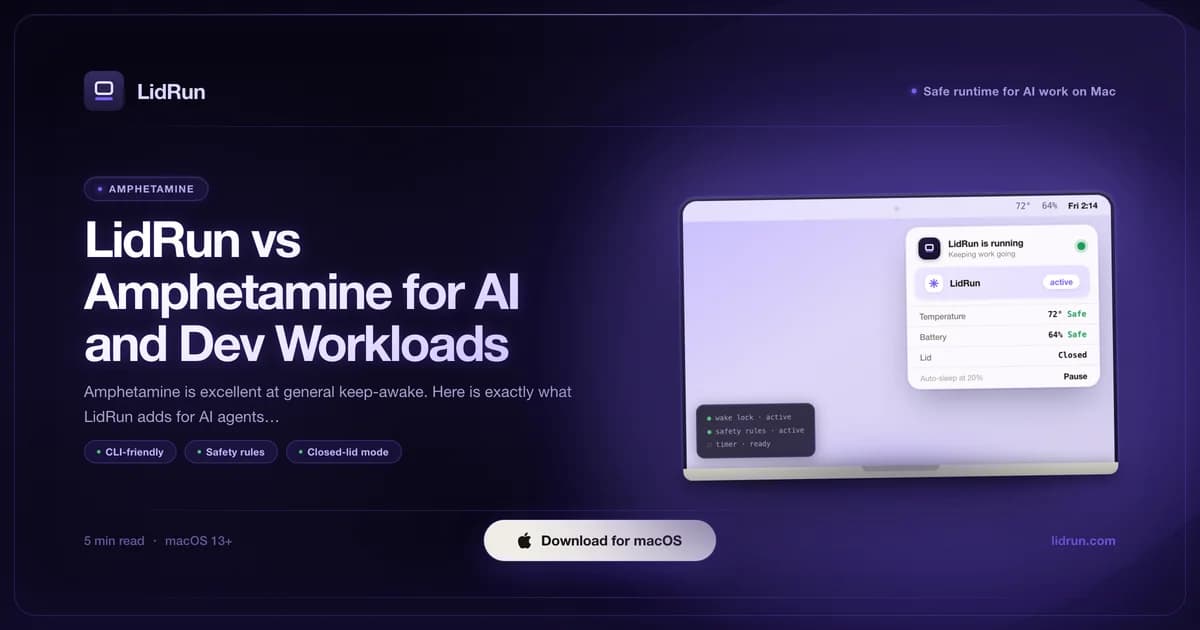
LidRun vs Amphetamine comes down to scope: Amphetamine is the better everyday keep-awake app - free, well-built, with trigger rules that cover most people's needs. LidRun is built for a narrower, harder case: hours-long AI agent and dev runs, often on battery, often with the lid closed, where nobody is watching to catch a dying battery or a hot chip. Here's the direct, feature-by-feature comparison, including exactly where Amphetamine still wins.
What Amphetamine does well
Amphetamine is free, actively maintained, and good at exactly the job it's built for: a menu-bar toggle holds the Mac awake with one click, and underneath that toggle sits a genuinely deep trigger engine - session length, specific app launches, external display connection, Wi-Fi network, drive mounts, battery level, time of day. Chain those into a rule and keep-awake arms and disarms itself without you touching the icon again.
For the common cases - screen on during a presentation, no sleep while a render or download finishes, blocking idle sleep on a video call - Amphetamine is the right tool. Like most Mac keep-awake apps, it works through macOS's own power-assertion API, the same family of system call the built-in caffeinate command uses; Amphetamine just wraps it in a UI that's faster to reach for than opening Terminal.
The trigger engine is deeper than most people ever use. Dock conditions, drive mounts, app-launch rules, system-event triggers - if you want keep-awake to arm and disarm on a specific signal, Amphetamine almost certainly already has that rule built in.
Where the two tools differ
The core difference is scope. Amphetamine's job is keeping the Mac awake. LidRun's job is keeping the Mac awake within battery and thermal limits - not a blind wake lock - with guardrails for the long, unattended runs where nobody is watching the screen.
Battery floor. Amphetamine doesn't watch the battery at all - start a session unplugged, walk away, and it holds the Mac awake until the job finishes or the battery hits zero, with no warning in between. LidRun runs a graduated response instead: auto-stop at 20% battery, letting the Mac sleep normally (the one stage you can turn off); low-battery warnings at 15% and 5% while the run continues; and a hard floor between 4-8% that force-releases every keep-awake hold and lets the Mac sleep no matter what Settings say, because below that macOS may not have enough headroom left to shut down cleanly. That floor is the one stage in LidRun you can't configure away.
Lid closed without an external display. This is the feature people are most often surprised by, so it's worth explaining the mechanism, not just the symptom. IOPMAssertionCreateWithName - the API every keep-awake app on the Mac is built on, Amphetamine included - only blocks idle sleep. Closing the lid triggers a separate, lower-level clamshell sleep that assertions can't touch; it fires within seconds unless a display is attached. The only public lever that stops it is sudo pmset -a disablesleep 1, a free command anyone can run in Terminal right now (see the full pmset and caffeinate comparison for the deeper mechanics). The catch: it's a global, persistent system setting, not a per-app assertion - if the process that set it dies mid-session, a crash or a forced quit, the Mac is stuck refusing to sleep until someone flips it back by hand or reboots. LidRun's Closed-Lid mode calls that same pmset flag through a privileged helper, requested once via a native macOS admin prompt, and always pairs the 1 back to 0 on stop, on quit, and on next launch, so the setting can't silently outlive the session that requested it. Amphetamine doesn't touch pmset, which is exactly why lid-closed-without-a-display isn't something it offers.
Thermal watch. LidRun reads Apple's ProcessInfo.thermalState signal - nominal, fair, serious, critical - throughout a session. In Closed-Lid mode specifically, hitting critical automatically drops the mode so the hardware can throttle and sleep; heat can't dissipate normally with the lid shut, which is exactly why this gate matters most there. Amphetamine doesn't expose thermal state as a session gate at all.
Side-by-side for AI and dev work
AI agents and dev builds have a different profile from a presentation or a download. They run for hours, keep the chip working continuously, and are often unattended - you start a Claude Code or Cursor session, close the laptop, and come back later.
Walk through what a four-hour agent run on battery, lid closed, starting at 100%, actually looks like with each tool. With Amphetamine: the keep-awake assertion holds fine while the lid is open, but the moment you close it without a monitor attached, clamshell sleep fires anyway and the run stops wherever it was - there's no lid-closed path to lose in the first place. With LidRun's Closed-Lid mode active: the run continues past the 20%, 15%, and 5% stages with warnings along the way, and only force-stops at the hard 4-8% floor - by which point a four-hour job on a modern MacBook battery has usually either finished or been given every reasonable chance to.
Auto Mode is the other half. Instead of you manually arming keep-awake, LidRun watches for known AI agents and dev tools - Claude Code, Codex, Cursor, Windsurf, Aider, Cline, Ollama, Docker, and more, extendable in Settings - and holds the Mac awake only while they're actually working. For known AI agents specifically, presence alone counts as working: an agent sitting at near-zero CPU while it waits on an API response is still mid-task, so Auto Mode doesn't release the Mac just because CPU dipped. Everything else watched (builds, containers, render jobs) uses a CPU-percent threshold - 20% by default - with a 60-second grace period, so something genuinely idle in the background doesn't hold the Mac awake indefinitely. Amphetamine's trigger rules are flexible - app launches, drive mounts, Wi-Fi networks - but none of them read per-process CPU or tell 'agent thinking' apart from 'agent idle.'
Cost and setup: free vs Pro
Amphetamine is entirely free on the Mac App Store - there's no tier to think about. LidRun's basic modes (Keep Awake, Timer, Charging-only, and the low-battery auto-stop floor) are also free forever: no trial, no session cap, nothing that expires. The two features this comparison is actually about, Auto Mode and Closed-Lid mode, are part of LidRun's Pro tier - a one-time purchase, no subscription, with a 14-day refund window.
Setup effort differs too. Amphetamine is one click: toggle it on, optionally build a rule, done. LidRun's free modes are the same - one click. Auto Mode and Closed-Lid mode take a little more up front: Auto Mode ships with AI and dev tools pre-selected so most people never touch the watch list, and Closed-Lid mode needs a one-time admin authorization for the pmset helper. After that first setup, both run themselves.
If everything you need lives in the free tier of either tool, Amphetamine's trigger engine is more mature today. If you need the battery and thermal guardrails or lid-closed support, that's specifically what the LidRun Pro license is paying for.
How to decide which one you need
Amphetamine is the right pick for general-purpose keep-awake: the run is short to medium, the lid stays open or a monitor is attached, and you want a free tool with deep trigger rules. It's excellent at that job, full stop.
LidRun fits better when the run lasts hours, you want to close the lid without an external display, or you'd rather not personally supervise the battery and thermal state of a long unattended job. For closed-lid sessions, keep the Mac on a hard flat surface with airflow - not in a bag or on a cushion - and stay on power for the longest runs; the low-battery floor is a backstop, not a substitute for ventilation.
There's no conflict in installing both. Amphetamine for daily casual keep-awake, LidRun for the longer AI and dev runs where the safety thresholds and lid-closed support matter. Just don't stack them on the same session - two apps each holding their own sleep assertion means two different rule sets deciding when the Mac is allowed to sleep, which gets confusing fast. Pause or quit the active Amphetamine session before starting a LidRun Auto Mode or Closed-Lid run.
LidRun keeps your work running with the lid closed, with battery and thermal safety built in.
Already have LidRun? Read the setup guide →
Frequently asked
For a short run on mains power with the lid open, yes. For a multi-hour run on battery, Amphetamine has no battery floor at all - it holds the Mac awake until the job finishes or the battery hits zero, with no warning in between. It also can't keep the lid closed without a monitor attached, and it doesn't watch thermal state. Those are the three gaps that matter most on an unattended overnight run.
No. Amphetamine holds a standard system-sleep assertion, but macOS's clamshell sleep is a separate, lower-level trigger that assertions can't stop - it fires within seconds of the lid closing unless a display is attached. The only lever that prevents it is sudo pmset -a disablesleep 1, a free command anyone can run in Terminal, and Amphetamine doesn't use it. LidRun's Closed-Lid mode calls that same pmset flag through a privileged helper - available in LidRun's Pro tier - and always pairs it back to 0 on stop or quit so it can't get stuck on.
A four-stage battery response (auto-stop at 20%, warnings at 15% and 5%, a hard force-sleep floor at 4-8% that can't be disabled), a thermal gate that auto-drops Closed-Lid mode at critical heat, lid-closed keep-running without an external display, and Auto Mode, which detects AI agents and dev tools by process activity - including presence-based detection for agents that sit idle between API calls - and arms the session automatically.
Partly. LidRun's Keep Awake, Timer, and Charging-only modes are free forever - no trial, no session cap - the same free-forever model Amphetamine uses. The two features this comparison is actually about, Auto Mode and Closed-Lid mode, are part of LidRun's Pro tier: a one-time purchase, no subscription, with a 14-day refund window.
Two ways, depending on the process. For known AI agents and coding tools (Claude Code, Cursor, Codex, Aider, and others in a built-in, server-updatable list), presence alone counts as working - an agent sitting near 0% CPU while it waits on an API response is still mid-task, so Auto Mode won't release the Mac just because CPU dipped. Every other watched process (builds, containers, render jobs) uses a CPU-percent threshold with a short grace period instead, so something genuinely idle in the background doesn't hold the Mac awake indefinitely.
You can install both, but don't stack them on the same session - two apps each holding their own sleep assertion just means two different rule sets deciding when the Mac can sleep, which gets confusing fast. The practical split: Amphetamine for general daily keep-awake, LidRun for the long AI and dev runs where the battery and thermal thresholds and lid-closed support matter. Pause or quit the active Amphetamine session before starting a LidRun Auto Mode or Closed-Lid run.