Smart Rules: automatización si-esto-entonces-eso para energía y enfriamiento de tu Mac
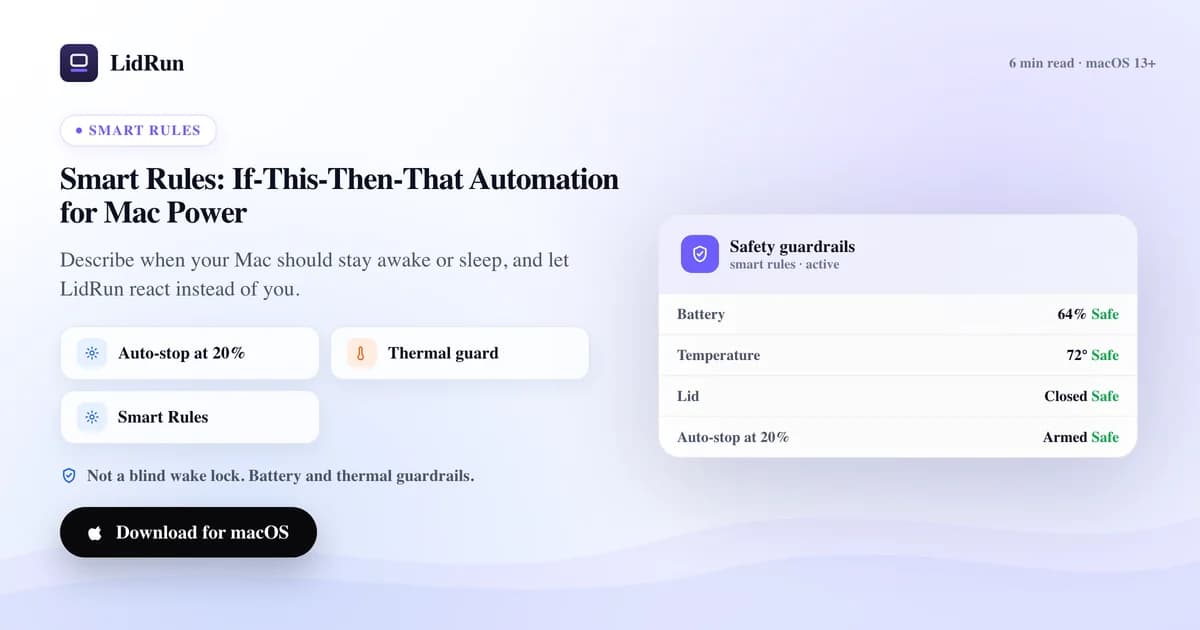
Smart Rules es la capa si-esto-entonces-eso de LidRun para automatizar la energía de tu Mac: defines una condición —un proceso activo, la batería por debajo de cierto porcentaje, el chasis que sigue caliente, una ventana horaria— y en cuanto se cumple, LidRun mantiene la Mac despierta, la deja dormir, cambia de perfil de enfriamiento o envía una alerta, sin que tengas que tocar un interruptor. Es el mismo salto que da un termostato frente a un interruptor de luz: describes el estado que quieres una sola vez, y la app se encarga de revisarlo en tu lugar. A continuación va exactamente qué puede vigilar una regla, qué puede hacer, cómo la gente arma esto hoy a mano con caffeinate y pmset, y en qué punto ese camino casero deja la Mac despierta —o dormida— más tiempo del que en realidad querías.
Por qué un solo interruptor de mantener despierta no alcanza
Un interruptor manual tiene exactamente dos estados, y una jornada de trabajo tiene más de dos problemas por resolver. La misma Mac que debe quedarse bien despierta durante un build de 40 minutos debería poder dormirse una hora después, en cuanto no haya nada corriendo y la batería marque 18 por ciento.
Deja el mantener-despierta activado para cubrir los tramos de mucho trabajo y también mantienes la Mac despierta durante los ratos muertos: batería desperdiciada y, en un escritorio caluroso, un ventilador acelerando sin necesidad. Apágalo entre tareas y vuelves a estar pendiente del interruptor, atento al segundo exacto en que arranca un trabajo largo. Una regla es el punto medio que faltaba: escribes la condición una sola vez, LidRun sigue revisando, y la acción se dispara solo cuando la condición realmente se cumple.
La forma nativa y gratuita de automatizar esto — y dónde se rompe
La mayoría de la gente no recurre a una app dedicada de entrada, y para un trabajo puntual tampoco la necesita. macOS trae dos palancas reales. caffeinate -i some-command evita que ocurra el sueño por inactividad durante exactamente el tiempo que dura some-command, y luego se retira solo — de verdad es la herramienta correcta para un único trabajo en primer plano. caffeinate -s hace lo mismo pero solo mientras la Mac está conectada a corriente, que es justo lo que la mayoría de los scripts de build quieren. Para la tapa en particular, sudo pmset disablesleep 1 es el mismo interruptor que activa el propio modo Closed-Lid de LidRun: le dice a macOS que ignore por completo el disparador de sueño por cierre de tapa, y sudo pmset disablesleep 0 lo revierte. macOS también tiene un camino gratuito, sin terminal, para "dejarla abierta con la tapa cerrada": conéctala a corriente, agrega una pantalla externa, conecta un teclado o mouse por cable o inalámbrico, y el propio modo clamshell de Apple corre la Mac con la tapa cerrada a plena potencia, sin ningún software de terceros de por medio. Si quieres algo más parecido a una regla, la app Shortcuts puede disparar una acción "Run Shell Script" a partir de una automatización por nivel de batería u hora del día, de modo que un evento de batería por debajo del 20% pueda ejecutar un script que llame a caffeinate o pmset por ti.
Nada de eso está mal, y para un trabajo puntual es, honestamente, más que suficiente. El problema aparece en cuanto apilas más de una condición, o te olvidas de cerrar el ciclo. Un caffeinate -i & que quedó corriendo en una terminal en segundo plano no sabe que tu trabajo terminó: mantiene la Mac despierta hasta que te acuerdas de matarlo, o hasta que cierras la tapa de una Mac que sigue encendida a plena potencia dentro de una mochila. pmset disablesleep 1 es peor de olvidar: no caduca, no vigila tu batería y no sabe si el chasis está caliente — se queda deshabilitado en este arranque y en el siguiente hasta que de verdad se ejecuta el 0 correspondiente. Ninguna de estas herramientas nativas lee la temperatura del CPU (macOS no la expone a un script de shell sin un lector de terceros), así que un script construido sobre ellas no tiene forma de replegarse cuando la máquina de verdad se calienta, ni deja registro de qué se disparó ni cuándo.
Las condiciones a las que puede reaccionar una Smart Rule
Una regla arranca con una o más condiciones, y LidRun exige que todas se cumplan a la vez — no hay un OR dentro de una sola regla; si necesitas un "esto o aquello", arma dos reglas con las mismas acciones. Una condición puede comparar el nombre de un proceso o app contra un patrón (así una regla puede activarse con Claude Code, Codex, Cursor, Ollama, Docker, un build de Xcode o un script de python — coincidiendo con un proceso o app en ejecución de forma exacta o como prefijo, sin distinguir mayúsculas), la batería por debajo o por encima de un porcentaje, la temperatura sostenida por encima de un número de grados durante cierta duración, estar en batería frente a estar en corriente, la tapa cerrada, ninguna carga de trabajo coincidente corriendo durante N segundos, o una ventana horaria.
El motor vuelve a revisar cada 5 segundos. Las condiciones basadas en duración —"temperatura por encima de X durante Y segundos", "sin carga de trabajo durante N segundos"— solo cuentan tiempo mientras todas las condiciones de esa regla se cumplen al mismo tiempo. Si una sola de ellas deja de cumplirse, aunque sea un instante (la corriente se desconecta un segundo, una carga de trabajo parpadea entre pasos), el temporizador se reinicia y la cuenta vuelve a empezar desde cero. Es intencional: una regla debe reaccionar a un estado sostenido, no a un parpadeo.
"Sin carga de trabajo coincidente durante N segundos" se compara contra la misma lista de patrones de Auto-Watch que definiste en Configuración, no contra el patrón específico escrito en esa regla — vale la pena saberlo si la usas para liberar la Mac automáticamente después de un trabajo personalizado: agrega también el nombre de ese proceso a tus patrones de Auto-Watch, o la regla no tendrá nada que vigilar para saber que desapareció.
La temperatura viene de las claves de sensor SMC que LidRun lee directamente. Como no existe una sola clave presente en todas las Mac, prueba una lista de candidatas y toma la lectura válida más alta, así que lo que una regla compara es la parte más caliente de la máquina que realmente puede ver, no una suposición. Si una Mac en particular no tiene un sensor legible para esa comparación, la condición simplemente nunca se evalúa como verdadera — la regla se queda inactiva en lugar de dar un error.
Qué puede hacer una regla
Las acciones giran en torno a los propios controles de LidRun, y ese límite es intencional: mantener la Mac despierta, dejar de mantenerla despierta, cambiar a un perfil de enfriamiento (Quiet, Balanced, AI Workload o Emergency Max) dentro de lo que el hardware permite, enviar una notificación (con push opcional a tu teléfono), dormir la Mac, iniciar o detener el modo Closed-Lid, o dejar una nota en el registro. No finge hacer cosas que macOS no le permite hacer a una app.
El control de escritura sobre los ventiladores está muy restringido en Apple Silicon por el firmware y SIP, así que una acción de enfriamiento se apoya en lo que el hardware expone, en lugar de forzar una curva de ventilador manual; si el control de ventiladores no está disponible en tu Mac o en tu nivel de licencia, el paso de enfriamiento de una regla simplemente se salta mientras sus otras acciones —mantener despierta, notificar, dormir— siguen disparándose. Las acciones de enfriamiento, además, solo suben de nivel, nunca bajan: si pusiste los ventiladores en Max manualmente, el paso "cambiar a Balanced" de una regla no los va a bajar de ahí. Solo una regla de emergencia térmica fuerza Max sin importar lo que ya esté configurado, y eso es justamente lo que evita que una regla de rutina deshaga en silencio una decisión que tomaste a propósito.
Ninguna de las acciones de una regla pide confirmación una vez que la activaste — incluyendo dormir la Mac y el modo Closed-Lid, que es justo por lo que el propio texto de la app en Smart Rules te advierte que actives esas dos con cuidado. Lo que hace una regla es visible, pero todavía no queda etiquetado como venido de una regla: disparar "mantener despierta" o "dormir la Mac" genera la misma entrada en el Activity Log que generaría una acción manual ("Keep Awake started", por ejemplo) — la entrada no dice qué regla la disparó. Si estás afinando una regla nueva y quieres confirmar que de verdad se disparó, el subsistema com.lidrun.app de Console.app, categoría RuleEngine, registra el nombre de la regla cada vez que corre — es el lugar más preciso para mirar mientras pruebas umbrales.
Smart Rules en sí es una función Pro con su propio interruptor maestro, apagado por defecto incluso con licencia Pro. Auto Mode, en el nivel gratuito, ya inicia y libera el mantener-despierta según el trabajo detectado; Smart Rules es la capa condicional que se monta encima de eso: enfriamiento extra, alertas, o un sueño controlado cuando hay un riesgo real.
Qué es un preset integrado y qué puedes personalizar hoy
LidRun viene con 15 reglas integradas repartidas entre agentes de código IA, IA local, desarrollo y build, y seguridad. Puedes activar o desactivar cada una, pero no borrarla, y cinco vienen desactivadas por defecto —LM Studio, Python, Node/npm, build de Xcode y ffmpeg— porque un patrón de intérprete tan amplio como "python" o "node" coincide con demasiados procesos sin relación como para dejarlo activado de fábrica para todo el mundo.
Dónde el constructor dentro de la app es más limitado hoy: agregar una regla personalizada desde la ventana de Smart Rules hoy significa escribir un patrón de nombre de proceso, lo que crea un único tipo fijo de regla — que ese proceso en ejecución mantenga la Mac despierta y cambie a enfriamiento AI Workload. Las condiciones de porcentaje de batería, temperatura-y-duración, tapa y ventana horaria que se cubrieron arriba existen todas como presets integrados que puedes activar, pero el constructor visual todavía no te deja escribir tu propio umbral para ellas. Si hoy quieres una regla personalizada de batería o temperatura, los presets integrados son la forma de conseguirla; las reglas en sí viven en un archivo JSON plano dentro de Application Support, por si te sientes cómodo hurgando ahí directamente.
Reglas que un desarrollador realmente usaría
Despierta mientras trabaja, se retira en cuanto termina: los presets de Claude Code, Codex, Cursor y Ollama mantienen la Mac despierta y cambian a enfriamiento AI Workload en el momento en que ese proceso está corriendo, con un margen de 5 minutos para que la regla no se vuelva a disparar en cada ciclo mientras el trabajo sigue. Docker recibe el mismo trato pero con enfriamiento Balanced en vez de AI Workload. Combina cualquiera de estas con la regla integrada "sin carga de trabajo de IA durante 10 minutos → detener el mantener-despierta", y una descarga de modelo o una corrida de agente durante la noche libera la Mac por su cuenta en cuanto de verdad queda inactiva, en lugar de dejar el mantener-despierta encendido el resto de la noche.
Dos presets de seguridad están activados por defecto y no necesitan configuración: batería por debajo del 10 por ciento, en batería, envía una notificación de batería baja; batería por debajo del 5 por ciento, en batería, duerme la Mac directamente. Ambos corren de forma independiente de lo que esté haciendo cualquier regla de carga de trabajo, y ambos se apoyan encima del regulador de seguridad de toda la app, que ya condiciona el mantener-despierta según la batería y el estado térmico por debajo de cada regla.
Los dos presets de temperatura muestran en la práctica cómo funciona el filtro por duración: por encima de 90 °C sostenidos durante 5 minutos cambia a enfriamiento Emergency Max y envía una notificación de "Mac corriendo caliente"; por encima de 95 °C sostenidos durante 2 minutos salta directo a dormir la Mac. Ambos necesitan que la lectura se mantenga elevada de forma continua durante ese tiempo, así que un pico normal y breve durante un build no dispara ninguna de las dos. La ventilación y dónde colocas la Mac siguen siendo responsabilidad tuya — una regla reacciona a un número, no puede arreglar una mochila cerrada.
Para cualquier cosa fuera de los patrones integrados —vllm, Blender, un script de entrenamiento con un nombre de binario raro— escribir ese nombre en "Add a custom rule" te activa el mantener-despierta más el enfriamiento AI Workload en un solo paso. Si además quieres que ese trabajo respete un piso de batería o una ventana horaria, activa los presets de seguridad integrados correspondientes junto a ella, en lugar de esperar que una sola regla lo haga todo por ahora.
LidRun mantiene tu trabajo en marcha con la tapa cerrada, con protección de batería y temperatura integrada.
¿Ya tienes LidRun? Lee la guía de configuración →
¿Nuevo en LidRun? Consulta los precios →
Preguntas frecuentes
Un proceso o app coincidente en ejecución, la batería por debajo o por encima de un porcentaje, la temperatura por encima de un número de grados durante cierta duración, estar en batería frente a estar en corriente, la tapa cerrada, ninguna carga de trabajo coincidente durante N segundos, y una ventana horaria. Todas las condiciones de una regla deben cumplirse a la vez — no hay un OR dentro de una sola regla; usa dos reglas para un esto-o-aquello.
No. Las acciones son las propias palancas de LidRun — mantener despierta, dejar de mantenerla despierta, cambiar un preset de enfriamiento dentro de lo que el hardware permite, notificar, dormir, o activar/desactivar el modo Closed-Lid. El control de escritura sobre los ventiladores está muy restringido en Apple Silicon por el firmware y SIP, así que una acción de enfriamiento funciona dentro de esos límites; donde el control de ventiladores no está disponible, ese paso se salta y las demás acciones de la regla igual se ejecutan. Las acciones de enfriamiento solo suben de nivel, nunca bajan en silencio un Max que hayas puesto a mano.
Sí — los presets integrados duermen la Mac por debajo del 5 por ciento de batería y notifican por debajo del 10 por ciento, ambos en batería, sin depender de lo que esté haciendo cualquier regla de carga de trabajo. El regulador de seguridad de LidRun ya condiciona el mantener-despierta según la batería y el estado térmico por debajo de cada regla, así que este no es el único respaldo.
Usa "sin carga de trabajo coincidente durante N segundos". Espera a que tu lista de patrones de Auto-Watch (en Configuración) muestre que no hay nada corriendo durante ese tiempo antes de dispararse, así que una pausa breve entre pasos no la activa antes de tiempo. Vigila tu lista global de Auto-Watch, no un patrón escrito en esa regla específica — agrega también el nombre del proceso de ese trabajo a Auto-Watch, o la condición no tendrá nada que vigilar para saber que desapareció.
Todavía no desde el constructor de reglas. Escribir una regla personalizada hoy crea una regla de patrón de proceso — que ese proceso en ejecución mantiene la Mac despierta y cambia a enfriamiento AI Workload. Las condiciones de batería, temperatura, tapa y ventana horaria hoy vienen únicamente de los presets integrados, que puedes activar o desactivar de forma individual.
El motor revisa cada 5 segundos, pero solo enumera los procesos en ejecución —la parte costosa— cuando al menos una regla activada realmente necesita esa información. Si solo tienes activadas reglas de batería, térmicas, de fuente de energía, de tapa o de ventana horaria, la revisión se queda prácticamente gratis, sin hacer nada.