Mantén un build activo con batería, lejos de un enchufe
Sí, puedes mantener un build de MacBook corriendo con batería, lejos de un enchufe: la forma más rápida es nativa: caffeinate -i retiene el reposo por inactividad mientras dure un comando, y pmset -g batt te dice con cuánta carga estás trabajando en realidad. Lo que macOS no hace por sí solo es gastar menos energía mientras corre la tarea, o detenerla antes de que la batería llegue a cero. Esa es la brecha que el Ahorro de Batería Silencioso y el piso de batería de LidRun están hechos para cerrar: atenuar la pantalla para estirar el tiempo de ejecución, y luego dejar que el Mac entre en reposo por sus propios medios en lugar de apagarse de golpe a mitad de la tarea.
El problema de no tener enchufe
Conectado a la corriente, mantener un Mac despierto durante una tarea larga es sobre todo una cuestión térmica: el límite es el calor, no la carga. Con batería, además es una carrera contra el tiempo: el trabajo necesita tiempo, y la carga es un presupuesto fijo que se agota mientras estás lejos de un enchufe.
La solución bruta es desactivar el reposo y dejar que todo corra hasta que la batería se agote. Eso combina lo peor de ambos mundos: la pantalla se queda encendida gastando carga que no necesitaba gastar, y si la tarea dura más que la batería, el Mac termina apagándose de golpe con el trabajo sin terminar de todas formas.
Lo que realmente funciona es combinar dos cosas: gastar menos energía mientras corre la tarea y tener un punto de corte limpio antes de que la batería llegue a cero. Las herramientas nativas de macOS te llevan hasta cierto punto. LidRun intenta hacer ambas cosas de forma automática.
Por qué el reloj de la batería corre más rápido que la tarea
La CPU —y la GPU, en una descarga de modelo o un render— es lo que realmente consume durante un build, mucho más que cualquier cosa que hagan la pantalla o el sistema en reposo. Una tarea que satura todos los núcleos sigue tirando de esa carga mientras dure, por eso una compilación pesada o una sesión larga de un agente puede comerse la batería de forma visible, algo que navegar o escribir jamás hacen.
macOS también se protege mientras eso pasa: el estado térmico del sistema sube por las etapas nominal, fair, serious y critical a medida que el chip se calienta, y cerca de la parte más alta de esa escala el sistema le baja la velocidad a la CPU para enfriarse. El throttling no añade consumo extra por sí solo —de hecho, ralentiza el chip— pero sí significa que un build frenado tarda más en terminar, y cada minuto extra es un minuto más que la batería tiene que cubrir.
La pantalla es el otro costo real y controlable: uno de los mayores consumos opcionales de una laptop, encendida a máximo brillo todo el tiempo aunque nadie esté mirando un build que corre solo. Esa es la parte en la que una herramienta para mantener el Mac despierto sí puede hacer algo; la carga de la CPU por debajo está fuera de su control.
Guía relacionadaSuspensión automática del MacBook con batería bajaLa vía gratuita: caffeinate, pmset y el Modo de Bajo Consumo
macOS ya trae todo lo necesario para mantener un Mac despierto gratis. caffeinate -i (o caffeinate -i make, caffeinate -i npm run build) crea una assertion que bloquea el reposo por inactividad mientras dure el comando, y la libera en el momento en que el comando termina, sin un paso extra para detenerla. pmset -g batt revisa la carga y la fuente de energía desde Terminal, y pmset -g por sí solo lista cada assertion que en ese momento mantiene al Mac despierto y qué proceso es dueño de ella, algo genuinamente útil cuando no sabes por qué un Mac no entra en reposo.
También hay una respuesta nativa para la versión de este problema con la tapa cerrada: sudo pmset disablesleep 1 mantiene un MacBook funcionando con la tapa cerrada, conectado a un monitor externo o usado como una caja en segundo plano, y disablesleep 0 lo vuelve a desactivar. Es el mismo mecanismo primitivo que usa por debajo el propio modo clamshell de LidRun, solo que sin ninguna red de seguridad alrededor.
Para el caso específico de la cafetería, el propio Modo de Bajo Consumo de macOS (Ajustes del Sistema → Batería) recorta la actividad en segundo plano y la velocidad del procesador para estirar la carga, y vale la pena activarlo sin importar qué esté manteniendo al Mac despierto: no compite con este problema, lo complementa.
Dónde se acaba la solución gratuita
Las carencias son concretas, no vagas. caffeinate -s —la opción a la que la gente recurre primero— solo funciona conectado a la corriente; el man page lo dice directamente, y con batería es un no-op silencioso, así que un script que asume que -s cubre una sesión desconectada, en realidad no la cubre. -i es lo que de verdad mantiene un Mac despierto con batería, pero no dice nada sobre la pantalla, así que un caffeinate -d -i ingenuo, o cualquier interruptor gráfico para mantener el Mac despierto configurado igual, deja la pantalla a máximo brillo durante toda la sesión, quemando justo la carga que no está haciendo nada útil.
La carencia más grande es la condición de corte. caffeinate y las apps de terceros para mantener el Mac despierto —Amphetamine, KeepingYouAwake, Lungo, Caffeine— son de verdad buenas en lo único que hacen: un interruptor limpio en la barra de menú o un horario que mantiene el reposo desactivado. Ninguna de ellas vigila el nivel de batería mientras lo hace. O vigilas tú mismo el porcentaje y cierras a tiempo, o el Mac llega a cero y se apaga de golpe a mitad de la tarea, el mismo resultado que la solución bruta de "simplemente desactivar el reposo" del principio de este artículo.
Eso no es una crítica a esas herramientas. Una función para mantener el Mac despierto basada en un horario es justo lo que necesitan la mayoría de las sesiones, y esas herramientas son más livianas que correr toda una capa de seguridad para una tarea de cinco minutos. Es específicamente el caso de "no voy a estar mirando este Mac", sin nadie presente y con batería limitada, donde un bloqueo de reposo a ciegas no tiene la forma correcta para la tarea.
Ganar tiempo con una pantalla más silenciosa
El Ahorro de Batería Silencioso de LidRun se apoya en ese mismo costo de la pantalla: mientras mantiene al Mac despierto con batería, atenúa la pantalla en silencio —y la retroiluminación del teclado, en los modelos que la tienen— para estirar el tiempo de ejecución, y luego restaura ambas cosas cuando termina la sesión.
Ajusta los niveles una sola vez en lugar de pelear contigo durante toda la sesión: puedes subir el brillo de nuevo a mitad de la sesión y LidRun no te lo va a impedir. Y solo toca el brillo mientras es realmente él quien mantiene al Mac despierto con batería; conectado a la corriente, o cuando no hay nada corriendo, se queda completamente al margen.
Es una palanca pequeña, no un milagro. Atenuar la pantalla no toca lo que consume la CPU durante una compilación pesada, así que en una tarea que satura todos los núcleos, el ahorro compra minutos, no horas. Pero en una sesión donde la pantalla se quedaría a máximo brillo durante una hora sin hacer nada útil, eso es tiempo de ejecución real que no habrías tenido, y no cuesta nada dejarlo activado.
Si LidRun se cierra de forma inesperada a mitad del atenuado —una caída, un forzar a salir— detecta ese estado obsoleto en el siguiente inicio y restaura tu brillo automáticamente, así que una salida mala no te deja mirando una pantalla oscura.
Terminar la sesión de forma limpia, no catastrófica
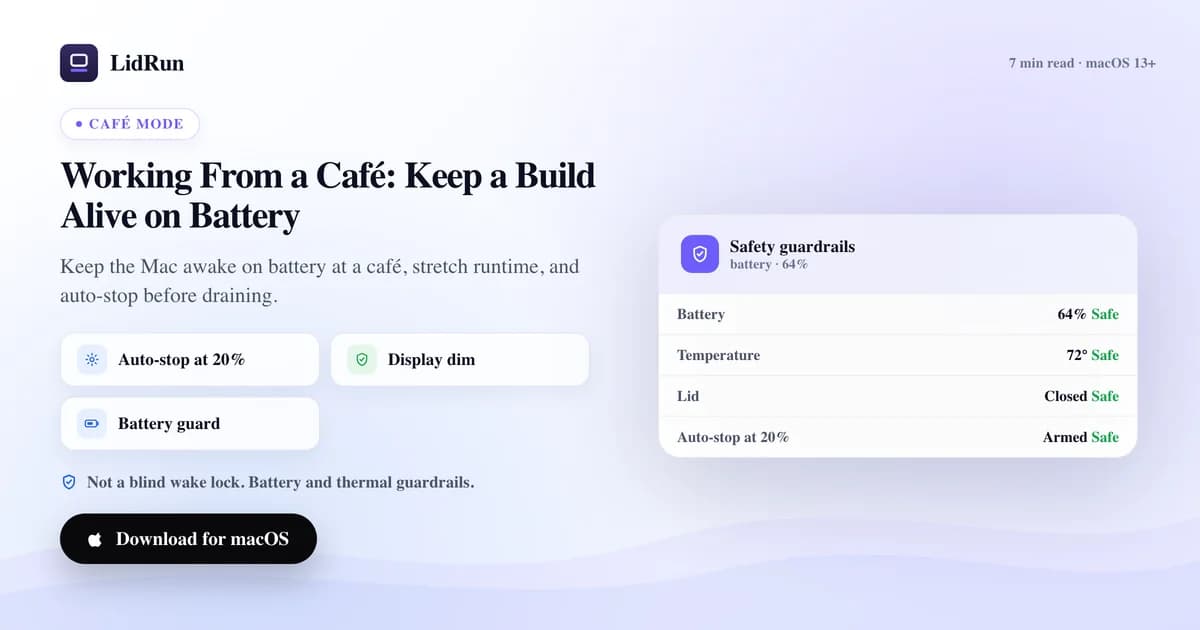
La otra mitad es saber cuándo parar, y LidRun corre dos capas en lugar de un único corte. La primera es la que puedes ajustar: el sistema para mantener el Mac despierto se detiene automáticamente cuando la batería baja de un umbral —20% por defecto, ajustable entre 15% y 50%— para que el Mac quede libre de entrar en reposo con margen suficiente para guardar tu trabajo, buscar un enchufe o simplemente recoger tus cosas.
La segunda es un respaldo por debajo de esa: un reposo automático de supervivencia se activa al 4% por defecto (ajustable entre 4% y 8%), sin importar dónde esté puesto el primer umbral, o incluso si el interruptor de auto-detención está completamente desactivado. Está ahí para que una sesión larga esté pensada para terminar con el Mac en reposo por sus propios medios, no con un apagado forzado, aunque la primera capa esté mal configurada o desactivada.
Ninguno de los dos cortes es silencioso. El Registro de Actividad guarda el momento exacto y el porcentaje —"Auto-detenido al 20% de batería", "Mac puesto en reposo al 4% de batería", "Ahorro de batería activado: pantalla atenuada"— para que después puedas ver qué umbral terminó la sesión en lugar de quedarte preguntándote qué pasó.
La protección por defecto corre gratis para todos; ajustar los porcentajes exactos a tu propio workflow —un corte al 35%, por ejemplo, para una laptop que cargas seguido— es parte de los controles de seguridad graduada de pago de LidRun. El piso en sí nunca está detrás de un muro de pago.
Dónde encaja LidRun y dónde no
caffeinate es la herramienta correcta cuando estás frente al teclado y solo quieres un comando que mantenga al Mac despierto mientras vas por un café. Amphetamine, KeepingYouAwake, Lungo y Caffeine son la herramienta correcta cuando quieres un interruptor de un clic en la barra de menú o un horario, sin necesidad de CLI. Todas mantienen el reposo desactivado sin problema. Ninguna está hecha para notar que la tarea realmente terminó, que la batería va camino a un corte forzado, o que el Mac terminó en un lugar donde no es seguro seguir corriendo.
La forma de LidRun es distinta a propósito: agente corriendo, se mantiene despierto; agente terminado, o la situación se vuelve insegura, libera el bloqueo y deja que el Mac entre en reposo. Auto Mode vigila que haya un proceso realmente ocupado, no solo una app abierta —el texto dentro de la app lo dice explícitamente: "que una app esté simplemente abierta no cuenta"— así que no mantiene al Mac despierto basándose en una suposición. Eso, sumado al piso de batería y al atenuado de pantalla, es lo que de verdad necesita una sesión en la cafetería: menos niñera, no un bloqueo de reposo más fuerte.
Nada de esto cambia lo que una batería es físicamente. Una sesión larga y pesada —una descarga de modelo grande, un build de release completo— sigue terminando más rápido y de forma más segura conectada a la corriente, y con batería se agota más rápido de lo que un atenuado o un umbral bien puesto pueden compensar. Trata el modo café como una forma de terminar una tarea moderada, o de avanzar de verdad en una más larga antes de encontrar un enchufe, no como una forma de correr algo indefinidamente desconectado.
Siendo honestos sobre trabajar con batería
La física de siempre aplica sin importar qué herramienta mantenga al Mac despierto: una mesa de cafetería cálida, el cojín de un sillón o una mochila bloquean las rejillas de ventilación que necesita un MacBook, y el calor se acumula más rápido de lo que la mayoría espera. El estado térmico del sistema sube de nominal a fair, serious y critical a medida que eso pasa, y el gobernador de seguridad de LidRun vigila esa misma subida para poder retroceder antes de que el chip se vea forzado a un throttling agresivo o el Mac termine corriendo en algún lugar donde no debería.
Nada de eso es una razón para evitar trabajar desde una cafetería. Es una razón para mantener el Mac sobre una superficie dura y ventilada incluso en una mesa de rincón, echarle un vistazo a la carga de vez en cuando en lugar de confiar ciegamente en una sola herramienta, y dejar que el piso de batería se encargue de la parte que de otro modo tendrías que recordar tú mismo.
Si esa es la clase de sesión que corres seguido —builds sin supervisión, tareas de agentes, cualquier cosa que arrancas y dejas corriendo sola— el ahorro de batería y el piso de batería están activados por defecto en el momento en que el sistema para mantener el Mac despierto corre con batería. No hay nada extra que configurar para que aplique la protección básica.
LidRun mantiene tu trabajo en marcha con la tapa cerrada, con protección de batería y temperatura integrada.
¿Ya tienes LidRun? Lee la guía de configuración →
¿Nuevo en LidRun? Consulta los precios →
Preguntas frecuentes
Atenúa la pantalla y, en los modelos que la tienen, la retroiluminación del teclado, mientras LidRun mantiene al Mac despierto con batería, lo que estira el tiempo de ejecución en tareas largas sin supervisión donde la pantalla, de otro modo, se quedaría a máximo brillo sin motivo. No reduce lo que consume la CPU durante una compilación pesada, así que en una tarea que satura todos los núcleos compra minutos, no horas. Piénsalo como tiempo de ejecución gratis a costa de la pantalla, no como una solución para el consumo de la CPU.
No. Restaura tu brillo y la retroiluminación del teclado automáticamente cuando termina la sesión, y solo atenúa mientras es realmente él quien mantiene al Mac despierto con batería; conectado a la corriente se queda al margen. Si LidRun se cierra de forma inesperada a mitad del atenuado, detecta ese estado obsoleto en el siguiente inicio y también restaura tu brillo en ese momento.
Dos umbrales. El sistema para mantener el Mac despierto se detiene automáticamente al 20% de batería por defecto (ajustable entre 15% y 50%), liberando al Mac para que entre en reposo con normalidad y con margen para guardar tu trabajo. Por debajo de eso, un reposo automático de supervivencia se activa al 4% por defecto (ajustable entre 4% y 8%) sin importar dónde esté puesto el primer umbral, de modo que una sesión está diseñada para terminar en reposo en lugar de en un apagado forzado repentino.
Puedes avanzar de verdad, pero una sesión larga y pesada —una descarga de modelo grande, un build de release completo— sigue siendo más rápida y segura conectada a la corriente; con batería se agota más rápido de lo que un atenuado o un umbral pueden compensar. Usa el modo café para terminar una tarea moderada o para ir avanzando en una más larga antes de encontrar un enchufe, no para correr algo indefinidamente desconectado.
caffeinate es gratis, viene incluido en macOS, y es la opción correcta cuando estás frente al teclado y solo quieres un comando que siga corriendo. Pero caffeinate -s solo funciona conectado a la corriente —es un no-op silencioso con batería— y -i, que sí funciona desconectado, no atenúa la pantalla ni vigila el nivel de carga. Para una tarea que dejas corriendo sola con batería, ahí está la carencia: nada nativo le dice al Mac cuándo parar.
No: trabajan en capas distintas. El Modo de Bajo Consumo (Ajustes del Sistema → Batería) recorta la actividad en segundo plano y la velocidad del procesador en todo el sistema; LidRun decide cuándo mantener al Mac despierto y atenúa la pantalla mientras lo hace. Pueden correr juntos sin problema, y para una sesión en la cafetería es justamente la combinación la que estira más la carga.