Khi MacBook của bạn nóng lên lúc lập trình
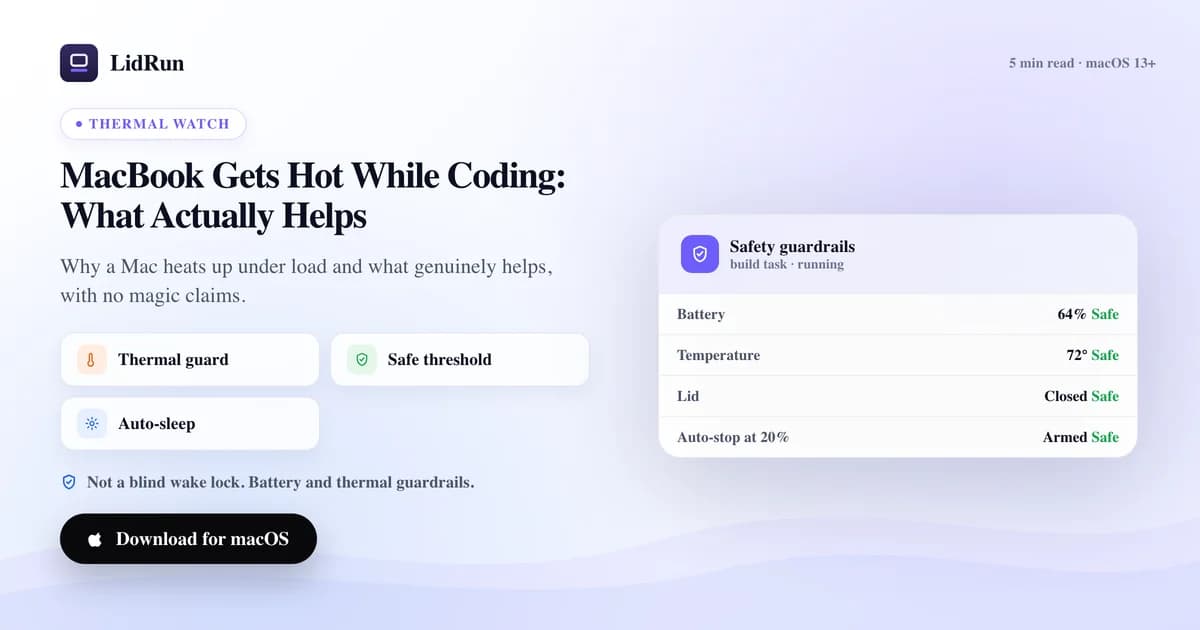
MacBook nóng lên khi lập trình gần như luôn là do CPU và GPU phải tải liên tục — một quá trình compile dài, một loạt container Docker, hay một model chạy local — chứ bản thân đó không phải là lỗi phần cứng. Thứ biến hơi ấm bình thường thành vấn đề thực sự là khi nhiệt không có đường thoát: nắp máy đóng, đặt trên bề mặt mềm, hoặc một tác vụ chạy không ai theo dõi. Dưới đây là cái nhìn thẳng thắn về những gì thực sự có ích, kể cả các công cụ miễn phí mà mọi người đã dùng để giữ máy chạy việc, và chúng thiếu sót ở đâu khi nói riêng về nhiệt độ.
Vì sao máy nóng lên ngay từ đầu
Nhiệt là dấu hiệu con chip đang làm việc, tự thân nó không phải lời cảnh báo. Một quá trình compile dài, một loạt container Docker, hay một model chạy local giữ CPU và GPU gần như chạy hết công suất trong hàng chục phút đến hàng giờ, và chính mức tải kéo dài đó — chứ không phải một đợt tăng vọt nhất thời — mới là thứ làm nhiệt độ tăng lên.
Đóng nắp máy khiến tình hình tệ hơn vì giữ nhiệt đó lại ngay trên mặt bàn phím, đúng chỗ các khe thoát khí được thiết kế để hút khí mát vào. Đặt máy lên bề mặt mềm như giường, ghế sofa, hay trong túi xách cũng chặn đúng những khe đó từ phía dưới, nên dù kiểu nào thì nhiệt cũng không có đường thoát.
Máy ấm lên khi tải là chuyện bình thường và không có gì đáng lo. Điều đáng chú ý là khi nhiệt độ tăng và giữ ở mức cao, vì đó là lúc con chip bắt đầu throttling — tự hạ xung nhịp để bảo vệ chính nó — và build hay tác vụ của bạn thực sự chạy chậm lại dù vẫn đang "chạy".
Tất cả những điều này không phải là lỗi hỏng hóc. Nó chỉ trở thành vấn đề thực sự khi nhiệt không có đường thoát và không ai theo dõi — mà đó lại thường đúng là tình huống của chính những tác vụ người ta muốn để yên nhất: build dài, model chạy local, và các phiên đóng nắp máy được bắt đầu chính là để tác vụ tiếp tục chạy mà không cần ai canh.
Cách mọi người vẫn giữ một tác vụ nóng tiếp tục chạy
Khi một tác vụ mất hàng giờ, phản xạ tự nhiên là ngăn Mac vào chế độ ngủ, chứ không phải làm mát máy — bộ đếm giờ ngủ mặc định của macOS mới thực sự là thứ cản trở một tác vụ chạy không giám sát, nên đó là thứ người ta xử lý trước tiên.
caffeinate là lệnh Terminal có sẵn của chính macOS (ví dụ caffeinate -i, hoặc caffeinate -w <pid> gắn với một tiến trình đang chạy). Nó thực sự hữu ích cho một phiên làm việc ở foreground — không cần cài đặt, không tốn phí — nhưng không có giao diện, không có bất kỳ giới hạn an toàn nào, và cần nắp máy mở. Nó không biết và cũng không quan tâm nhiệt độ đang là bao nhiêu.
Các ứng dụng thanh menu như Amphetamine, Caffeine, KeepingYouAwake, và Lungo làm cùng một việc cốt lõi nhưng có thêm những tiện lợi thực sự mà caffeinate không có: biểu tượng bật/tắt, hẹn giờ, và các quy tắc kích hoạt theo từng ứng dụng cụ thể. Đây là những công cụ tốt cho đúng mục đích chúng được tạo ra — tự động giữ máy thức nói chung — nhưng cũng không cái nào đọc được trạng thái nhiệt.
Để thực sự đóng nắp máy mà vẫn chạy, cơ chế bên dưới là pmset disablesleep 1, và macOS yêu cầu phải đi kèm disablesleep 0 để tắt lại, nếu không nó sẽ ở trạng thái bật vô thời hạn. Chạy lệnh này bằng tay vẫn hoạt động, và đó chính là system call mà chế độ Closed-Lid của LidRun cũng dùng — chỉ là không có giao diện, không có ngưỡng pin/nhiệt tối thiểu, và không có gì tự động đi kèm lệnh 0. Con đường miễn phí khác là chế độ clamshell với màn hình ngoài: cắm một màn hình, bàn phím, và chuột trong khi máy đang cắm sạc, macOS sẽ tự chạy ở trạng thái đóng nắp vì nó coi Mac đang "được sử dụng." Không cần mẹo giữ máy thức nào cả — nhưng đây là kiểu thiết lập để bàn, không phải kiểu laptop mang đi, và nó cũng không theo dõi nhiệt độ.
Hướng dẫn liên quanKiểm soát quạt Mac cho developerChỗ mà cách lách này gây rắc rối
Không công cụ nào trong số này được tạo ra để biết liệu Mac có đang quá nhiệt hay không — chúng được tạo ra để ngăn máy ngủ, chấm hết, và tất cả đều làm đúng việc đó một cách trung thực. Rủi ro không nằm ở chỗ chúng nói dối về việc mình làm gì; mà ở chỗ "giữ máy thức" và "giữ máy an toàn" là hai việc khác nhau, và chỉ một trong hai được đảm nhận.
Thất bại cụ thể trông như thế này: bạn chạy caffeinate hoặc pmset disablesleep 1 cho một tác vụ dài, đóng nắp máy, rồi nhét Mac vào túi xách hoặc dưới gối chỉ "một tiếng thôi." Lệnh làm đúng những gì nó hứa — Mac vẫn thức — trong khi tác vụ tiếp tục chạy với các khe thoát khí bị chặn, không ai theo dõi nhiệt độ đang tăng lên.
Cũng cùng một lỗ hổng đó với ứng dụng giữ máy thức chạy theo hẹn giờ: hẹn giờ là về thời gian, không phải nhiệt độ. Một tác vụ có thể ở trạng thái nhiệt cao suốt toàn bộ thời gian chạy mà ứng dụng sẽ chẳng bao giờ biết, vì nó chưa từng được yêu cầu nhìn vào đó.
Còn có một phiên bản nhỏ hơn, dễ mắc phải hơn của vấn đề này: quên đưa pmset disablesleep 1 về lại 0 sau khi tác vụ xong, khiến Mac không thể ngủ bình thường được nữa. Nếu bạn từng đặt lệnh này bằng tay và không chắc nó đã được tắt lại chưa, pmset -g sẽ hiển thị SleepDisabled trong kết quả trả về.
Điều gì thực sự có ích, nói thật
Những câu trả lời nhàm chán nhất lại chính là câu trả lời thật: lưu thông khí và một bề mặt cứng, phẳng có tác dụng hơn bất kỳ ứng dụng nào. Kê phần sau laptop lên một chút để không khí lưu thông bên dưới thực sự hiệu quả, và chẳng tốn đồng nào.
macOS không hiển thị chỉ số nhiệt độ ở bất kỳ đâu trong giao diện gốc, nhưng nó có theo dõi tình trạng throttling bên dưới. Chạy pmset -g therm trong Terminal và nhìn vào CPU_Speed_Limit: 100 nghĩa là con chip đang chạy hết tốc độ, và bất kỳ con số nào thấp hơn đáng kể có nghĩa là nó đã tự hạ tốc để chống chọi với nhiệt. Đây là công cụ chẩn đoán gốc gần nhất mà macOS cung cấp, và cũng chính là tín hiệu mà LidRun tự động theo dõi để bạn không cần phải tự chạy lệnh này.
Khi một tác vụ nóng lên, giảm tải giúp ích nhiều hơn người ta tưởng: giới hạn số job chạy song song (make -j4 hay ninja -j4 thay vì mặc định dùng hết mọi core), đặt giới hạn CPU-core thấp hơn cho Docker Desktop trong phần cài đặt Resources, hoặc với model chạy local, giới hạn số luồng đồng thời bằng các biến môi trường OLLAMA_NUM_PARALLEL và OLLAMA_MAX_LOADED_MODELS của Ollama, hay đơn giản là chạy một model quantized nhỏ hơn khi bạn không thực sự cần bản lớn nhất. Mỗi cách trong số này đánh đổi một chút thời gian chờ để đổi lấy nhiệt độ duy trì thấp hơn.
Không có cài đặt nào khiến nhiệt biến mất trong khi khối lượng công việc vẫn giữ nguyên, và bất kỳ công cụ nào tuyên bố Mac không bao giờ quá nhiệt đều đang nói quá. Mục tiêu trung thực là giảm mức nhiệt đỉnh và thoát nhanh hơn khi nhiệt tăng, chứ không phải lời hứa rằng điều đó sẽ không bao giờ xảy ra.
Chỗ đứng của một công cụ có nhận biết nhiệt độ
Nếu bạn đang lập trình tương tác trực tiếp và Mac ấm lên, bạn sẽ cảm nhận được và có thể phản ứng — mở cửa sổ, giảm tải build, rời bàn làm việc một lát. Ở trường hợp đó bạn không cần thứ gì theo dõi thay mình cả.
Lý do cần theo dõi nhiệt độ nằm ở tác vụ dài, không giám sát, đặc biệt là đóng nắp máy, khi không có ai ngồi trước màn hình để nhận ra nhiệt đang tăng. LidRun hiển thị đúng tín hiệu nhiệt thô mà chính macOS báo cáo — bốn mức, Normal, Fair, Hot, và Very hot — trực tiếp trên thanh menu, cùng với nhiệt độ do SMC báo cáo và con số throttle CPU_Speed_Limit ở những nơi phần cứng cho phép truy xuất.
Cơ chế này cụ thể, không mơ hồ: ngay khi vượt sang mức "Hot," LidRun hiển thị cảnh báo. Ngay khoảnh khắc đọc được "Very hot," nó lập tức nhả giữ trạng thái thức, và nếu chế độ Closed-Lid đang bật, nó cũng tắt luôn chế độ đó và báo bạn mở nắp máy hoặc cải thiện lưu thông khí — thay vì để một tác vụ nóng tiếp tục cày lì lợm đóng nắp mà không ai theo dõi. Đó là điểm khác biệt so với caffeinate hay một bộ hẹn giờ giữ máy thức thông thường: việc nhả ra gắn với nhiệt độ, không phải với đồng hồ.
Một giới hạn cần nói thẳng: LidRun không quay quạt máy hay đặt RPM. Trên Apple Silicon, hệ thống chặn đứng việc điều khiển quạt từ ứng dụng bên thứ ba, nên không app nào có thể trung thực hứa hẹn điều đó. Việc LidRun làm là theo dõi rồi lùi lại — nó quản lý rủi ro, chứ không ghi đè phần cứng. Nếu bạn thường xuyên để các build nặng hay model chạy trong lúc bước ra ngoài, phần lùi lại đó chính là thứ đáng có: một ngưỡng nhiệt quyết định khi nào một tác vụ không giám sát nên dừng lại, thay vì phó mặc cho may rủi.
Vài thói quen giúp máy luôn mát
Hãy đặt máy trên bàn hoặc trên giá đỡ, không phải trên giường, ghế sofa, hay trong túi đóng kín. Khe thoát khí thông thoáng quan trọng hơn bất kỳ cài đặt phần mềm nào, và đây là thói quen mang lại hiệu quả cao nhất trong danh sách này.
Giữ nhiệt độ phòng ở mức hợp lý và tránh để laptop dưới ánh nắng trực tiếp. Nhiệt độ môi trường xung quanh sẽ cộng dồn lên trên nhiệt mà khối lượng công việc đã sinh ra.
Một chiếc giá đỡ, một tấm đế, hay thậm chí vài miếng đệm cao su kê phần cạnh sau lên cũng cho các khe hút khí không gian để thở — đây thực sự là một trong những nâng cấp rẻ nhất, hiệu quả nhất, và đáng tin cậy hơn bất kỳ cách khắc phục nào ở tầng ứng dụng.
Với các tác vụ đóng nắp máy chạy dài, hãy để tính năng theo dõi nhiệt bật lên để một phiên có thể tự dừng nếu nhiệt vượt ngưỡng bạn đặt trong lúc bạn vắng mặt. Đây là lớp bảo vệ dự phòng, không phải thứ thay thế cho lưu thông khí — hãy dùng cả hai.
LidRun giữ công việc của bạn chạy tiếp khi đóng nắp, với cơ chế bảo vệ pin và nhiệt tích hợp sẵn.
Đã có LidRun? Đọc hướng dẫn thiết lập →
Mới biết đến LidRun? Xem bảng giá →
Câu hỏi thường gặp
Máy ấm lên khi tải liên tục là chuyện bình thường. Điều đáng lo là nhiệt tăng và giữ ở mức cao, vì điều đó dẫn đến throttling và khiến tác vụ thực sự chạy chậm hơn. Lưu thông khí tốt, bề mặt cứng phẳng, và giảm tải song song mới là cách xử lý thực tế — không phải một ứng dụng đơn lẻ nào.
macOS không hiển thị con số độ C ở bất kỳ đâu trong giao diện gốc. Cách chẩn đoán gốc gần nhất là chạy pmset -g therm trong Terminal và đọc CPU_Speed_Limit — 100 nghĩa là không throttling, thấp hơn nghĩa là con chip đã đang lùi lại vì nhiệt. LidRun hiển thị đúng tín hiệu đó dưới dạng bốn trạng thái trực tiếp (Normal, Fair, Hot, Very hot) trên thanh menu để bạn không cần tự chạy lệnh.
Tự bản thân thì không — cả hai đều không sinh ra nhiệt. Rủi ro nằm ở những gì chúng không làm: chúng giữ Mac thức mà hoàn toàn không theo dõi nhiệt độ, nên nếu bạn dùng chúng để ép một tác vụ đóng nắp máy tiếp tục chạy ở nơi có khe thoát khí bị chặn, sẽ chẳng có gì ngăn nó lại khi nhiệt vượt ngưỡng. Rủi ro về nhiệt đến từ cách bạn thiết lập, không phải từ bản thân câu lệnh.
Có, với các tác vụ không giám sát và đóng nắp máy: khi đọc được mức nhiệt nghiêm trọng, LidRun lập tức nhả giữ trạng thái thức và tắt chế độ Closed-Lid nếu đang bật, thay vì để một tác vụ nóng tiếp tục chạy. Bạn cũng luôn thấy trạng thái nhiệt hiện tại trên thanh menu. Nó giúp giảm rủi ro; nó không hứa hẹn rằng Mac không bao giờ có thể quá nhiệt.
Không. Trên Apple Silicon, hệ thống chặn việc điều khiển quạt từ ứng dụng bên thứ ba, nên LidRun không quay quạt hay đặt RPM — không app nào có thể trung thực hứa hẹn điều đó. Nó theo dõi trạng thái nhiệt mà macOS báo cáo và lùi lại khi máy nóng lên, thay vì cố ghi đè phần cứng.
Có, còn hơn hầu hết các phần mềm. Một giá đỡ hay tấm đế kê phần sau laptop lên để không khí lưu thông bên dưới giải quyết đúng nút thắt thực sự — khe thoát khí bị chặn — thay vì chỉ lách qua nó. Đây là một trong những cách đơn giản nhất, đáng tin cậy nhất để giữ một tác vụ dài mát hơn.