MacBook tự ngủ khi pin yếu
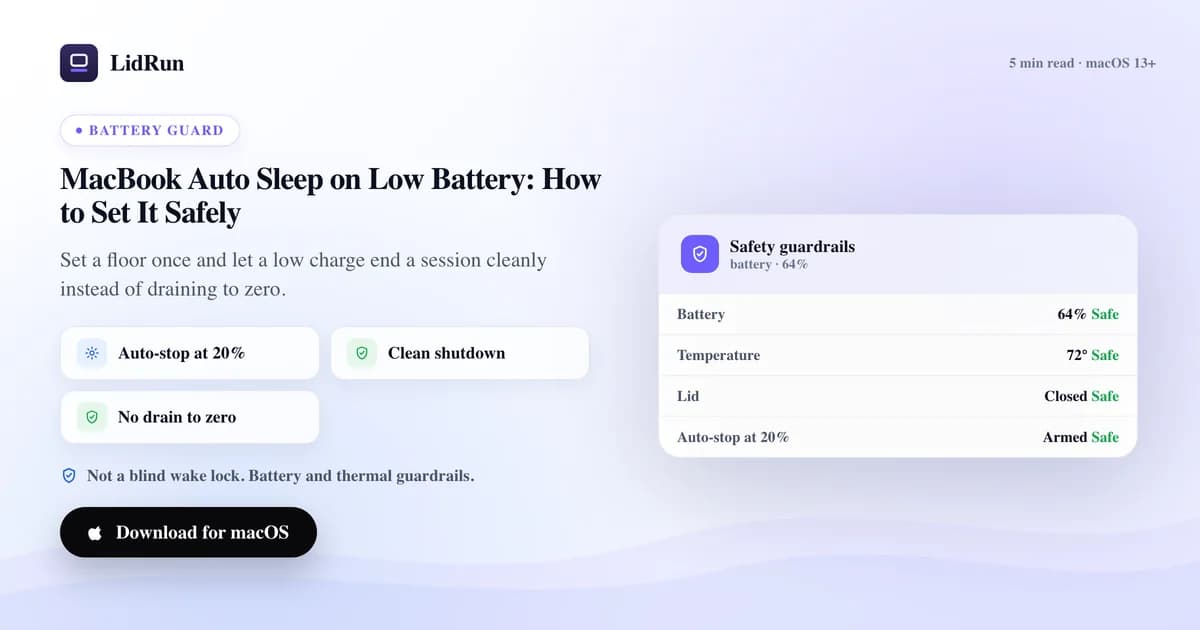
Đúng — macOS tự cho MacBook vào chế độ ngủ khi pin xuống mức nguy hiểm, nhưng cơ chế bảo vệ có sẵn này chỉ kích hoạt ở vài phần trăm cuối cùng, không hề cảnh báo trước, và không phải là một tùy chọn bạn có thể chỉnh. System Settings → Battery không có công tắc nào kiểu "ngủ ở mức 20%" hay "cảnh báo ở mức 30%" — lớp đó đơn giản là không tồn tại theo mặc định. Thứ macOS thực sự cung cấp là Low Power Mode (Never / Only on Battery / Always), giúp giảm hiệu năng và làm mờ màn hình để kéo dài pin, nhưng nó không dừng một tác vụ đang chạy hay bảo vệ dữ liệu chưa lưu ở một mức phần trăm bạn tự chọn. Nếu bạn muốn có một ngưỡng tự ngủ thực sự trước khi pin cạn hẳn — để một phiên AI agent, một lần build Docker, hay một lượt kéo model bằng Ollama kết thúc gọn gàng thay vì chết cứng theo pin — thì bạn chỉ có hai lựa chọn: tự viết script quanh pmset, hoặc dùng một công cụ theo dõi mức pin giúp bạn. LidRun làm vế sau: đặt ngưỡng một lần, miễn phí, và nó sẽ tự nhả giữ-thức (keep-awake) để Mac vào chế độ ngủ trước khi pin về 0.
macOS thực sự làm gì khi pin yếu (và không làm gì)
Mọi MacBook đời mới đều có cơ chế xử lý khẩn cấp khi pin yếu được cài sẵn trong firmware và macOS: khi pin tụt xuống vài phần trăm cuối, hệ thống tự vào chế độ ngủ để tránh tắt máy đột ngột không kiểm soát. Cơ chế bảo vệ này có thật, nhưng nó là biện pháp cuối cùng, không phải một tính năng phục vụ workflow — không có cảnh báo trước nào bạn có thể tùy chỉnh, cũng không có con số nào bạn tự đặt được. Nó kích hoạt ở đúng mức Apple đã quyết định, không hơn không kém.
Tùy chọn liên quan đến pin duy nhất mà Apple cho bạn là Low Power Mode, nằm trong System Settings → Battery, với ba lựa chọn: Never, Only on Battery, hoặc Always. Nó giảm hiệu năng CPU/GPU và hoạt động nền để kéo dài phần pin còn lại, đồng thời làm mờ màn hình một chút. Hữu ích để pin dùng được lâu hơn — nhưng không hữu ích để kết thúc một phiên làm việc trước khi pin cạn, vì nó không theo dõi phần trăm pin và cũng không dừng bất cứ thứ gì.
Terminal cho bạn khả năng quan sát, dù không phải là kiểm soát: pmset -g batt in ra mức pin hiện tại và thời gian còn lại ước tính, còn pmset -g hiển thị mọi power assertion đang hoạt động — kể cả những cái do ứng dụng khác giữ, không chỉ của bạn. Đó là cách trung thực nhất để kiểm tra thứ gì thực sự đang giữ cho Mac không ngủ, và cũng chính là ý tưởng đằng sau màn hình "Why is my Mac awake?" của LidRun — nó hiển thị mọi assertion, không chỉ riêng của LidRun.
Vậy nên khoảng trống này là có thật: macOS tự bảo vệ mình khỏi việc sập nguồn đột ngột, nhưng không cho bạn một ngưỡng "dừng ở đây, trước khi mọi thứ tệ đến mức đó" mà bạn có thể tùy chỉnh. Đó chính là lớp mà một công cụ giữ-thức phải bù vào.
Vì sao để laptop cạn pin hoàn toàn là một vấn đề
Một phiên giữ-thức không quan tâm đến mức pin sẽ thoải mái chạy laptop cho đến khi cạn sạch. Khi cơ chế ngủ khẩn cấp của macOS cuối cùng cũng kích hoạt, mọi thứ chưa lưu sẽ mất, và một tác vụ đang chạy dở — một lần build, một agent chạy dài hơi, một lượt tải model — sẽ dừng lại ở bất kỳ mức nào nó đang đạt tới, không có cách nào tiếp tục.
Còn có khía cạnh phần cứng nữa: xả pin lithium xuống 0% lặp đi lặp lại thường được hiểu là gây hại cho cell pin về lâu dài hơn so với việc dừng lại khi vẫn còn một chút pin dự trữ. Đây không phải hiệu ứng kịch tính chỉ sau một đêm chạy ẩu, nhưng thói quen xả cạn pin, phiên này qua phiên khác, là một trong những yếu tố bào mòn tuổi thọ pin theo thời gian, tính bằng tháng.
Cách xử lý không phải là ngồi canh phần trăm pin trên menu bar. Đó phải là một ngưỡng mà Mac tự động tuân theo — nghĩa là bạn phải chọn giữa việc tự viết script hoặc dùng một công cụ được xây dựng riêng cho việc này.
Hướng dẫn liên quanAn Toàn Runtime Cho Developer Khi Chạy AI AgentCách làm miễn phí: caffeinate, pmset, và các ứng dụng giữ-thức của bên thứ ba
caffeinate là công cụ giữ-thức dạng dòng lệnh có sẵn trong macOS — miễn phí, không cần cài thêm. caffeinate -d chặn màn hình ngủ trong suốt thời gian nó chạy; caffeinate -i -w <pid> gắn một wake lock vào một process cụ thể và tự nhả khi process đó kết thúc. Đây là công cụ gọn, chắc chắn, làm đúng một việc: giữ một power assertion trong suốt vòng đời của một lệnh.
pmset disablesleep 1 đi xa hơn — đây chính là công tắc cấp hệ thống mà chế độ Closed-Lid của LidRun cũng dùng bên trong, và là thứ cho phép Mac tiếp tục chạy khi gập màn hình lại. Đây là một cơ chế thật, được macOS hỗ trợ chính thức, nhưng nó thủ công: bạn phải tự nhớ đặt lại về 0, và bản thân nó không hề biết cũng không quan tâm pin đang ở mức nào.
Trong số các ứng dụng menu-bar của bên thứ ba, Amphetamine là ứng dụng đầy đủ tính năng nhất — các trigger dựa trên rule của nó có thể bao gồm điều kiện mức pin, nên đây là ứng dụng free/trả phí có cảm giác native gần nhất với chủ đề bài này. KeepingYouAwake, Lungo, và Caffeine được thiết kế đơn giản hơn: một bộ đếm giờ cho phiên làm việc hoặc một công tắc bật/tắt theo ứng dụng, hướng tới việc giữ Mac thức một cách đáng tin cậy và không gây phiền — chúng thực sự làm tốt việc đó, chỉ là không được xây dựng xoay quanh phần trăm pin.
Tất cả những công cụ này đều đàng hoàng và được nhiều người dùng hàng ngày. Vấn đề không phải là chúng giữ Mac thức kém — mà là hầu hết trong số đó, kể cả caffeinate và pmset, hoàn toàn không có khái niệm về phần trăm pin.
Rủi ro: hầu hết các công cụ này không theo dõi pin giúp bạn
Khoảng trống này quan trọng nhất với những tác vụ mà người ta khởi chạy rồi rời máy đi làm việc khác: một AI agent đang xử lý dở, một lần build Docker đang cày qua từng layer, một lượt kéo model bằng Ollama tốn kha khá thời gian. Một phiên caffeinate hoặc pmset disablesleep 1 để chạy trên pin sẽ giữ Mac thức đến tận lúc macOS tự vào chế độ ngủ khẩn cấp — không có banner cảnh báo nào ở giữa, vì không mắt xích nào trong chuỗi đó theo dõi phần trăm pin cả.
Nếu Mac cắm sạc liên tục suốt thời gian đó, rủi ro sẽ nhỏ hơn — nhưng chỉ cần dây sạc bị bung lỏng hoặc ổ điện mất điện là khoảng an toàn đó biến mất ngay lập tức, và một script không biết gì về pin sẽ không hề hay biết.
Đây chính là trường hợp mà một ngưỡng auto-stop biết theo dõi pin được sinh ra để giải quyết: không phải để thay thế caffeinate hay pmset trong việc giữ Mac thức, mà để bổ sung đúng một điều chúng không làm — tự nhả giữ-thức trước khi pin cạn dưới một tác vụ mà chẳng ai đang canh chừng.
Auto-stop của LidRun thực sự hoạt động như thế nào
LidRun chạy ba lớp bảo vệ khi dùng pin, và đáng để nói rõ cơ chế vì mỗi lớp làm một việc khác nhau. Đầu tiên là auto-stop: một công tắc bật/tắt kèm ngưỡng (mặc định 20%, có thể chỉnh từ 15% đến 50% theo bước 5 điểm) sẽ nhả giữ-thức của LidRun ngay khi pin tụt xuống dưới mức đó, để Mac ngủ theo cách bình thường. Đây là đòn bẩy chính, bật sẵn theo mặc định, và miễn phí — không bao giờ khóa sau Pro.
Thứ hai là cảnh báo pin yếu: một thông báo trên máy và qua push notification, mặc định ở mức 15%, chỉ bắn một lần cho mỗi chu kỳ xả pin để không spam khi phần trăm tụt dần. Công tắc bật/tắt cho tính năng này cũng miễn phí; việc tự chỉnh chính xác con số phần trăm (từ ngay trên ngưỡng sinh tồn cho đến 50%) là tính năng Pro, nên bản miễn phí nhận mức mặc định an toàn thay vì một con số tùy chỉnh.
Thứ ba là ngưỡng tự ngủ sinh tồn: mặc định 4%, có thể chỉnh lên đến 8% với Pro, và lớp này khác hai lớp kia — nó không chỉ nhả giữ-thức, mà chủ động yêu cầu Mac vào chế độ ngủ, ghi đè lên bất cứ thứ gì đang giữ máy thức (dù là assertion của chính LidRun hay chế độ Closed-Lid). Đây là lớp phòng vệ luôn bật: nó kích hoạt bất kể auto-stop hay cảnh báo pin yếu có đang bật hay không, vì mục đích của nó là để một phiên chạy dài không bao giờ phải kết thúc bằng một cú tắt máy đột ngột.
Cơ chế này chạy song song với một lớp an toàn nhiệt riêng, có thể cho Mac ngủ nếu máy giữ mức nhiệt nguy hiểm trong lúc không ai dùng — nó cố tình không ép ngủ khi bạn đang chủ động dùng Mac với màn hình mở, vì đó là trường hợp LidRun không nên tự ý can thiệp thay bạn. Cả hai lớp an toàn này tồn tại vì cùng một lý do: cam kết của LidRun là agent đang chạy → giữ máy thức, agent xong việc hoặc không còn an toàn → nhả giữ-thức hoặc cho ngủ — chứ không phải một wake lock mù quáng bất chấp những gì đang thực sự xảy ra trên máy.
Chọn ngưỡng phù hợp với pin của bạn
Một tổ hợp hợp lý, dựa trên các khoảng giá trị thực tế: cứ để ngưỡng sinh tồn ở mức mặc định 4%, giữ auto-stop ở mức mặc định 20% (hoặc siết chặt hơn nếu bạn hiếm khi ở xa ổ điện), và — nếu dùng Pro — đặt cảnh báo quanh mức 25-30% để có cảnh báo sớm hơn trước khi Mac thực sự ngừng giữ thức.
Nếu pin đã cũ và dung lượng thực đo được đã giảm rõ rệt, hãy đẩy auto-stop và cảnh báo lên một chút. Đoạn pin cuối thường tụt nhanh hơn trên một cell đã hao mòn, nên cùng một mức phần trăm giờ mua được ít thời gian thực hơn trước.
Đặt một lần cho phù hợp với pin và loại công việc bạn thường để chạy không người canh, rồi cứ để nó làm lớp an toàn thường trực. Cũng đáng để thỉnh thoảng kiểm tra "Why is my Mac awake?" — đó là cùng một kiểu kiểm tra trung thực mà pmset -g cho bạn, hiển thị mọi thứ đang giữ Mac thức, không chỉ riêng LidRun.
LidRun giữ công việc của bạn chạy tiếp khi đóng nắp, với cơ chế bảo vệ pin và nhiệt tích hợp sẵn.
Đã có LidRun? Đọc hướng dẫn thiết lập →
Mới biết đến LidRun? Xem bảng giá →
Câu hỏi thường gặp
Không có bản tùy chỉnh được. macOS tự ngủ như một biện pháp khẩn cấp ở vài phần trăm pin cuối cùng, nhưng không có tùy chọn nào để chọn con số đó hay nhận cảnh báo trước. Low Power Mode (System Settings → Battery) giảm hiệu năng để kéo dài pin, nhưng nó cũng không dừng tác vụ nào hay đặt ngưỡng ngủ nào cả.
Không. caffeinate giữ một wake lock trong suốt thời gian một lệnh chạy, còn pmset disablesleep 1 tắt chế độ ngủ ở cấp hệ thống — cả hai đều không kiểm tra phần trăm pin. Chúng sẽ giữ Mac thức đến tận lúc macOS tự vào chế độ ngủ khẩn cấp, không có cảnh báo nào ở giữa.
Một tổ hợp phổ biến là auto-stop mặc định 20%, ngưỡng sinh tồn mặc định 4%, và — nếu bạn chỉnh được con số — một cảnh báo quanh mức 25-30% để có thông báo sớm hơn. Đẩy các mức này lên cao hơn nếu pin của bạn đã cũ.
Có. LidRun gửi thông báo cảnh báo trên máy và qua push trước khi ngưỡng auto-stop nhả giữ-thức, và gửi thêm một lần nữa nếu ngưỡng sinh tồn buộc phải ép máy ngủ.
Dừng lại khi vẫn còn một chút pin dự trữ nhìn chung nhẹ nhàng hơn cho một cell lithium so với việc xả cạn về 0% mỗi lần, nên một ngưỡng auto-stop giúp tránh được một thói quen bào mòn pin theo thời gian — đây là một yếu tố góp phần, không phải toàn bộ câu chuyện về tuổi thọ pin.
Không — auto-stop và cảnh báo pin yếu chỉ hoạt động khi Mac thực sự đang chạy bằng pin; cắm sạc vào sẽ reset lại toàn bộ chuỗi này. Nếu dây sạc bị bung lỏng hoặc ổ điện mất điện, LidRun sẽ nhận ra ngay là máy đang chạy bằng pin trở lại và các ngưỡng đó tự kích hoạt lại từ đầu.
Có. Công tắc auto-stop và ngưỡng của nó (15-50%) nằm trong bản miễn phí của LidRun và không bao giờ bị khóa sau Pro. Việc tinh chỉnh chính xác phần trăm cảnh báo và di chuyển ngưỡng sinh tồn trong khoảng 4-8% là tính năng Pro — dù thế nào thì các mức mặc định an toàn vẫn hoạt động cho mọi người.