Como evitar que o Mac durma durante um comando longo no Terminal
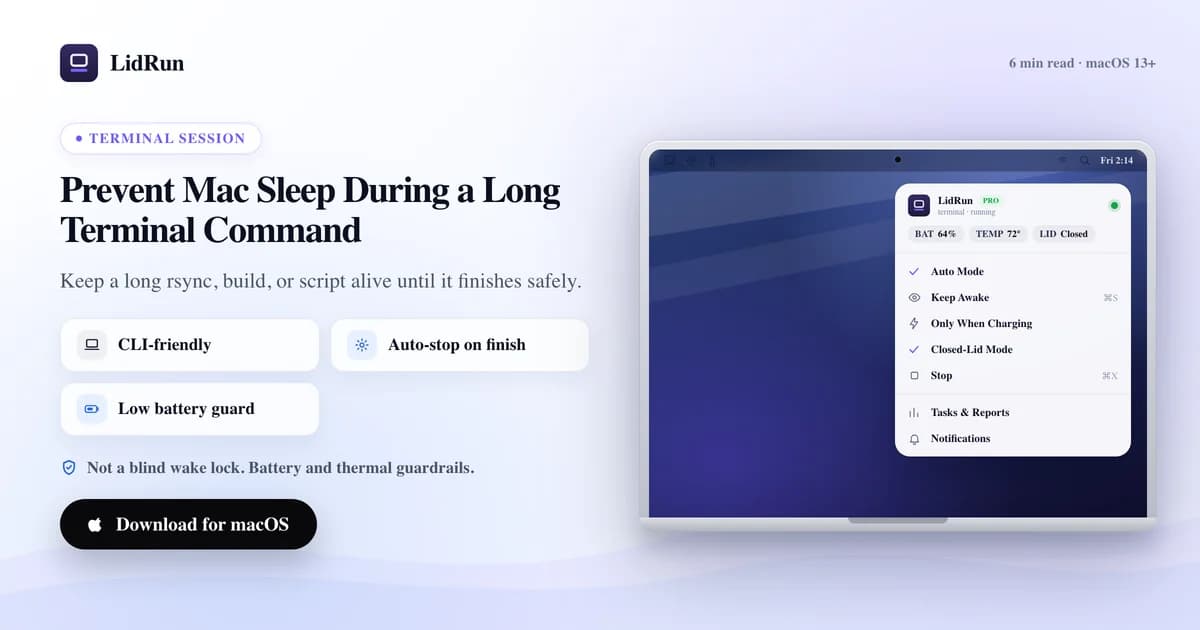
Resposta rápida: coloque caffeinate -i seu-comando ou lidrun -- seu-comando na frente do comando, e o Mac fica acordado até ele terminar, sem precisar ficar de olho. O que a maioria dos guias não conta é que fechar a tampa funciona por um mecanismo completamente diferente — nem o caffeinate nem uma keep-awake assertion comum conseguem impedir isso, e é exatamente esse detalhe que pega quem deixa jobs longos rodando sem supervisão.
Por que comandos longos são interrompidos
Um comando no Terminal é um processo comum, preso ao estado de energia do Mac. Se você se afastar tempo suficiente para bater o temporizador de inatividade, ou fechar a tampa, o Mac dorme e o comando fica suspenso no meio da execução.
Transferências longas de rsync, builds, downloads de modelos e scripts em lote são os que mais costumam ultrapassar o temporizador de inatividade — e também são justamente os que você menos quer refazer. O job não falhou: o Mac simplesmente parou embaixo dele.
Vale citar logo de cara um segundo modo de falha, relacionado a esse: se você está conectado via SSH a um Mac para rodar o job remotamente, essa máquina tem seus próprios temporizadores de sleep por inatividade e por tampa fechada, completamente independentes da sua conexão SSH. Uma ferramenta de keep-awake precisa rodar na máquina que está fazendo o trabalho, não naquela de onde você está digitando.
O caffeinate e suas flags
O macOS já vem com o caffeinate pronto exatamente para isso, e para um único job em primeiro plano é a ferramenta certa — sem instalar nada, sem custo. A combinação de flags é o que decide o que ele realmente mantém aberto:

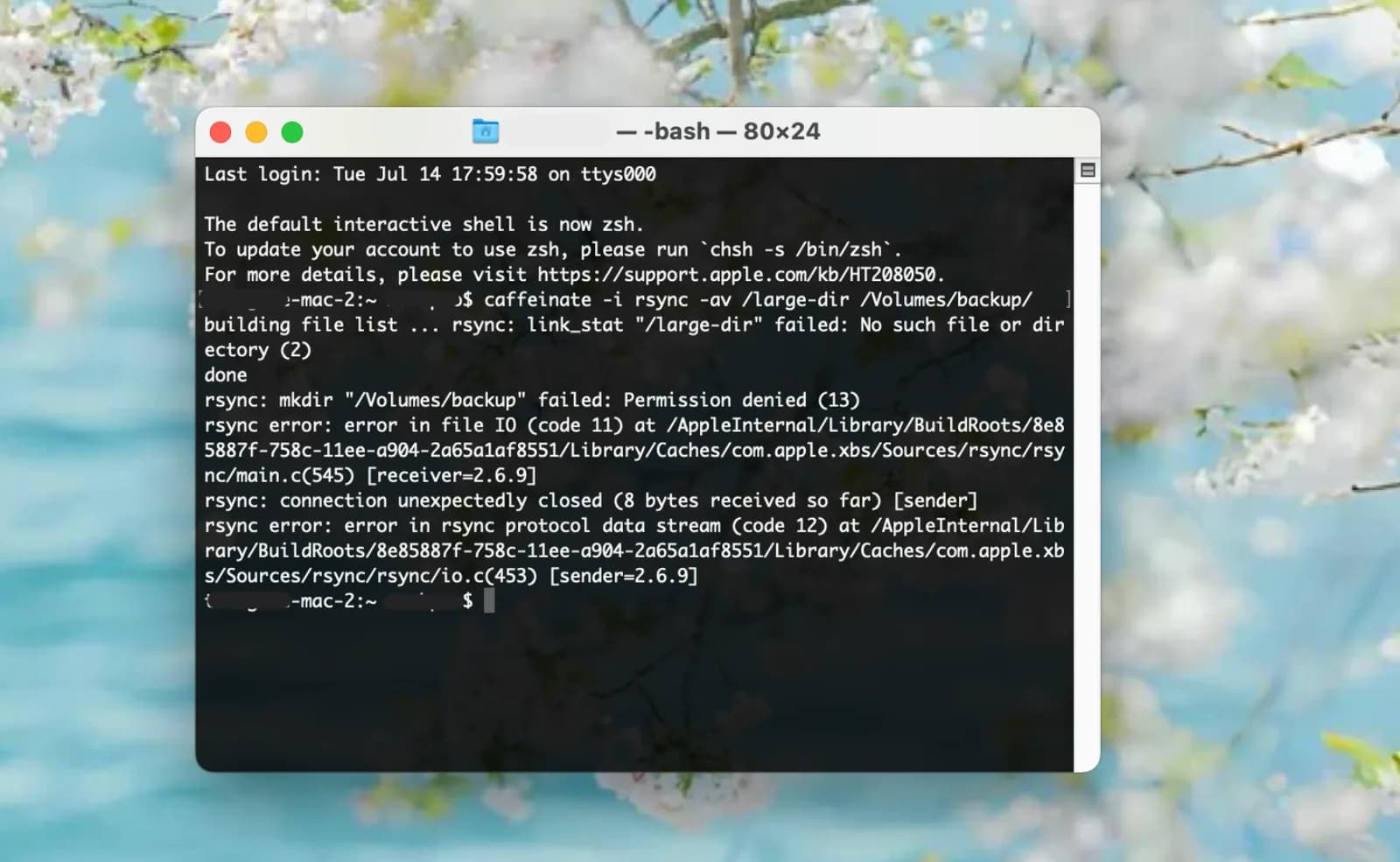
caffeinate -i seu-comando — bloqueia o sleep por inatividade enquanto seu-comando estiver rodando, depois encerra e libera automaticamente. É essa a flag que a maioria das pessoas quer para um job de Terminal.
caffeinate -d seu-comando — também mantém a tela acesa, útil se você quiser dar uma olhada na saída rolando na tela sem ela escurecer.
caffeinate -s seu-comando — bloqueia o sleep do sistema, mas só enquanto o Mac está na tomada. Na bateria, o -s simplesmente não faz nada, silenciosamente — uma surpresa comum para quem supõe que ele se comporta igual sem estar plugado.
caffeinate -w <pid> — não encapsula comando nenhum; ele espera por um processo que já está rodando. Útil para um job que você já iniciou em segundo plano: long_job & caffeinate -w $!.
caffeinate -t 3600 — mantém a assertion por um número fixo de segundos, em vez de atrelá-la a um processo — útil para uma janela de tempo definida, e não para um comando específico.
Guia relacionadoEvite que o Mac durma durante um build do DockerOnde o caffeinate para, e onde a tampa é um problema à parte
O que o caffeinate não faz é observar a bateria ou o calor. Qualquer uma dessas flags mantém o laptop acordado sem pestanejar até a carga acabar, num job que você nem está ali para ver, e nenhuma delas lê o estado térmico do Mac durante uma compilação longa e quente.
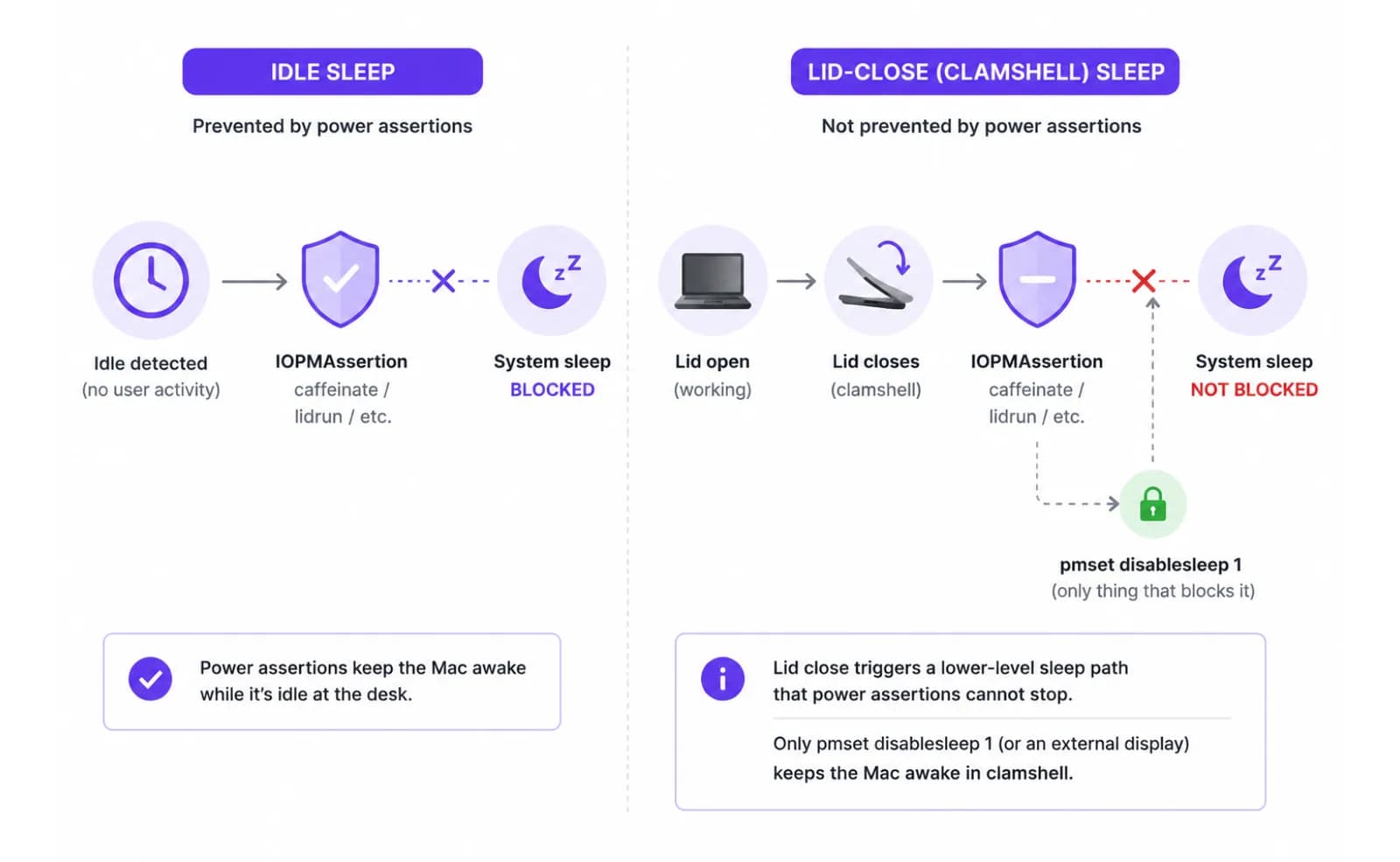
A tampa é outra questão à parte. As assertions do caffeinate, e a mesma chamada IOPMAssertionCreateWithName que o próprio CLI do LidRun usa, só bloqueiam o sleep *por inatividade*. Fechar a tampa dispara um clamshell sleep separado, de nível mais baixo, que nenhuma assertion de idle-sleep consegue impedir — o sistema operacional coloca a máquina para dormir de qualquer forma. A única alavanca pública que mantém um Mac com a tampa fechada acordado na bateria é pmset -a disablesleep 1, uma configuração de sistema global e restrita a admin; com um monitor externo conectado e ativo, o macOS também permanece acordado através do modo clamshell nativo, sem precisar de nenhuma ferramenta de terceiros. Se fechar a tampa é o seu cenário de verdade, e não ficar sentado na mesa, nosso guia de tampa fechada cobre esse mecanismo e suas contrapartidas por completo — este artigo continua focado no caso de comando de Terminal.
Rodando jobs longos via SSH
Quando o comando roda em um Mac remoto, dois relógios importam, e eles são independentes um do outro. Um é o próprio temporizador de idle-sleep do Mac; o outro é se a sua sessão SSH sobrevive a uma falha de rede ou ao fechamento do seu terminal local.
Para o primeiro, rode o caffeinate -i ou o lidrun -- no próprio Mac remoto, não na sua máquina local — uma keep-awake assertion só protege a máquina em que está rodando.
Para o segundo, encapsule o comando remoto com nohup, screen ou tmux antes de se desconectar. Sem um desses, fechar o seu terminal local (ou perder a conexão) pode enviar um SIGHUP para o shell remoto e matar o job mesmo que o Mac em si nunca tenha dormido.
Um jeito mais seguro de encapsular um comando
O CLI do LidRun segue o mesmo padrão de comando único e acrescenta as proteções que o caffeinate deixa de fora: lidrun -- seu-comando mantém uma keep-awake assertion de curta duração para aquela execução e a libera no instante em que o comando termina, sem precisar de licença nem configuração — é grátis e ilimitado, igual ao caffeinate.
Enquanto essa assertion está ativa, o piso de bateria e a liberação térmica automática do app continuam valendo se o LidRun estiver rodando: o keep-awake se desliga sozinho num limite de bateria que você define (20% por padrão, ajustável entre 15–50%), e existe um piso de emergência fixo em 4% que sempre dispara, independente da sua configuração, porque o macOS precisa dessa folga para conseguir dormir direito. Se o estado térmico do Mac chega ao nível crítico, a retenção também se libera sozinha por padrão — a promessa honesta do LidRun é: agente ou job rodando, fica acordado; job terminado ou Mac em risco, libera e deixa dormir.
Também existe uma versão com interface gráfica disso dentro do app — um painel Run & Watch que inicia um comando, mantém o Mac acordado por ele e mostra a saída ao vivo sem você tocar no Terminal — mas esse painel é um recurso Pro. Já o simples wrapper de CLI lidrun -- <command> não tem nenhuma restrição; faz parte do plano gratuito do LidRun.
Uma configuração prática
Comando avulso, na sua mesa: coloque o prefixo e vá embora — tanto lidrun -- seu-comando-longo quanto caffeinate -i seu-comando-longo funcionam, e a assertion se libera no instante em que o comando termina. Nenhum dos dois precisa de configuração extra.
Sessão mais longa sem supervisão, com a tampa aberta: se der, deixe na tomada, inicie o comando e, se quiser que as proteções de bateria/térmica do LidRun vigiem a sessão inteira e não só um processo, ative primeiro o toggle Keep Awake na barra de menu e depois rode o comando normalmente. Defina um temporizador de sessão (o seletor oferece de 30 minutos até 8 horas) para que um script que trava não mantenha o Mac acordado indefinidamente — um job travado é exatamente o caso em que um keep-awake sem supervisão não deveria rodar para sempre.
Sessão com a tampa fechada: isso exige especificamente o Closed-Lid mode, não um keep-awake comum — veja o guia dedicado linkado acima, já que isso muda a conta de segurança (o calor não tem para onde ir com a tampa fechada).
Seja qual for a configuração, mantenha o Mac numa superfície rígida e ventilada para os jobs pesados. Um build, uma compressão ou uma transferência longa podem esquentar, e ventilação é a única coisa que nenhuma configuração de software resolve.
O LidRun mantém seu trabalho rodando com a tampa fechada, com proteção de bateria e temperatura embutida.
Já tem o LidRun? Leia o guia de configuração →
Novo no LidRun? Veja os preços →
Perguntas frequentes
Para um job num Mac plugado na tomada que você vai acompanhar, sim — o caffeinate -i seu-comando é confiável e gratuito. Para um job longo sem supervisão, especialmente na bateria, ele não tem nenhuma noção de bateria ou de temperatura, então vai manter o Mac acordado direto até um desligamento por bateria baixa ou durante um job quente que já está em throttling.
A -i bloqueia o sleep por inatividade para o comando encapsulado (a que a maioria dos jobs de Terminal precisa), a -d também mantém a tela ligada, a -s bloqueia o sleep do sistema mas só na tomada (na bateria não faz nada) e a -w <pid> espera por um processo que já está rodando, em vez de encapsular um novo.
Dá sim. Tanto caffeinate -i seu-comando quanto lidrun -- seu-comando mantêm uma assertion de idle-sleep durante a duração daquele processo específico e a liberam automaticamente quando o comando termina. O wrapper de CLI do lidrun é grátis e ilimitado, sem precisar de licença.
O caffeinate e uma keep-awake assertion comum só bloqueiam o sleep por inatividade. Fechar a tampa dispara um clamshell sleep separado, que assertions de idle-sleep não conseguem impedir — o Mac precisa de um monitor externo ativo ou da configuração pmset -a disablesleep 1, restrita a admin (o que o Closed-Lid mode do LidRun usa), para ficar acordado com a tampa fechada.
Se você estiver usando o Keep Awake mode do LidRun com um temporizador de sessão definido, o temporizador limita a execução — de 30 minutos até 8 horas — para que um comando travado não mantenha o Mac acordado indefinidamente. Um caffeinate -i puro não tem esse limite; ele segura até o processo terminar ou você mesmo encerrá-lo.
A ferramenta de keep-awake precisa rodar no Mac que está fazendo o trabalho, não na sua máquina local — o SSH não muda os temporizadores de sleep daquele Mac. Além disso, encapsule o comando remoto com nohup, screen ou tmux, para que uma conexão perdida ou o fechamento do terminal local não enviem um SIGHUP e matem o job, mesmo que o Mac remoto tenha continuado acordado.