Buat Mac Anda tetap menyala hanya saat benar-benar bekerja
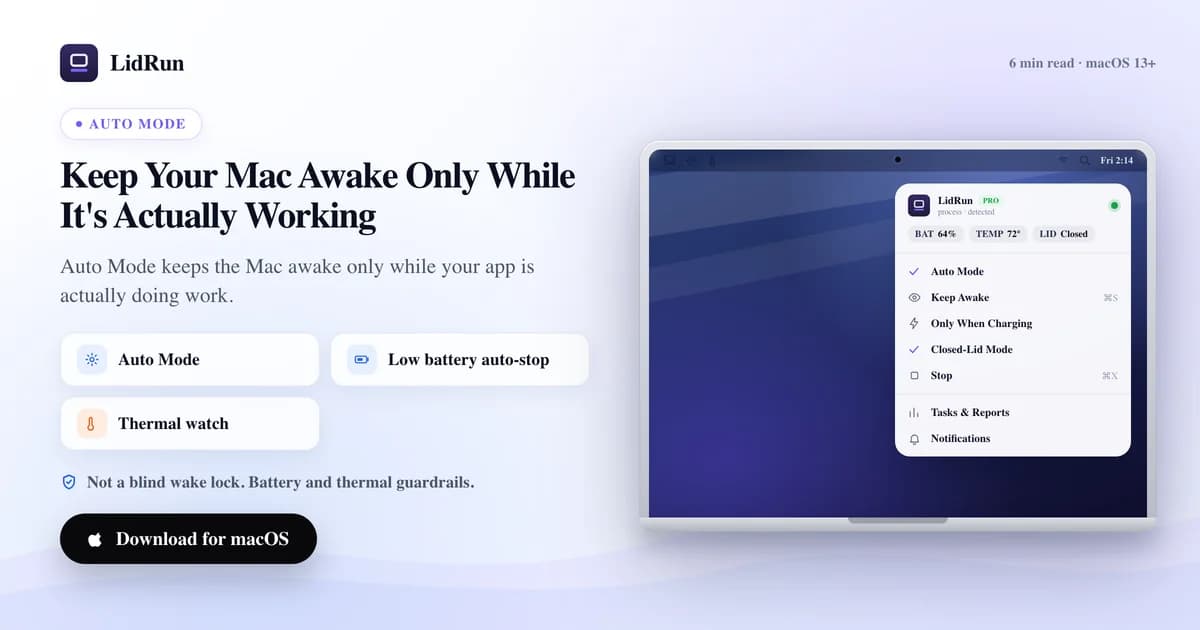
Jawaban singkatnya: Mac tetap menyala hanya selama ada beban kerja nyata yang berjalan, bukan sekadar karena sebuah aplikasi punya jendela terbuka — ini terjadi ketika sesuatu memantau aktivitas CPU per proses, bukan cuma mengecek apakah prosesnya ada. Itulah yang dibutuhkan agar Mac otomatis tetap menyala hanya saat bekerja dan melepaskannya di waktu lainnya, dan itu persis tugas yang dijalankan Auto Mode milik LidRun. Kebanyakan tool keep-awake hanya punya satu pengaturan: nyala. Aktifkan, Mac tetap menyala, dan tetap menyala jauh setelah pekerjaan yang membutuhkannya selesai. Aturan LidRun lebih sempit: agent sedang berjalan, tetap menyala; agent selesai atau tidak aman, lepaskan dan biarkan Mac tidur. Tulisan ini membahas cara kerjanya secara nyata, termasuk cara command-line gratis untuk mendekati itu, dan di titik mana cara-cara itu kehabisan jalan.
Aplikasi yang terbuka bukan aplikasi yang sedang bekerja
Wake lock biasa tidak bisa membedakan antara build yang sedang bekerja keras dan editor yang sudah menganggur selama satu jam. Baginya, keduanya cuma proses yang ada, jadi ia tetap menahan Mac tetap menyala dalam kedua kasus itu, dan terus menahannya jauh setelah pekerjaan itu benar-benar selesai.
Tapi "aplikasinya terbuka" dan "aplikasinya sedang bekerja" adalah dua hal yang berbeda. Claude Code yang duduk diam di prompt menunggu Anda tidak sedang melakukan pekerjaan CPU. Daemon Ollama tanpa apa pun yang dimuat juga tidak sedang melakukan pekerjaan CPU. Menahan Mac tetap menyala untuk salah satu dari keduanya cuma menguras baterai tanpa alasan.
Auto Mode menarik batas pada aktivitas, bukan keberadaan. Ia memantau daftar tool dev dan AI, lalu mengajukan pertanyaan yang lebih tajam untuk masing-masing: apakah proses ini benar-benar sibuk sekarang, atau cuma sekadar berjalan?
Cara gratis yang biasanya dicoba lebih dulu: caffeinate dan pmset
macOS sudah menyediakan dua cara gratis untuk mendekati ini, dan keduanya layak diketahui sebelum beralih ke aplikasi apa pun. caffeinate adalah tool command-line bawaan: jalankan caffeinate -i npm run build dan Mac tidak akan idle-sleep selama perintah tunggal itu masih berjalan. Begitu build selesai, caffeinate ikut keluar, dan assertion-nya hilang. Ini benar-benar mendekati Mac yang tetap menyala hanya saat bekerja, tidak berbiaya sama sekali, dan tidak butuh setup apa pun.
Untuk setup dengan lid tertutup, primitif gratis satu tingkat di bawahnya adalah sudo pmset disablesleep 1 — perintah ini memberi tahu macOS untuk mengabaikan kebijakan sleep-nya sendiri sepenuhnya, termasuk lid. Ini adalah saklar dasar yang sama yang pada akhirnya dipanggil oleh setiap aplikasi mode clamshell, termasuk Closed-Lid mode milik LidRun sendiri. Set sekali, tutup lid, dan Mac tetap berjalan.
Ada juga jalur tanpa software sama sekali: colokkan monitor eksternal, keyboard, dan mouse selagi Mac tersambung ke listrik, dan perilaku clamshell bawaan Apple membiarkannya berjalan dengan lid tertutup tanpa software tambahan apa pun. Namun ini hanya berfungsi selama tersambung ke monitor dan listrik — kurang membantu untuk laptop yang bekerja sendirian pakai baterai di kafe.
Panduan terkaitGovernor keamanan keep-awake Mac: kenapa LidRun membiarkan Mac yang panas atau idle tidurDi mana tool gratis ini kehabisan jalan
caffeinate sama sekali tidak tahu apakah perintah yang dibungkusnya benar-benar sibuk. Arahkan ke REPL interaktif yang sudah Anda tinggalkan, dan ia akan menahan Mac tetap menyala di 0% CPU selama shell-nya masih terbuka, karena caffeinate memang tidak pernah melihat CPU sama sekali — ia hanya mengecek apakah prosesnya masih ada.
pmset disablesleep berisiko dengan cara yang lebih spesifik: perintah ini tidak terikat pada apa pun. Tidak ada yang mengembalikannya ke 0 secara otomatis. Set sekali untuk build tengah malam lalu lupa, dan Mac akan tetap menyala — lid tertutup, mungkin di dalam tas — selama pengaturan itu masih aktif. Ini cara yang sudah dikenal orang menemukan Mac-nya panas dan mati kehabisan baterai belakangan. Itulah sebabnya Closed-Lid mode milik LidRun sendiri, yang memanggil saklar pmset yang sama, selalu memasangkan 1 dengan 0 yang sesuai saat berhenti, saat keluar, dan lagi saat dijalankan ulang — daripada berharap seseorang mengingatnya.
Tidak satu pun dari kedua tool ini memantau baterai atau kondisi termal. Keduanya akan menahan Mac tetap menyala di 2% baterai atau dengan kipas menyala penuh sama mudahnya seperti di 90% dan dingin, karena memang tidak ada sinyal bawaan untuk itu sama sekali — mengelola trade-off itu sepenuhnya jadi tanggung jawab Anda.
Keduanya juga tidak menyadari proses lain di sepanjang sesi kerja. Jalankan Claude Code di satu tab terminal, dev server di tab lain, dan Docker di latar belakang, maka caffeinate hanya tahu soal satu PID yang Anda jalankan bersamanya — Anda harus membungkus setiap perintah secara terpisah dan mengingat untuk melakukannya.
Bagaimana Auto Mode mengukur aktivitas
LidRun memantau tool berdasarkan nama proses atau bundle aplikasi, dan untuk interpreter shell — python, node, ruby, perl, bun, deno, java, sh, bash, zsh, php — ia juga membaca command line-nya, jadi pola seperti train.py tetap cocok meskipun proses yang menjalankannya cuma bernama "python". Tapi deteksi cuma separuh dari pekerjaannya.
CPU adalah faktor penentunya. Untuk proses command-line, ambang bawaannya adalah 20% dari satu core, dan bisa disesuaikan dari 1% sampai 50% di Settings. Aplikasi GUI harus melewati ambang tetap 40%-dari-satu-core, tidak peduli bagaimana slider itu diatur — jendela Cursor yang cuma terbuka dan menganggur di angka satu digit tidak pernah terhitung, hanya yang benar-benar sedang compiling atau indexing yang terhitung. Proses CLI yang baru saja muncul mendapat keuntungan diragukan pada pengecekan pertamanya, karena belum ada delta CPU untuk dibandingkan dan LidRun lebih memilih tidak melewatkan awal dari pekerjaan nyata; aplikasi GUI tidak mendapat keringanan semacam itu.
Agent coding yang sudah dikenal — Claude Code, Codex, agent Cursor, Windsurf, Aider, Cline, Continue, Goose, OpenHands, Zed, plus runtime lokal seperti Ollama, LM Studio, dan vLLM — mendapat satu lapisan tambahan begitu terbukti pernah melakukan pekerjaan nyata setidaknya sekali: setelah itu, mereka dihitung aktif berdasarkan keberadaannya, bukan lagi berdasarkan CPU%, karena agent yang sedang menunggu respons model bisa berada di sekitar 0% CPU tanpa benar-benar selesai. Agent yang baru saja dijalankan dan belum melakukan apa-apa tetap harus mendapatkan kepercayaan itu dengan cara biasa, lewat CPU.
Holdoff, dengan angka-angka nyata
Beban kerja nyata itu bersifat naik-turun — build berhenti sejenak di antara tahapan, agent menunggu panggilan jaringan, inference mengambil jeda di antara token. Kalau assertion dilepaskan begitu CPU turun sedikit saja, Mac bisa tertidur di tengah-tengah pekerjaan.
Holdoff bawaannya adalah 60 detik, bisa disesuaikan dari 10 sampai 600 di Settings: setelah sampel aktif terakhir, LidRun tetap menahan selama itu sebelum memutuskan pekerjaan benar-benar sudah berhenti. Agent yang sudah dikenal dan sudah terbukti bekerja justru mendapat holdoff yang lebih panjang, 30 menit, karena berada di kondisi hampir-idle selagi menunggu respons API adalah bagian normal dari pekerjaannya, bukan tanda bahwa ia sudah selesai.
Seberapa sering LidRun mengecek adalah pengaturan terpisah dari berapa lama ia menunggu. Interval polling-nya adalah Fast (5 detik), Balanced (10 detik, bawaan), atau Battery saver (30 detik) — atau nilai pasti apa pun dari 1 sampai 60 detik di Advanced. Pengecekan yang lebih jarang menukar sedikit responsivitas dengan lebih sedikit pemakaian CPU-nya sendiri di latar belakang.
Auto Mode bersama Closed-Lid, dan melihat apa yang sedang dipantau
Auto Mode dan Closed-Lid adalah dua saklar terpisah, bukan mode yang saling bersaing, dan keduanya berjalan bersamaan. Auto Mode memutuskan apakah sebuah tugas benar-benar aktif; Closed-Lid secara terpisah mencegah lid yang tertutup memaksa Mac tidur. Nyalakan Auto Mode, lalu tutup lid dengan Closed-Lid aktif, dan logika CPU-dan-holdoff yang sama tetap memutuskan apakah assertion-nya dipertahankan — ini bukan wake lock buta hanya karena layarnya jadi gelap.
Untuk melihat apa yang sebenarnya sedang dipantau, dropdown di menu bar punya kartu "Active workloads": setiap proses yang cocok muncul di sana, yang aktif ditampilkan dengan CPU% secara langsung, yang idle-tapi-masih-dalam-holdoff dirangkum di bawahnya. Kalau ada tool yang Anda harapkan muncul tapi ternyata tidak muncul sama sekali, itu sinyal jujur untuk mengecek watch-list-nya, bukan langsung berasumsi Auto Mode rusak.
Kenapa membiarkannya tidur justru intinya
Wake lock yang selalu menyala punya biaya, terlepas dari apakah ada yang sedang terjadi atau tidak: kalau pakai baterai, ia menguras sel baterai; kalau tersambung listrik, ia tetap membuat chip tidak beristirahat. Nilai dari Auto Mode adalah ia berakhir begitu pekerjaan berakhir — dan secara bawaan, kalau tidak ada proses yang dipantau aktif selama 20 menit, LidRun secara proaktif menidurkan Mac, bukan sekadar melepaskan assertion dan menunggu timer idle bawaan macOS. Baik jendela 20 menit itu maupun apakah Mac ditidurkan sama sekali bisa disesuaikan di Settings.
Setiap keputusan keep-awake tetap melewati ambang keamanan yang sama, apa pun mode yang aktif. Secara bawaan LidRun mulai menurunkan intensitasnya di 20% baterai, memperlakukan 5% sebagai kritis, dan memaksa melepaskan assertion di batas keras sekitar 4%, apa pun yang masih berjalan. Auto Mode memutuskan kapan tetap menyala dibenarkan oleh pekerjaan yang berlangsung; lapisan keamanan memutuskan kapan hal itu sudah tidak aman lagi, titik.
Tidak satu pun dari ini menggantikan kehati-hatian dasar. Set ambang CPU dan holdoff sekali lalu boleh dilupakan sebagian besar waktu — tapi tetap jaga sirkulasi udara Mac untuk sesi AI atau dev yang panjang, dan perlakukan ambang baterai sebagai pengaman, bukan pengganti dari mencolokkan ke listrik selama pekerjaan berjam-jam.
Di mana posisi ini, dan berapa biayanya
Auto Mode adalah bagian dari tier berbayar LidRun. Keep Awake, Timer, dan mode Charging-only gratis tanpa batas sesi, tapi deteksi otomatis berbasis CPU yang dijelaskan di artikel ini adalah fitur Pro. Kalau yang dibutuhkan cuma "tetap menyala selama satu perintah ini berjalan," caffeinate atau CLI wrapper lidrun -- <command> milik LidRun sendiri sudah mencakup itu secara gratis, tanpa semua penyesuaian di atas.
Dibandingkan dengan tool menu bar lain: Amphetamine gratis dan punya rule engine paling dalam di antara kelompoknya — trigger berbasis aplikasi, jaringan, dan baterai — tapi aturannya soal aplikasi mana yang sedang berjalan, bukan apakah aplikasi itu benar-benar sibuk. KeepingYouAwake dan Caffeine adalah toggle sederhana, gratis, sekali klik, tanpa logika pelepasan otomatis sama sekali. Lungo adalah toggle berbasis timer berbayar yang rapi. Tidak satu pun dari kelima tool ini memantau CPU per proses seperti yang dilakukan Auto Mode; itu tugas yang lebih sempit, bukan klaim bahwa Auto Mode mengalahkan semuanya di bidang yang memang mereka rancang untuk itu.
LidRun menjaga pekerjaan Anda tetap jalan saat layar tertutup, dengan perlindungan baterai dan suhu bawaan.
Sudah punya LidRun? Baca panduan setup-nya →
Baru kenal LidRun? Lihat harga →
Sering ditanyakan
Nyalakan Auto Mode dan pilih tool yang mau dipantau — LidRun menyediakan daftar bawaan yang mencakup CLI AI umum, runtime model lokal, dan build tool. Sebuah proses baru dihitung aktif begitu penggunaan CPU-nya melewati ambang batas (20% dari satu core secara bawaan untuk proses CLI, tetap 40% untuk aplikasi GUI), jadi jendela idle yang cuma terbuka di latar belakang tidak akan menahan sesi dengan sendirinya.
Ya. Proses command-line memakai ambang batas yang bisa disesuaikan di Settings, 20% dari satu core secara bawaan dan bisa diatur dari 1% sampai 50%. Aplikasi GUI harus melewati ambang tetap 40%-dari-satu-core, berapa pun posisi slider itu, karena aplikasi yang cuma terbuka cenderung idle jauh di bawah angka itu.
Tidak — itulah gunanya holdoff. Setelah sampel aktif terakhir, LidRun tetap membuat Mac menyala selama 60 detik secara bawaan (bisa disesuaikan dari 10 sampai 600) sebelum memutuskan pekerjaan sudah berhenti, jadi jeda singkat di antara tahapan build tidak mengakhiri sesi. Agent AI yang sudah dikenal dan terbukti bekerja mendapat holdoff yang lebih panjang, 30 menit, karena berada di kondisi hampir-idle selagi menunggu respons model itu wajar, bukan tanda tugasnya sudah selesai.
Begitu tidak ada proses yang dipantau aktif selama seluruh jendela holdoff, LidRun melepaskan assertion keep-awake-nya. Secara bawaan, LidRun juga secara proaktif menidurkan Mac setelah 20 menit tanpa pekerjaan yang terdeteksi, bukan sekadar membiarkan macOS memutuskan sendiri lewat timer idle-nya — baik waktu tunggu itu maupun apakah Mac ditidurkan sama sekali bisa disesuaikan. Batas baterai dan termal tetap berlaku sepanjang waktu, di setiap mode.
caffeinate dan pmset gratis dan sudah bawaan macOS, tapi keduanya tidak melihat CPU sama sekali — caffeinate hanya mengecek apakah proses yang dibungkusnya masih ada, dan pmset disablesleep cuma saklar on/off yang kasar tanpa ada yang mematikannya kembali secara otomatis. Auto Mode menambahkan lapisan yang hilang dari keduanya: ambang CPU per proses yang dipantau, holdoff supaya jeda singkat tidak mengakhiri sesi, dan batas baterai/termal yang mengambil alih apa pun yang sedang berjalan.
Ya — keduanya saklar terpisah, bukan alternatif satu sama lain. Auto Mode memutuskan apakah sebuah tugas aktif; Closed-Lid secara terpisah mencegah lid yang tertutup memaksa Mac tidur. Menjalankan keduanya berarti logika CPU-dan-holdoff yang sama tetap mengatur Mac setelah lid ditutup.
Tidak — Keep Awake, Timer, dan mode Charging-only gratis tanpa batas sesi, tapi deteksi berbasis CPU dari Auto Mode adalah bagian dari tier berbayar LidRun. Untuk satu perintah tunggal tanpa perlu penyesuaian, CLI wrapper gratis lidrun -- <command> atau caffeinate bawaan macOS sudah mencakup kasus itu.
Dropdown di menu bar punya kartu Active workloads yang menampilkan setiap proses yang cocok secara langsung, dengan yang aktif menunjukkan CPU% saat ini dan yang idle-tapi-masih-dalam-holdoff dirangkum secara terpisah. Kalau ada tool yang sama sekali tidak muncul di sana, cek dulu apakah tool itu ada di watch-list sebelum berasumsi deteksinya rusak.